MS Teams notifications to the new Teams Workflow?

Hi there, I just tried this.
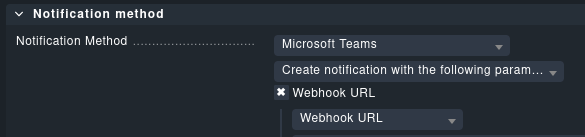
With integration msteams:
image

This results just in a
202: Accepted
On CheckMK side?

EDIT:
Gettin this error more precisely

ExpressionEvaluationFailed. The execution of template action 'Send_each_adaptive_card' failed: the result of the evaluation of 'foreach' expression '@triggerOutputs()?['body']?['attachments']' is of type 'Null'. The result must be a valid array.

It will not work until the plugins response is rewritten to the new structure:

2 Likes

Not sure here how to do that…or rewrite what, where :frowning:

1 Like

As it’s a built in plugin just wait till it’s fixed within next releases.

If you can’t wait check MasopustC’s post.

2 Likes

You can still use the old way of webhooks (connector).
We will push a fix soon to change the script from connector to workflow and an incompatible werk with instructions what to do.

4 Likes
4 Likes

Wow, cool! So now it’s just waiting for 2.3.0p11 :smiley:

1 Like

I was looking for this as well, thank you CheckMK devs! I am now on 2.2. p31.
We’ll test when p32 comes out

If you are not seeing the warning anymore, don’t worry, they are still retiring O365 webhooks :slight_smile:

1 Like

you could already start testing: the planned implementation can be found at:
https://github.com/Checkmk/checkmk/blob/master/cmk/notification_plugins/msteams.py

Output may need some adaptions, IMHO there are too many empty lines, e.g. between the “section_facts” and at the long host/service output.

1 Like

At last p11 is out! thanks for that.

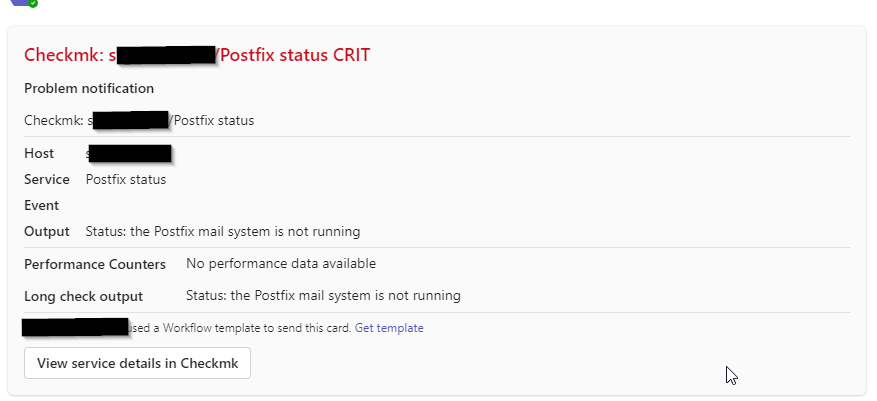
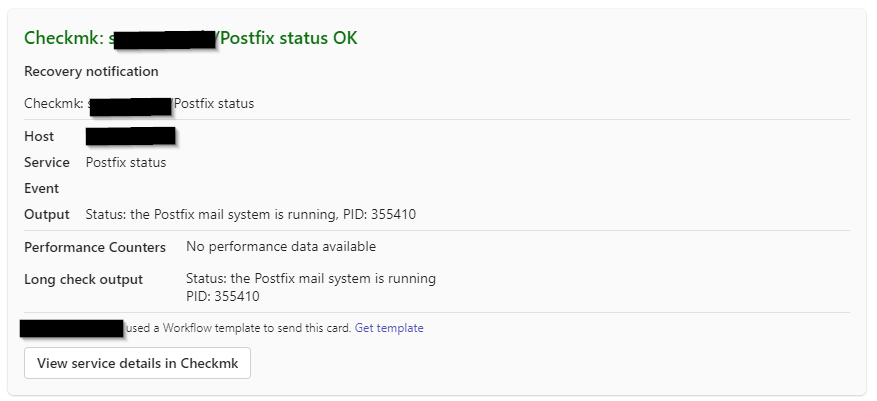
Looks like formatting has changed greatly:

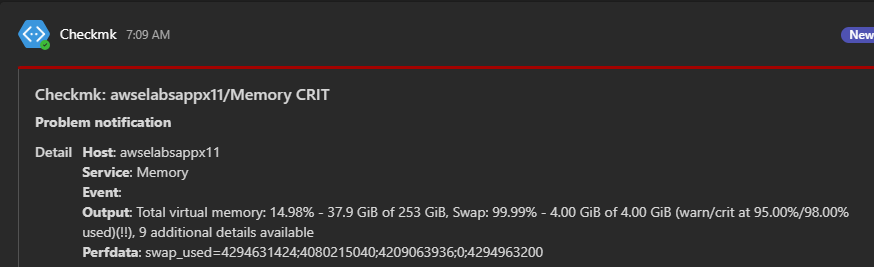
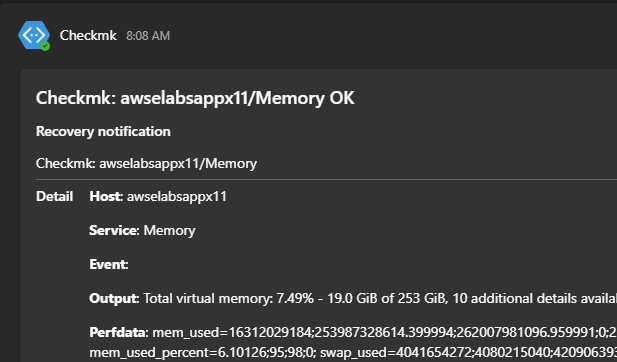
  1. Colored frame of the message is missing, CRIT used to have red frame, OK green, so on.
  2. On mobile device, no longer showing Subject of the message

Before workflow:

On workflow:
image

Having subject in the list is very useful. wondering if fixable?

thanks!
-Stan

2 Likes

Hi Stan,

would you prefer something like this? :slight_smile:

But pretty sure someone with better MicroSoft knowledge still could improve it :wink:

That would work great on white theme, there is no way to do a border/frame as before?

not sure what you mean with “border frame”.

but what you can do is try to build your own Adaptive Card Designer | Adaptive Cards with the Adaptive Card Designer :slight_smile:

When done, you can send me the card and I can try to implement this in the plugin.

@_rb FYI this documentation has not been updated yet

Looking over the designer, looks like border / frame color is not possible. Subject color in Red for Critical/Down/etc, Orange for Warn/Unknown/etc and green for OK/UP will work great.

Another “problem” I came across, for this Workflow setup to work with MS Team, it will require Teams O365 license to establish connection. Was anyone able to set it up without Teams license under dedicated service account?

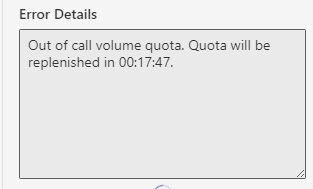
It’s even worse with these new connectors via power automate:

image

So, thanks a lot Microsoft for changing that to the worse…

This topic is temporarily closed for at least 4 hours due to a large number of community flags.

Hi, yesterday I updated checkmk to version 2.3.0p13. Now I get the message “We’re sorry, this card couldn’t be displayed” in Teams when a notification is received. With version p11 the Adaptive Card worked.
Does anyone else have the problem or a solution?