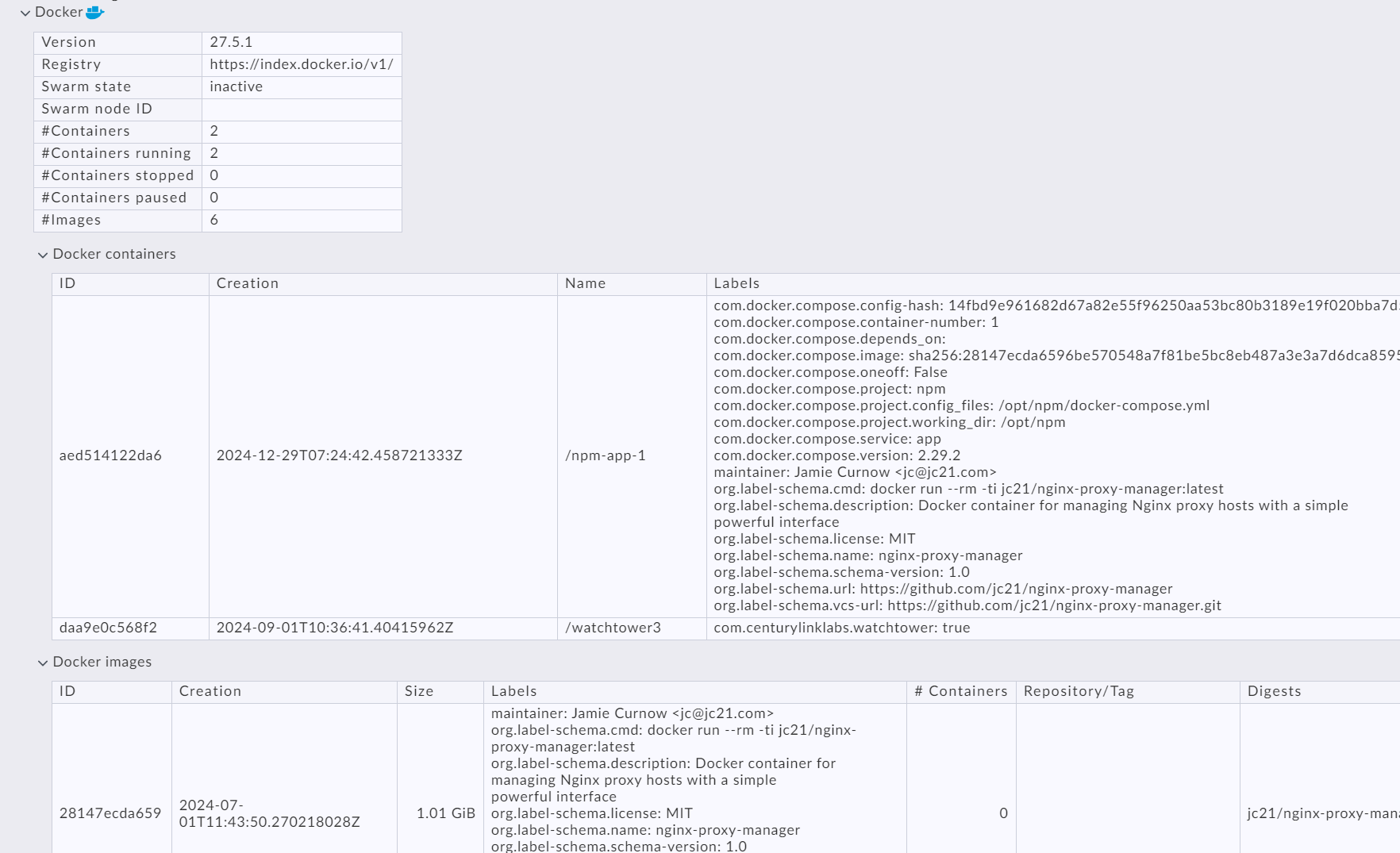
Output looks nice and verbose. This is what goes to stderr (“-v”):
 INFO: read configration file(s): ['/etc/check_mk/docker.cfg']
 INFO: 'set_version_info' took 0.009522199630737305s
 INFO: 'section_node_info' took 0.0002760887145996094s
 INFO: 'section_node_disk_usage' took 1.1028037071228027s
 INFO: 'section_node_images' took 0.05076432228088379s
 INFO: 'section_node_network' took 0.003683805465698242s
 INFO: container id: grafana-alloy
 INFO: container id: nginx_1
 INFO: container id: drupal_1
 INFO: container id: redis_1
 INFO: container id: solr_1
 INFO: skipped section: docker_container_agent
 INFO: container id: micro_service_1
 INFO: skipped section: docker_container_agent
 INFO: skipped section: docker_container_agent
 INFO: container id: micro_helper_1
 INFO: container id: micro_server_1
 INFO: skipped section: docker_container_agent
 INFO: skipped section: docker_container_agent
 INFO: skipped section: docker_container_agent
 INFO: skipped section: docker_container_agent
 INFO: skipped section: docker_container_agent
I’m not able to post the output. But I confirmed that in the section “[[[containers]]]” there’s full information about each container. E.g. (pretty-printed):
[[[containers]]]
{"Id": "3e4b290c61aa7c350804350716ac5881efa69c705cfa14034cb1e97976c81348",
     "Created": "2025-01-28T18:06:57.645034264Z",
     "Path": "/bin/alloy",
     "Args": ["run", "--disable-reporting", "--storage.path=/data-alloy", "--stability.level=public-preview", "--server.http.listen-addr=0.0.0.0:12345", "/etc/alloy/my.alloy"],
     "State": {"Status": "running", "Running": true, "Paused": false, "Restarting": false, "OOMKilled": false, "Dead": false, "Pid": 1691171, "ExitCode": 0, "Error": "", "StartedAt": "2025-01-28T18:06:57.822586441Z", "FinishedAt": "0001-01-01T00:00:00Z"},
     "Image": "sha256:52f26bdcc72c9e988dc41ca48d2845cb5a562a3f372c1d06e8ee5f58f03538a8",
...
     "Config":
         {"Hostname": "3e4b290c61aa", "Domainname": "", "User": "",
          ...
          "Image": "grafana/alloy:latest",
          ...
          "Labels": {"com.docker.compose.config-hash": "ab16fbbc241975eceab435d28b623c7010ae5c889c725304cf8dc4c85291e12e", "com.d    ocker.compose.container-number": "1", "com.docker.compose.depends_on": "", "com.docker.compose.image": "sha256:52f26bdcc72c9e988dc41ca48d2845cb5a562a3f372c1d06e8ee5f58f03538a8", "    com.docker.compose.oneoff": "False", "com.docker.compose.project": "alloy", "com.docker.compose.project.config_files": "/home/my/alloy/docker-compose.yml,/home/my/alloy/docker-compose.my.yml", "com.docker.compose.project.working_dir": "/home/my/alloy", "com.docker.compose.service": "alloy", "com.docker.compose.version": "2.32.1"    , "org.opencontainers.image.ref.name": "ubuntu", "org.opencontainers.image.source": "https://github.com/grafana/alloy", "org.opencontainers.image.version": "24.04", "otel.deployme    nt.environment.name": "my", "otel.service.name": "alloy", "otel.service.namespace": "alloy-my", "otel.service.version": "latest"}
     },
That’s also what I found in the agent output (“Download agent output” in Checkmk ), so I’m pretty sure mk_docker.py is reporting the data to the Checkmk server.