Hello,
I have installed the newest Check_mk version from the raw edition on a fresh Ubuntu 18.04.4 LTS.
I have just updated the system, rebooted and installed the last version via gdebi. As far as I know it configures apache itself.
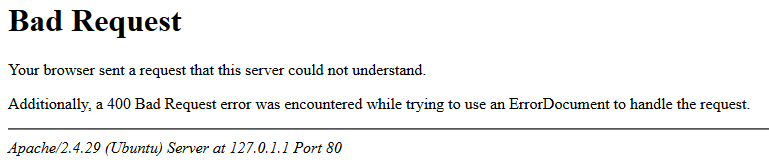
If i open the address of the Server I get following page:
~$ curl -v http://localhost:5000/mysite
*   Trying 127.0.0.1...
* TCP_NODELAY set
* Connected to localhost (127.0.0.1) port 5000 (#0)
> GET /mysite HTTP/1.1
> Host: localhost:5000
> User-Agent: curl/7.58.0
> Accept: */*
>
< HTTP/1.1 302 Found
< Date: Mon, 02 Mar 2020 11:18:37 GMT
< Server: Apache
< Content-Security-Policy: default-src 'self' 'unsafe-inline' 'unsafe-eval' ssh: rdp:; img-src 'self' data: https://*.tile.openstreetmap.org/ ; connect-src 'self' https://crash.checkmk.com/ ; frame-ancestors 'self' ; base-uri 'self'; form-action 'self' javascript: 'unsafe-inline'; object-src 'self'
< Location: http://127.0.0.1:5000/mysite/check_mk/
< Content-Length: 222
< Content-Type: text/html; charset=iso-8859-1
<
<!DOCTYPE HTML PUBLIC "-//IETF//DTD HTML 2.0//EN">
<html><head>
<title>302 Found</title>
</head><body>
<h1>Found</h1>
<p>The document has moved <a href="http://127.0.0.1:5000/mysite/check_mk/">here</a>.</p>
</body></html>
* Connection #0 to host localhost left intact
Thanks in advance
