Active Check DNS Resolve not working - Plugin Timeout

Good Morning everyone,

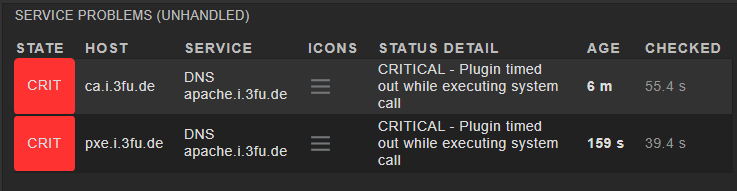
I’m sitting here setting up an active check to monitor my local DNS Server and an every server I add to monitor I’m getting this gesult:

Does somebody know how to debug this or what exactly happens? Thanks in advance for any help!

Cheers,
Gamie

On the service status page, you should see the exact “Service check command”, something like check_mk_active-dns!-H 'www.example.com' -s '$_HOSTADDRESS_4$' ...

You can then execute the corresponding check_dns command for this active check as the site use, replacing variables with their respective values:

sudo su - SITE
check_dns -H 'www.example.com' -s '192.168.12.34' ...

Thanks,
thats weird:

OMD[monitor]:/usr/bin$ check_dns -H 'apache.i.3fu.de'
-bash: check_dns: command not found

Ah, it’s not in the default search path. Sorry, didn’t check that.

Call it with its full path ~/lib/nagios/plugins/check_dns

Okay, thats giving me the expected result:

OMD[monitor]:~$  ~/lib/nagios/plugins/check_dns -H 'apache.i.3fu.de' -s 10.0.7.2
DNS OK: 0.009 seconds response time. apache.i.3fu.de returns 10.0.7.4|time=0.008561s;;;0.000000

Then why do I get the error on the WebUI :thinking:

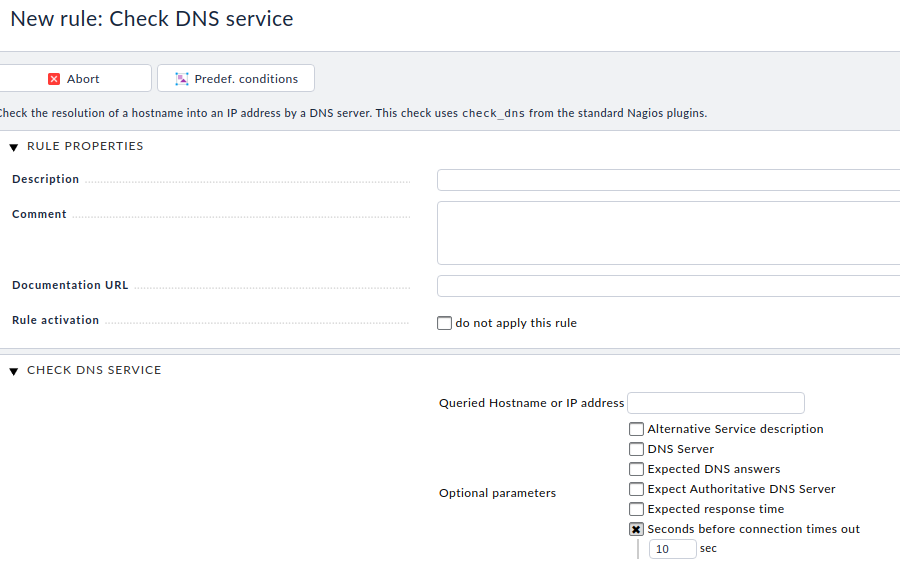
You can set the timeout. Default is 10s

Heyho,
thanks, with an timeout of 30 seconds I got at least not an timeout anymore. But there is still an Issue: I got a NULL response:

Found this:


Maybe it is related to your problem.

Hmm thats true, that could be it

This topic was automatically closed 365 days after the last reply. New replies are no longer allowed. Contact @fayepal if you think this should be re-opened.