Hi, I have host imported into one of my sites, but when I go the main dashboard, I do not see that host shown there. How do I add a host to the main dashboard?
Hi @mtperlman
Welcome to the Checkmk forum!
Can you give us a bit more context and maybe a screenshot of your main dashboard?
- You added a host to checkmk through the Add Host dialogue? The Rest API? CSV import?
- What kind of host is it, and what is the datasource for this host? Agent? SNMP? One of the cloud integrations?
- Did you do a service discovery? Did you add the services to your monitoring?
- You activated changes?
- Are there any filters on your main dashboard?
Does the host show up in other views (like the “All Hosts” view)?
Hi Elias!
Thanks for responding.
- You added a host to checkmk through the Add Host dialogue? The Rest API? CSV import?
I’m adding through the Checkmk interface by going to setup>hosts>add host.
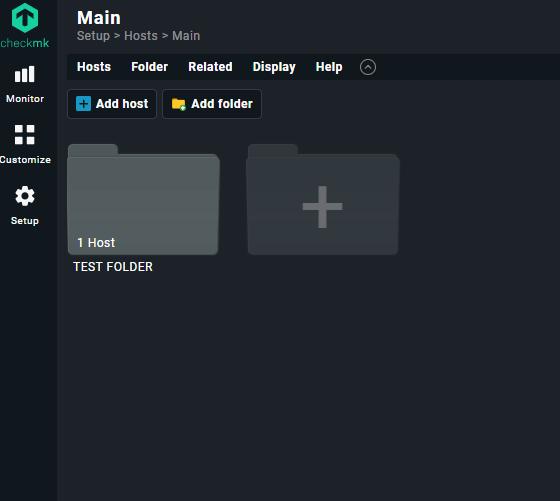
- What kind of host is it, and what is the datasource for this host? Agent? SNMP? One of the cloud integrations?
The host is a Windows PC running the agent
- Did you do a service discovery? Did you add the services to your monitoring?
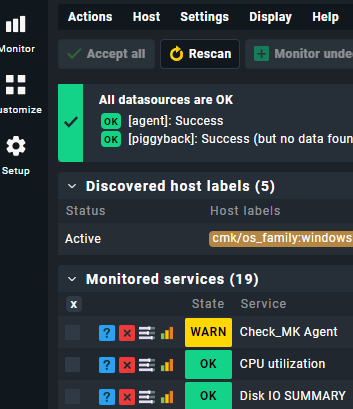
I did a service discorvery, but did not add the services to my monitoring. I just tried adding the services, but still not seeing anything in “all hosts”.
- You activated changes?
I’m not sure how to activate changes, but I did “accept all”. Is that the same thing?
- Are there any filters on your main dashboard?
No, there are no filters.
- Does the host show up in other views (like the “All Hosts” view)?
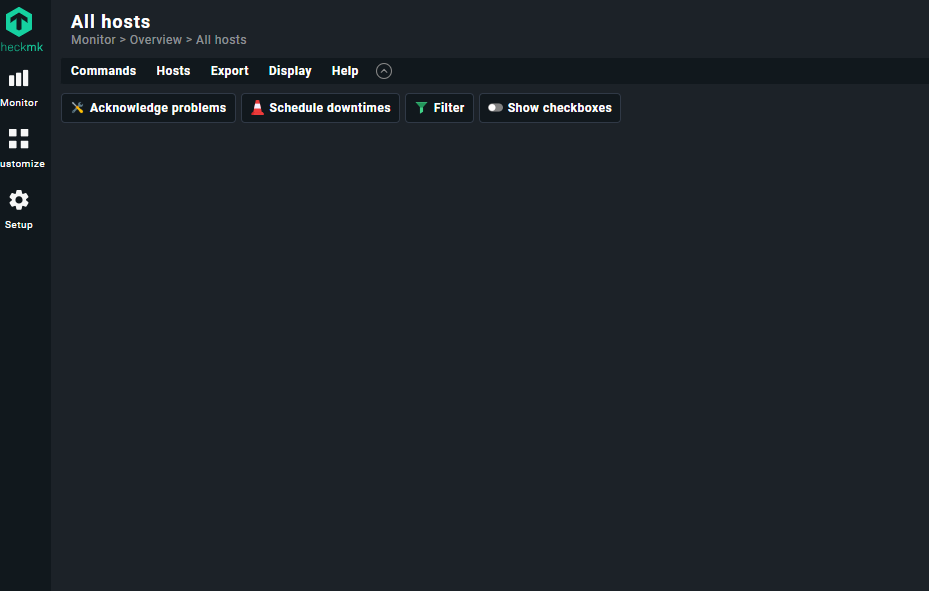
No, it does not show in the “all hosts” view.
This is probably obvious, but this is my first time using CheckMK so I’m not very familiar with it. Also, it says I can only put 1 embedded image here because I’m a new user.
Other screenshots
hi @mtperlman
thanks for the additional info, that helps.
I’m not sure how to activate changes, but I did “accept all”. Is that the same thing?
No, it is not. I would bet that you have a yellow exclamation mark on the top right of your screen. Like this:

Click on that.
And then activate the change:
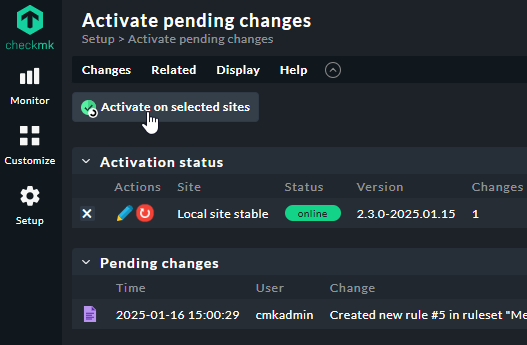
Here is some further reading on activating changes:
Ah, that did it! Thanks!
My next question is it possible to use the Windows host to monitor other items on the network? Essentially, using the computer to ping other devices on the network to be able to confirm connectivity and show that status in the CheckMK web interface.
My situation is I have a Windows PC in a restaurant and I’m trying to find a way to monitor networked devices on that network.
Let me know if there’s a better place to post this to.
Glad to hear that this did the trick.
As to your other question: Please open a separate thread. 1 topic, 1 thread
I’ll answer there 
PS: And don’t forget to mark this one as solved
1 Like
This topic was automatically closed 365 days after the last reply. New replies are no longer allowed. Contact an admin if you think this should be re-opened.