Adding Hosts with Templates

Hello,

I am going to be adding around 100 switches in various areas of our factory to my CheckMK deployment.

Can anyone advise the best way to do this with some sort of template? I want all the switches to have the same interfaces monitored, for example I only care about displaying, CPU usage, uplink interfaces, PSU status etc.

I dont need to see every single interface on every single switch.

Struggled to find a guide on how to do this.

Any help would be appreciated!

  • Create a WATO folder where you place all switches
  • Set all rules to target that folder (for example disabled services, SNMP timeout etc. You can also set SNMP community on the folder for all switches
  • Done

Checkmk does not have templates, but you can target rules to many different aspects.

2 Likes

Hi Anders,

Thanks for the reply.
Can you please confirm what you mean by WATO? I’m fairly new and haven’t got all the acronyms yet.

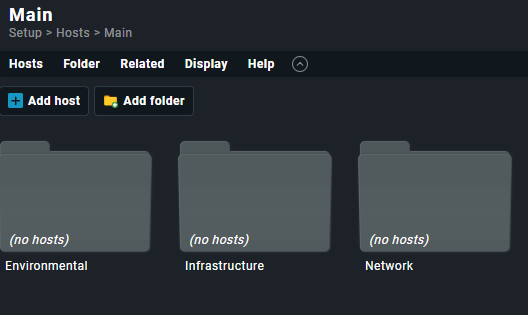
I do have a folder structure that separates all of our switches in the hosts section if thats what you mean?

image

Thanks,
Cameron

@cameronmuirhead WATO is old Checkmk lingo for ā€œWeb Administration TOolā€. Today this has been by replaced by the ā€œSetupā€ menu.

So you’re in the right place :slight_smile:

2 Likes

I would recommend to read and understand the following blog article, as this is the foundation to monitor your network ports based on the port description.
Following this, you can e.g. easily setup rules to only add switch ports with a configured description / alias.

As Anders wrote, checkmk is not about templates but rule based.
But if you configure the rules with the correct conditions, these will automatically configure your switches and ports based on the chosen conditions. One condition could e.g. be the folder these are in, but you can also use hostnames, host tags, host labels to configure these devices dynamically.

2 Likes

Hi @aeckstein,

Thanks for the information.
Will pick this up this week and let you know how I get on.

Appreciate the help in direction.

Thanks,
Cameron

Correct. I think that is a good start.

I would also recommend using for example host labels for your rules, that means that the folder structure will be less important. Where I work we mainly use folders to make it easier to navigate and, for example run things like service discovery on a folder.

1 Like

Wondering if anyone can help with the issue I’m getting.
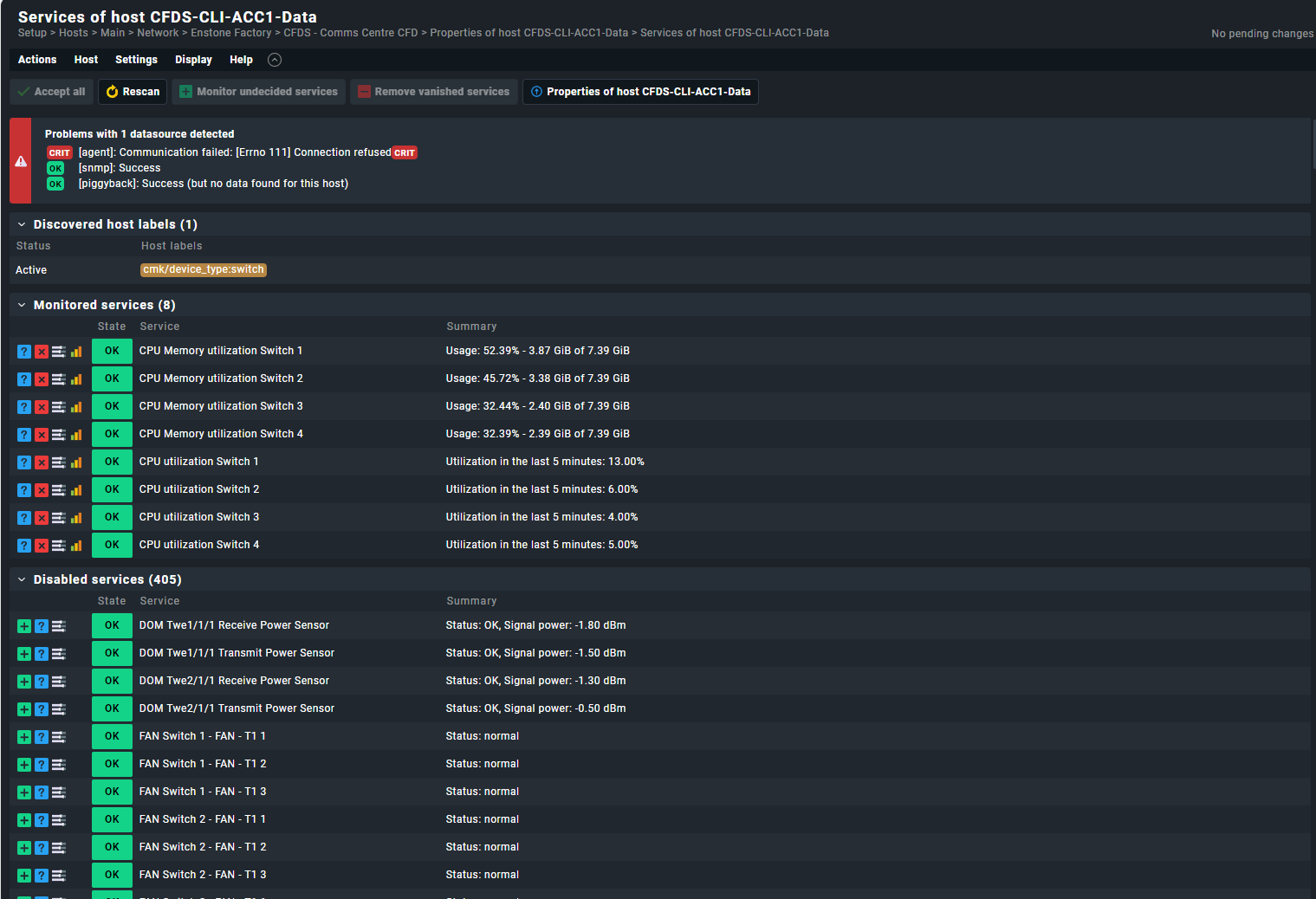
I’ve added in the correct folder structure and added one device as a test. Now I’m trying to display only a single interface for this host but its showing loads when I do the discovery.

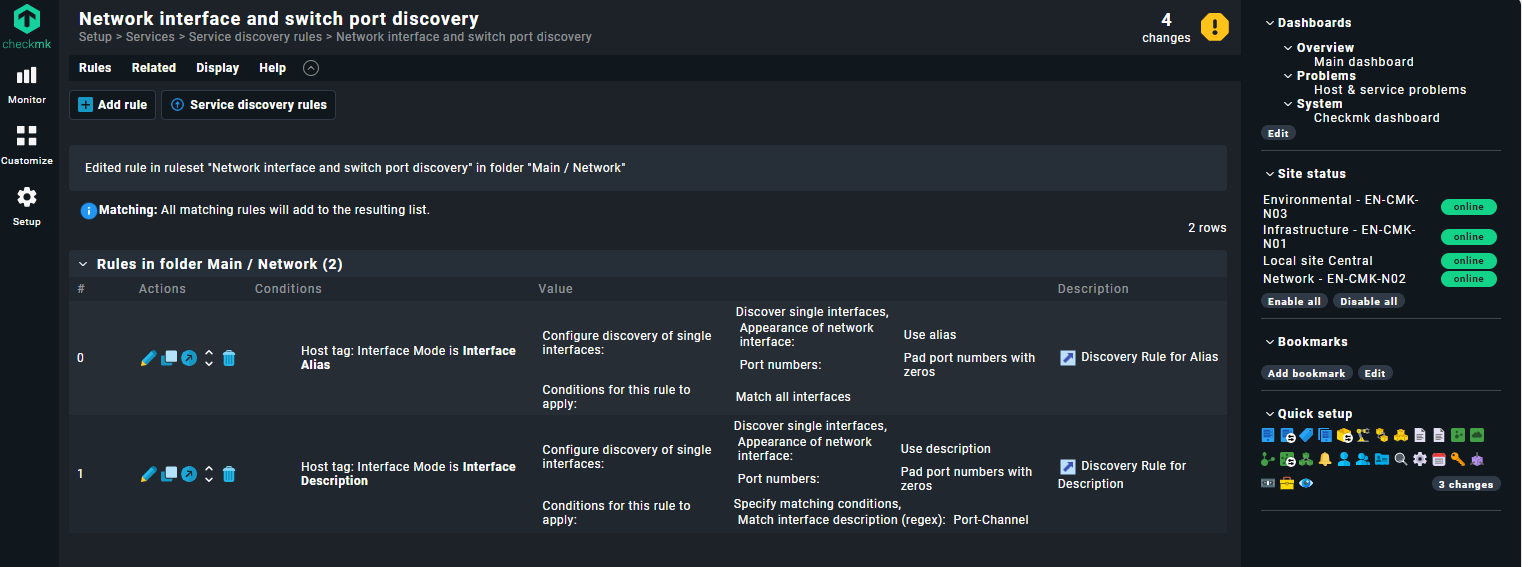
Here are the settings I have set:

As you can see I have put the condition to apply for the rule to be ā€œPort-Channelā€ in the regex description field. However I am getting the below output:

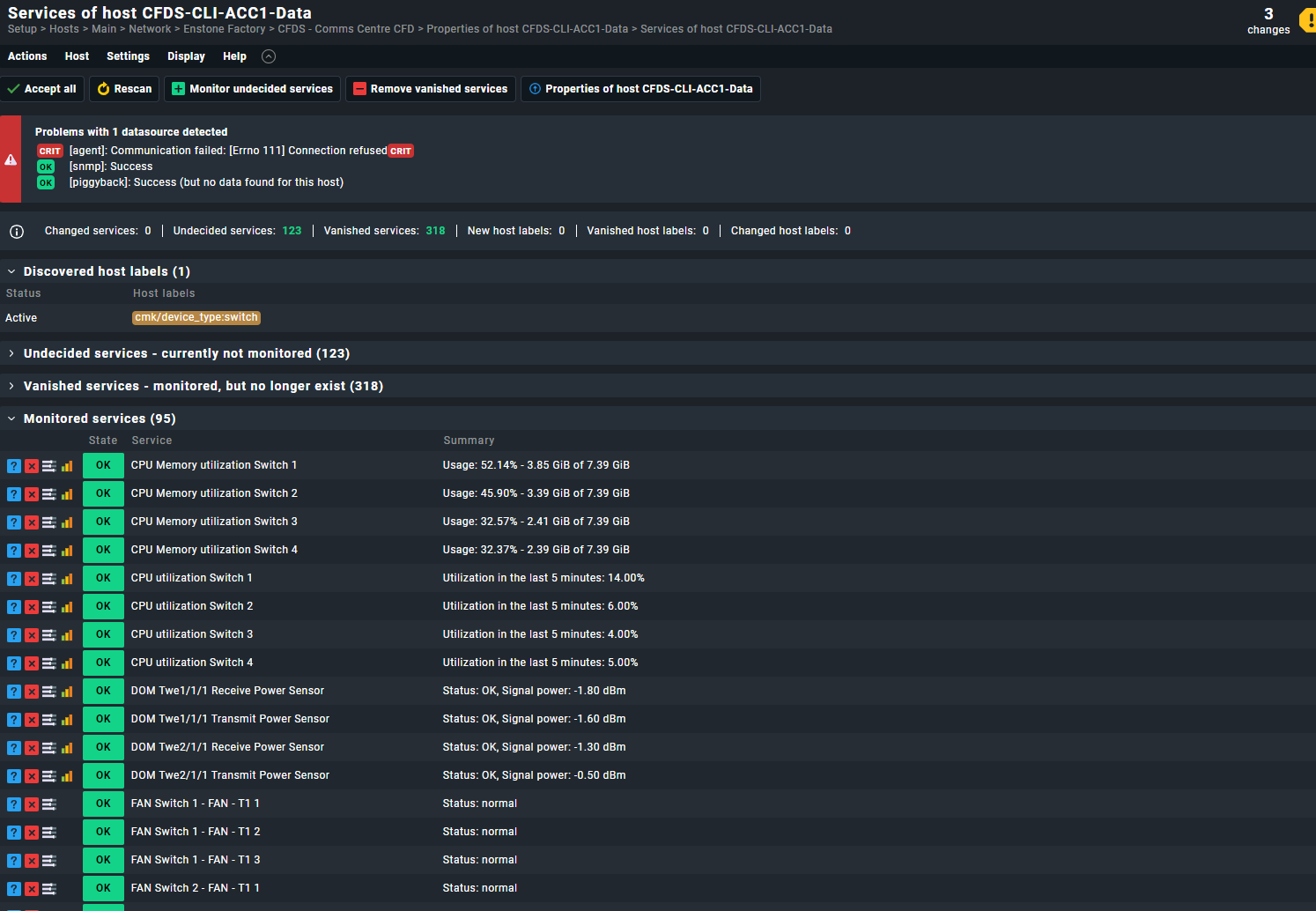
Roughly 95 monitored services still coming through, and the one that I have specified has been put into the Vanished services.

Is anyone able to point me in the right direction?

Thanks!

Just to update this, it seems like whatever I put in the regex field, it always returns the same 95 monitored services.

Still unsure where I am going wrong :slight_smile:

Done a bit of digging on the forum and found this:
Trying to ignore some network interfaces - Troubleshooting - Checkmk Community

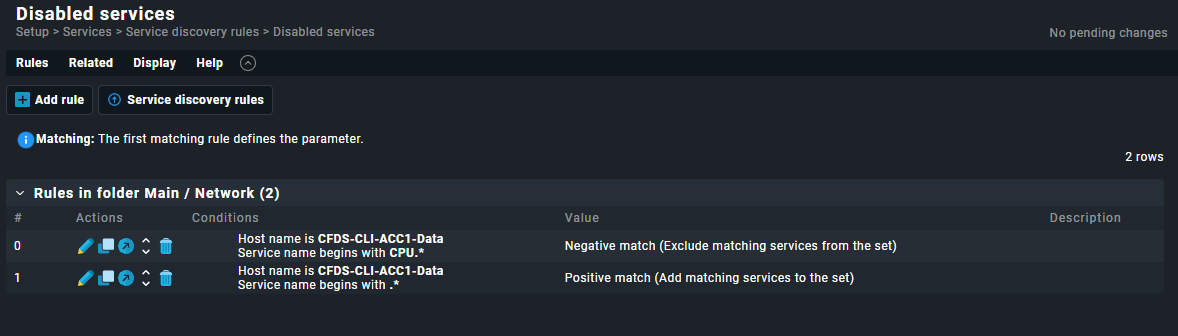
Seems to have it working now, so the interfaces shown will only be the ones defined by the ā€˜Disabled Services’ section.

In this example I have set it so that it only displays the CPU field as a test, will expand more later but good to see it working.

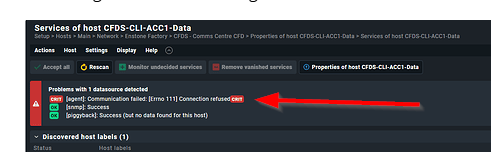
This is somewhat unrelated, but if you want to get rid of this:
image

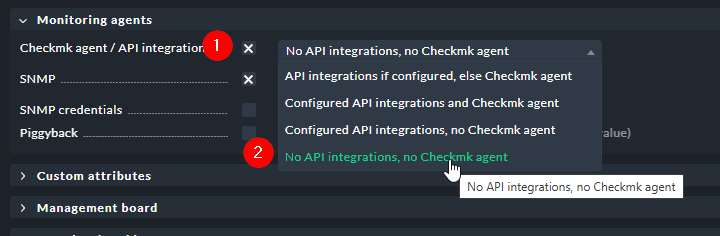
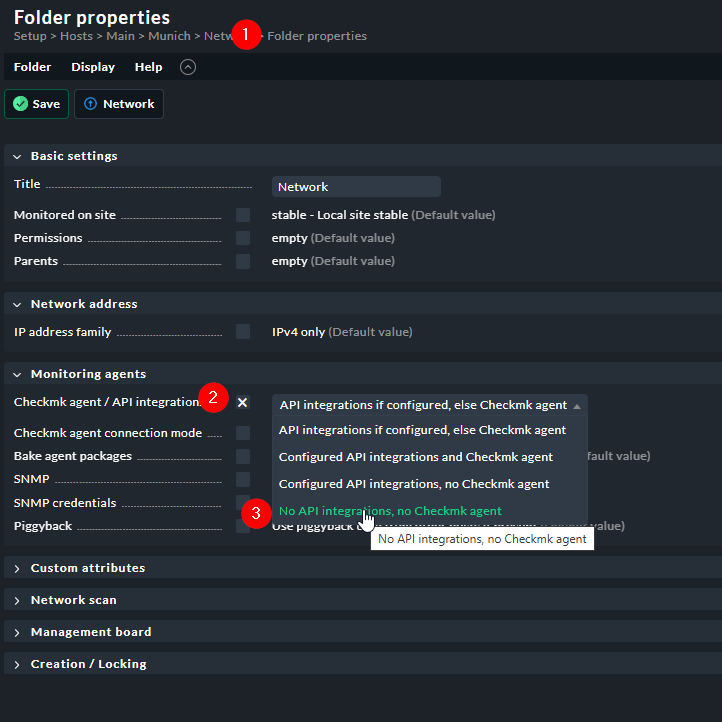
you may want to change the Host Config to this

You can do this for the individual host, or (better) for the entire folder

1 Like

P.S.: You disabled the fans of the switch. Probably not a great idea.

1 Like

Thanks for the tip! I did notice the error but haven’t had time to look into it.
Just set that up now and working, thanks!

1 Like

Yeah all good, was just testing to get CPU working, have now included all fans and PSUs etc now. Thanks :slight_smile:

This topic was automatically closed 365 days after the last reply. New replies are no longer allowed. Contact an admin if you think this should be re-opened.