CMK version: 2.5.0p3 Community
OS version: Ubunt 24.04.4 LTS (noble)
Error message: Agent exited with code 1: could not convert string to float: ‘’
Output of “cmk --debug -vvn hostname”: (If it is a problem with checks or plugins)
value store: loading from disk
Checkmk version 2.5.0p3
- FETCHING DATA
Source: SourceInfo(hostname=‘vm1’, ipaddress=‘x.x.x.x’, ident=‘special_vsphere’, fetcher_type=<FetcherType.SPECIAL_AGENT: 6>, source_type=<SourceType.HOST: 1>)
[cpu_tracking] Start [7fca2fc73230]
Read from cache: AgentFileCache(base_path=/omd/sites/checkmk, relative_path_template=tmp/check_mk/data_source_cache/special_vsphere/vm1, max_age=MaxAge(checking=0, discovery=450.0, inventory=450.0), simulation=False, use_only_cache=False, file_cache_mode=6)
Not using cache (does not exist)
Calling: /omd/sites/checkmk/lib/python3.13/site-packages/cmk/plugins/vsphere/libexec/agent_vsphere -u snmp --secret-id snmp-ESXi:/omd/sites/checkmk/var/check_mk/passwords_merged -i counters,hostsystem --direct --hostname vm1 -P --spaces underscore --vm_piggyname hostname --no-cert-check x.x.x.x
Get data from program
[cpu_tracking] Stop [7fca2fc73230 - Snapshot(process=posix.times_result(user=0.0, system=0.0, children_user=0.21, children_system=0.03, elapsed=0.26999999955296516))]
Source: SourceInfo(hostname=‘vm1’, ipaddress=‘x.x.x.x’, ident=‘piggyback’, fetcher_type=<FetcherType.PIGGYBACK: 4>, source_type=<SourceType.HOST: 1>)
[cpu_tracking] Start [7fca3469dd10]
Read from cache: NoCache(base_path=/dev/null, relative_path_template=, max_age=MaxAge(checking=0.0, discovery=0.0, inventory=0.0), simulation=False, use_only_cache=False, file_cache_mode=1)
[cpu_tracking] Stop [7fca3469dd10 - Snapshot(process=posix.times_result(user=0.0, system=0.0, children_user=0.0, children_system=0.0, elapsed=0.0))]
[cpu_tracking] Start [7fca3469dd10] - PARSE FETCHER RESULTS
Get piggybacked data
0 piggyback files for ‘vm1’.
0 piggyback files for ‘x.x.x.x’.
HostKey(hostname=‘vm1’, source_type=<SourceType.HOST: 1>) → Add sections:
Received no piggyback data
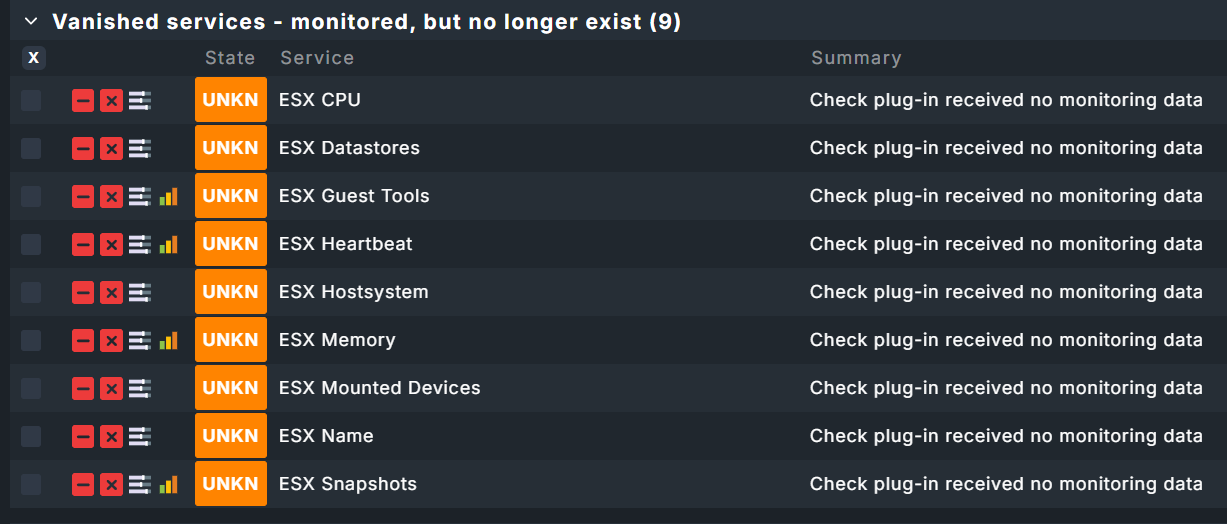
CPU utilization PEND Check plug-in received no monitoring data
Datastore IO SUMMARY PEND Check plug-in received no monitoring data
Disk IO SUMMARY PEND Check plug-in received no monitoring data
Hardware Sensors PEND Check plug-in received no monitoring data
HostSystem vm1 PEND Check plug-in received no monitoring data
Interface 1 PEND Check plug-in received no monitoring data
Interface 3 PEND Check plug-in received no monitoring data
Interface 4 PEND Check plug-in received no monitoring data
Maintenance Mode PEND Check plug-in received no monitoring data
Memory PEND Check plug-in received no monitoring data
Object count PEND Check plug-in received no monitoring data
Overall state PEND Check plug-in received no monitoring data
System Time PEND Check plug-in received no monitoring data
Uptime PEND Check plug-in received no monitoring data
VMKernel Swap PEND Check plug-in received no monitoring data
0 piggyback files for ‘x.x.x.x’.
0 piggyback files for ‘vm1’.
[cpu_tracking] Stop [7fca3469dd10 - Snapshot(process=posix.times_result(user=0.020000000000000018, system=0.0, children_user=0.0, children_system=0.0, elapsed=0.03000000026077032))]
[special_vsphere] Agent exited with code 1: could not convert string to float: ‘’(!!), [piggyback] Success (but no data found for this host), Missing monitoring data for all plugins(!), execution time 0.3 sec | execution_time=0.300 user_time=0.020 system_time=0.000 children_user_time=0.210 children_system_time=0.030 cmk_time_ds=0.030 cmk_time_agent=0.000
Hello,
we’re facing an issue in the past few days with 2 VM hosts which used to work fine in v.2.4.0.
Since 2.5.0, we get the error “Agent exited with code 1: could not convert string to float: ‘’”
No configuration has changed on the VM hosts. VM farm has a total of 6 VM hosts, the remaining 4 have no issues. I’ve re-entered user/pass in VM host - no change.
Any help would be appreciated.