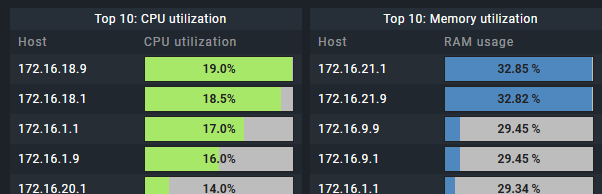
I am trying to set up CheckMK for our Organisation and am struggling to get the Dashboards to Display the Alias of our Hosts, most Networking Devices we use don’t have DNS.
I am wondering if there is an option, for Example on this Top 10 list, to display the Alias of our Hosts rather then the Hostname.
I have not been able to find it in the Options.
I’m using raw, which has less options for dashboards, so I don’t have a top 10 list element or something.
Basicly something similar can be achieved with custom view per utilization, which can be added as view to a dashboard.
Copy existing service search view
Like the one that you see when going to Monitor > Overview > Service search
Customize view, give it a recognisable name.
Columns: Hosts: Host alias & Services: Service Perf-O-Meter
Sorting column: Services: Service performance data - value number 1 ; Descending
this works for CPU Utilization, maybe for other services you need different value number item.
Context / Search Filters: the actual thing you want list for. So Service: CPU Utilization
Save custom view.
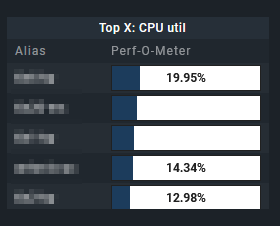
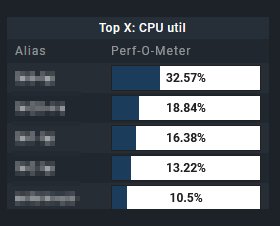
Add custom view as view to dashboard and give custom title Top X: CPU utilization
The only thing I don’t know or find is to limit the view to only 10 results.
But maybe it can be cheated by making the element in the dashboard as high so it only fits 10 items. (-;
Edit:
Quickly made such a view and add it to a dashboard to illustrate my suggestion:
Host alias 2 & 3 are stale and therefor don’t show a percentage. So maybe I should have filtered out stale items in the Context / Search Filters part of the view.
This topic was automatically closed 365 days after the last reply. New replies are no longer allowed. Contact an admin if you think this should be re-opened.