Tried to create rule under “disabled service” in “discovery rules” to disable apt-daily by giving .apt-daily. as well apt-daily$, but still getting notification mail. Any suggestions ?
@Holger ,
@r.sander
@ andreas-doehler
any suggestion for above query
What “apt-daily” do you mean?
Can you provide a screenshot for the problem?
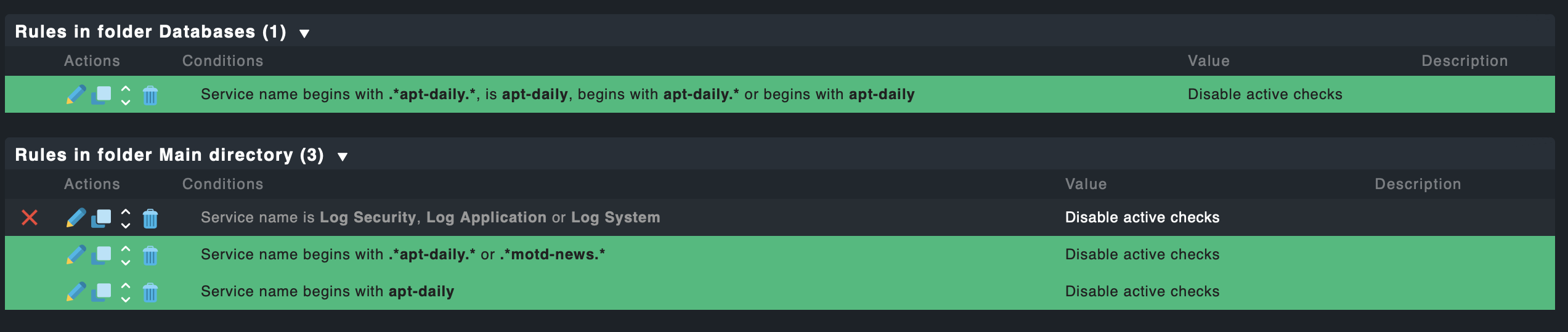
This we have created in [Enable/disable active checks for services]
under Service monitoring rules
and in alert mail we get this like

this for a host with service mentioned as “System service summary”
and in summary this service apt-daily mentioned in the alert mail
which I tried to disable the service in [Enable/disable active checks for services] in checkmk but not working .
still getting alert mail
@andreas-doehler
We have upgraded our checkmk to 2.0
Now tried to disable this service apt-daily since we are getting this alert mail daily for many hosts for service "Systemd Service Summary " with the apt-daily service in summary as below
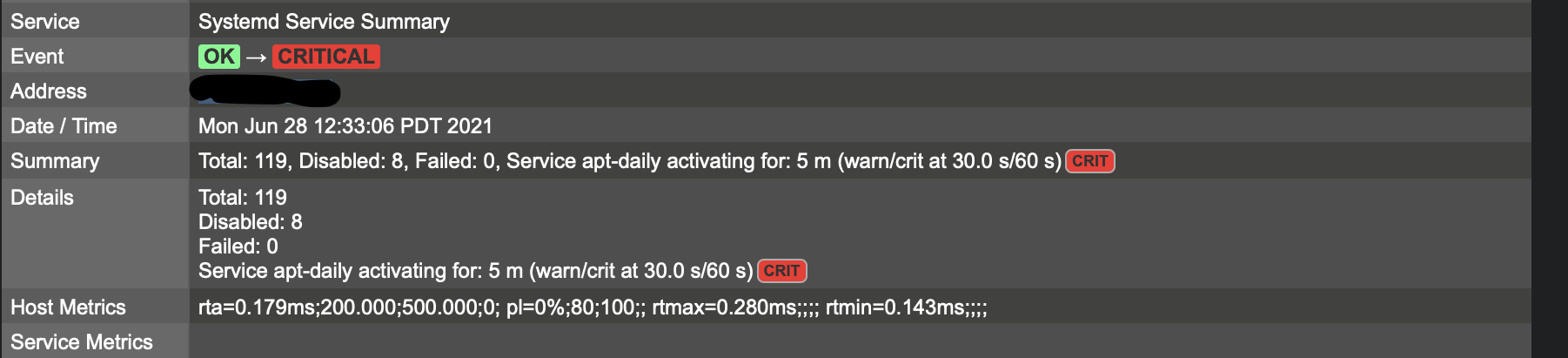
so we have created a rule in [Enable/disable active checks for services]
under Service monitoring rules checkmk to remove the alert but still getting the alert mail
below is the screenshot of rules we have created in checkmk to disable the service in service monitoring rules → Enable/disable active checks for services
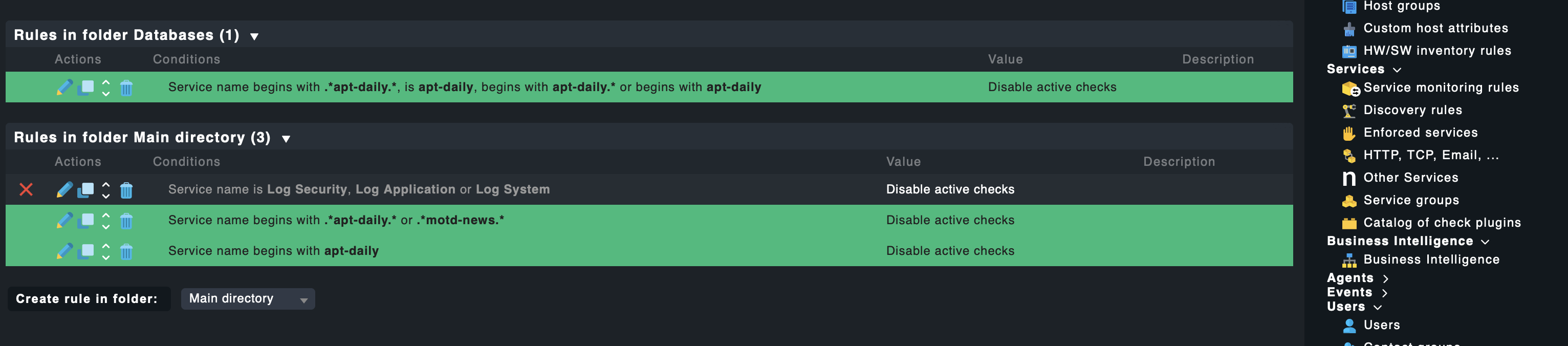
But still getting alert mail for the service .
You are confusing different types of services:
-
There are ‘Services’ in Checkmk, meaning something you are checking like CPU or a disk.
-
On the other hand there are Linux ‘Services’ as in Windows ‘Services’. Those are running in the OS to provide functionality.
Your Screenshot shows the Checkmk Service “Systemd Service Summary” which checks for Linux Services on your host. Now the apt-daily Linux service seems to be having a problem on the Linux host. This does however have nothing to do with the ruleset you created. Frankly it is not a Checkmk problem but a Linux problem. Checkmk is just telling you, that there is an issue.
3 Likes
As addition to @thorian93 you can configure the “Systemd Service Summary” to ignore the services it finds or configure the parameter for these services.
Something like this

1 Like
Hello @andreas-doehler,@thorian93
Created rule in service monitoring rules → system service summary as below
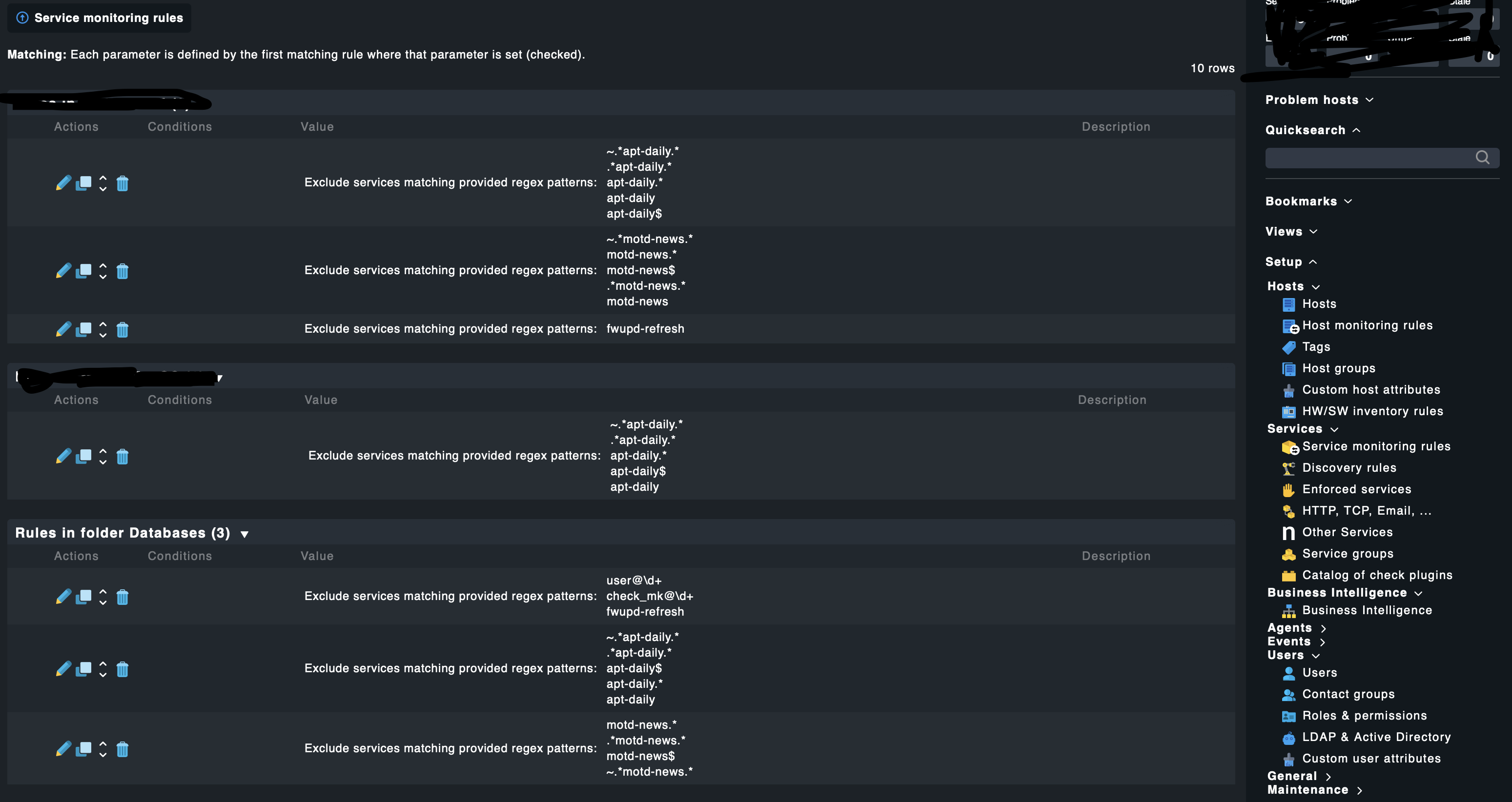
Still getting alert mails and checkmk is checking the service.
Is there any way to disable the same. any help would great
Thanks
Did you verify, that one of those rules actually matches your services?
You can do that by navigating to the service that send a notification, use the hamburger menu, select Parameters for this service and look on the following page if your rule matches. From there you can also navigate to the rules overview page which will show indicators whether a rule matches or not.
This topic was automatically closed 365 days after the last reply. New replies are no longer allowed. Contact an admin if you think this should be re-opened.