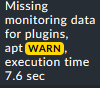
So I am using the mk_apt plugin to monitor available APT security updates on my servers, which works great so far. However, I get a lot of false positive notifications. The reason is that the updates get auto-installed once every 24 hours; if the mk_apt check runs when new updates are available, but before they are installed (this is a timespan of a couple of hours), I get a notification which is automatically cleared some times later.
Is it possible to make this check critical e.g. only if it detects the same state twice in a row?
Note that I can’t just increase the timespan between update checks to e.g. two days. That would just mean that the mk_apt might still run at an inconvenient time, and then stay on “critical” for two days.
Basically, what I actually want is to detect if the automatic installation of APT security updates fails or does not take place for whatever reason.
You can run touch -d 1970-01-01 /var/lib/check_mk_agent/cache/plugins_mk_apt.cache right after your automatic updates and the agent will update the info immediately.
- name: Touch cachefile of YUM plugin to not wait for the interval
ansible.builtin.file:
path: /var/lib/check_mk_agent/cache/plugins_yum.cache
modification_time: 197012181200.00
For SuSE -based machines ( using Zypper plugin):
- name: Touch cachefile of ZYPPER plugin to not wait for the interval
ansible.builtin.file:
path: /var/lib/check_mk_agent/cache/plugins_mk_zypper.cache
modification_time: 197012181200.00
I have (manually) removed cache-files for plugins in the past, resulting in weird behavior of the plugin as going stale,dropping off the chart all together, etc , so i am a bit hesitant/cautious to hard-delete cache-files.
Also if something goes wrong, there is no fallback - as the file is/was deleted (destructive), whereas changing the timestamp is non-destructive.
With above suggestion by @Jay2k1 i have not yet to encountered this.
So from my standing this is IMHO a more preferred method of overriding a/the potential cached result.
I’ve just deleted all cache files and the next run, the Check_MK service went WARN:
The run after, a cached local check went UNKN due to “item not found in monitoring data”, so I think changing the timestamp is the cleanest solution.
However for me personally, it wouldn’t matter much because I have Maximum number of check attempts set to 3 (and some even higher), so these one-time failures would just cause a soft state.
Just an update as to how i experience the apt-implementation as posted above:
    - name: Check if post-APT-update conf file exists.
      ansible.builtin.stat:
        path: /etc/apt/apt.conf.d/98mk-apt
      register: cmk_apt_stat

    - name: Create /etc/apt/apt.conf.d/98mk-apt if it does not exist
      ansible.builtin.copy:
        dest: /etc/apt/apt.conf.d/98mk-apt
        content: |
          # retrigger mk-apt (check_mk)
          DPkg::Post-Invoke {"touch -t 197012181200 /var/lib/check_mk_agent/cache/*mk_apt.cache"; };
      when: cmk_apt_stat.stat.exists == False
After having watched timestamps get re-aligned it seems/felt like shooting with a shotgun at a mosquito due to the wildcard at /var/lib/check_mk_agent/cache/*mk_apt.cache .
Without hard-setting a/the addition to a host i revised things (as i do not like having hardcoded stuff on my hosts for monitoring):
removed the previously set /etc/apt/apt.conf.d/98mk-apt
created a new Ansible-task to only reset the timestamp on plugins_mk_apt.cache:
- name: Touch cachefile of APT plugin to not wait for the interval ansible.builtin.file: path: /var/lib/check_mk_agent/cache/plugins_mk_apt.cache modification_time: 197012181200.00
After testing this the same behavior was seen, meaning update of information is processed within a maximum of 2 (default 1-minute) check-cycles, without issues.
This was regardless of (me) having the actual check in a subdir of 3600 to only update once an hour.
This topic was automatically closed 365 days after the last reply. New replies are no longer allowed. Contact an admin if you think this should be re-opened.