I want to migrate all my hosts/services/groups from nagios core 4.4.5
to Checkmk Free Edition 2.1.0p9.
I am having 67 hosts and 450 services inside my nagios tool.
What is the best method to achieve my task? any migration steps/documentation available?
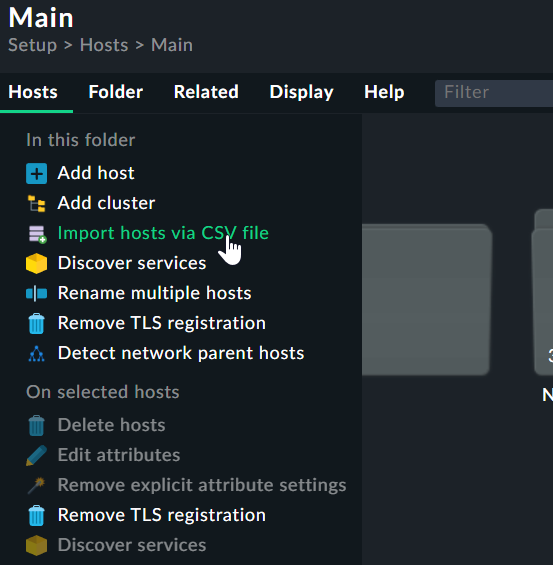
I would just start from scratch and import the existing hostnames / IP addresses from a csv file.
As the checkmk rule based configuration differs completely from the classic nagios configuration and you only have 67 Hosts i wouldn´t try any magic to import old stuff, but that is my personal opinion
Thank you for the update.
This is my test environment. Based on this test, i need to migrate a large environment with 1000+ hosts and its related services. As per the shared blog, we need to add the hosts manually and that is not a feasible solution in my case. Also, i would like to import all the historic data like graphs, trends from nagios to checkmk. is it possible? any alternative method to migrate large server environment?
No you should do the import as CSV file or with help of the CMK API.
All my bigger systems i migrated i had done with CSV files and all the needed data included there.
technically it is possible, but
As all the services inside CMK have other names than in the old Nagios installation, all the RRD files are created new. The other problem is that you have other performance values as before. I mean here the amount of performance values differ between Nagios checks and CMK checks. Also the names of the performance values are different.
The only usable old data is the UP/Down history of your hosts, as these names stay the same i think.
how can i import all my hosts as CSV? is it possible to import all the services? how is it possible to import custom check and custom plugins to checkmk?
Normally you don’t need to import any services from the old system, only the hosts.
The only exception are classic active checks like “check_http”.
Normal checks like CPU/mem and so on are automatically discovered from the agent data.
To import classic checks i would take a look at the API description. Here you need to create rules for to match the systems.
But to start with i would normally import all the objects from csv. Deploy the agent to the systems that you want to use as test devices. Setup the SNMP credentials inside CMK. Discover all the hosts that should speak with your new system. Take a look at the found services and decide if some extra active checks are needed or not.
This topic was automatically closed 365 days after the last reply. New replies are no longer allowed. Contact an admin if you think this should be re-opened.