Bug Report: Proxmox VE Special Agent fails completely when a single cluster node is down

Bug Report: Proxmox VE Special Agent fails completely when a single cluster node is down

Product: Checkmk 2.4.0p15 (CRE)
Component: agent_proxmox_ve (Proxmox VE Special Agent)
Environment: Proxmox VE 3-node cluster (one node down)
Severity: High – complete monitoring failure of otherwise healthy cluster


1. Summary

When one Proxmox VE node in a cluster is down, the Checkmk Proxmox VE Special Agent completely aborts, even though the remaining nodes are fully online and functional.

This results in:

  • No data from any node

  • All Proxmox-related services in Checkmk showing:
    (Service Check Timed Out)

  • Loss of monitoring for the entire cluster, even though only one element is faulty

This behaviour is incorrect and constitutes a functional bug.


2. How to reproduce

Cluster setup

  • PVE cluster with 3 nodes:

    • hv01 – online

    • hv02 – online

    • hv03 – offline (hardware failure)

Steps

  1. Power off one PVE node completely (no network, no API, no corosync).

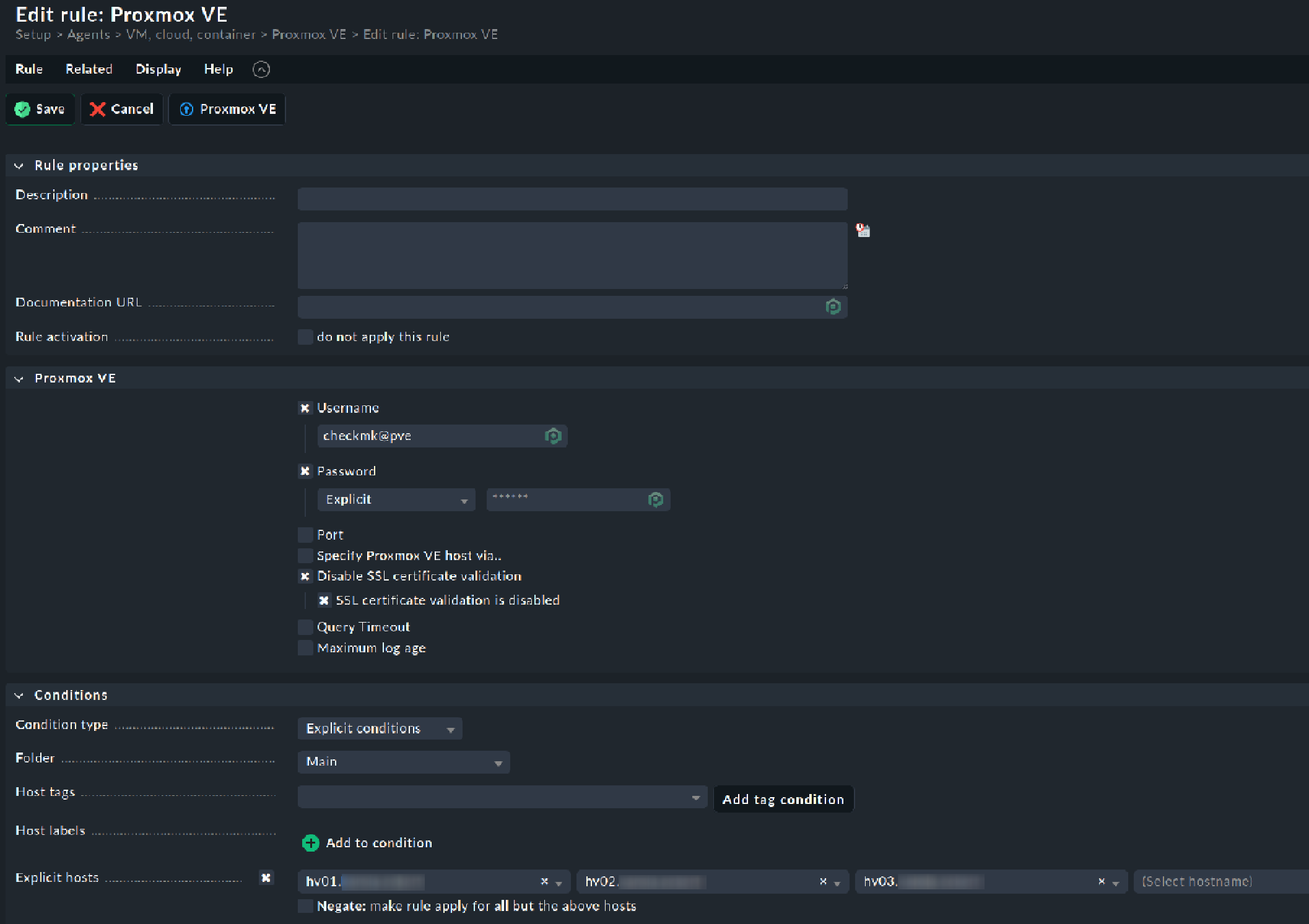
  2. Keep the Checkmk Proxmox datasource rule unchanged (default: query all nodes).

  3. Run the Special Agent manually:

    share/check_mk/agents/special/agent_proxmox_ve \
        -u <user> -p <pass> --no-cert-check \
        --timeout 10 \
        <any-cluster-node-ip>


Actual output

Read timeout after 10s when trying to GET nodes/hv03/lxc

Checkmk GUI

All cluster-related hosts show:

Service Check Timed Out


3. Expected behavior

  • The Special Agent must continue even if one node does not respond.

  • All reachable nodes should still be queried.

  • Only the data for the failed node should be missing, degraded, or WARN/UNKNOWN.

  • Monitoring of a healthy majority of nodes should not fail because one node is down.


4. Actual behavior

  • The Special Agent tries to recursively fetch all API paths, including:

    /nodes/<node>/lxc
    /nodes/<node>/qemu
    /nodes/<node>/version
    ...
    
    
  • When a single node does not respond, requests raises a ReadTimeout.

  • In get_api_element(), this error is not caught:

    raise CannotRecover(f"Read timeout after {self._timeout}s when trying to GET {path}")
    
    
  • The entire agent quits → no data output at all → Checkmk interprets as a timeout.

This is a design flaw for any clustered or HA environment.


5. Technical root cause (based on code analysis)

Key line in get_api_element()

except requests.exceptions.ReadTimeout:
    raise CannotRecover(f"Read timeout after {self._timeout}s when trying to GET {path}")

This escalates a single-node timeout into total agent failure.

Recursive tree building

get_tree() walks all nodes and VM paths without error isolation per node.
One failed request aborts the entire recursion.


6. Impact

  • Monitoring of multi-node PVE clusters becomes unstable.

  • A single down node → all nodes unmonitored

  • No cluster data, no VM data, no node metrics

  • Not acceptable for production or HA environments


7. Proposed fix (minimal, non-breaking)

Add per-node error handling in rec_get_tree():

- response = self._session.get_api_element("/".join(map(str, next_path)))
+ try:
+     response = self._session.get_api_element("/".join(map(str, next_path)))
+ except CannotRecover as e:
+     LOGGER.warning("Skipping subtree %s due to error: %s", next_path, e)
+     return {}  # or an empty structure

Rationale:
A single dead node must not cause complete data loss for an entire cluster.


8. Verification data (for developers)

  • Special Agent output:

    Read timeout after 10s when trying to GET nodes/hv03/lxc
    
    
  • journalctl -u pveproxy on Proxmox:

    proxy detected vanished client connection
    
    
  • pvecm status confirms node hv03 is offline:

    Nodes: 2 (expected 3)
    
    
  • Screenshot (Checkmk GUI):

    All PVE hosts show (Service Check Timed Out).


9. Request

Please classify this as a bug and implement per-node exception handling so that the Special Agent:

  • continues collecting data from reachable nodes,

  • gracefully handles down nodes,

  • and outputs partial results instead of nothing.

This behavior is crucial for stable monitoring of clustered Proxmox environments.


If desired, I can also provide packet captures, debug logs, or help test a patched version.

Communication preferably in German if possible.
1 Like

Hi @kohly.de !

Could you please clarify the Proxmox version you are using?

Hi Sara,

Different versions are in place

  • 8.4.14 (8.latest, all but one cluster)
  • 9.1.1 (9.latest, one cluster)

Hi @kohly.de, could you clarify one more thing before I try to reproduce this?

Were you able to reproduce the described behavior in two different clusters running on different versions?

Being even more precise:

Were you able to reproduce the described behavior in a cluster running entirely on Proxmox 8.4.14?
Were you able to reproduce the described behavior in a cluster running entirely on Proxmox 9.1.1?

1 Like

What do you mean with “query all nodes”?

I checked today with my 3 node cluster and had no problems or error messages as made maintenance on all three nodes. After installing updates i switched off the nodes to test your problem and got no other messages than that one node is offline.

Hi @sebkir , sorry for the confusion.

The question was “clarify the Proxmox version you are using”

So, the anser is: 8.4.14 and 9.1.1.

The answer to your question is:

The error is reproduceable on one cluster where actually one node is broken and down.
This cluster runs entirely on 8.4.14.

Hi @andreas-doehler

This i would not do - you get three times the same data. Why? The multiple times the same data and then one without will be more the reason for your crash i think.

As i think why - no cluster IP is existing inside a Proxmox cluster and you try to avoid that the queried host ist not available.

Best solution would be one from this Proxmox forum posts.

We can also ask @r.sander if also today his preferred solution is the HA-Proxy :wink:

1 Like

@andreas-doehler

I am sorry, but i think you are wrong.

The error occours if you run the special agent manually against one of the running nodes.

If you would run the special agent manually against the missing node you get a complete differently behavour which would be expected.
lets see the difference:

OMD[ke]:~$ share/check_mk/agents/special/agent_proxmox_ve -v -d -u test@pve -p test1234 --no-cert-check 192.168.0.31 --timeout 10
INFO 2025-11-21 13:15:14 root: running file /omd/sites/ke/lib/python3/cmk/special_agents/v0_unstable/agent_common.py
INFO 2025-11-21 13:15:14 root: using Python interpreter v3.12.11.final.0 at /omd/sites/ke/bin/python3
INFO 2025-11-21 13:15:14 agent_proxmox_ve: Establish connection to Proxmox VE host '192.168.0.31'
INFO 2025-11-21 13:15:14 agent_proxmox_ve: Fetch general cluster and node information..
Read timeout after 10s when trying to GET nodes/hv03/lxc
OMD[ke]:~$ share/check_mk/agents/special/agent_proxmox_ve -v -d -u test@pve -p test1234 --no-cert-check 192.168.0.32 --timeout 10
INFO 2025-11-21 13:15:30 root: running file /omd/sites/ke/lib/python3/cmk/special_agents/v0_unstable/agent_common.py
INFO 2025-11-21 13:15:30 root: using Python interpreter v3.12.11.final.0 at /omd/sites/ke/bin/python3
INFO 2025-11-21 13:15:30 agent_proxmox_ve: Establish connection to Proxmox VE host '192.168.0.32'
INFO 2025-11-21 13:15:30 agent_proxmox_ve: Fetch general cluster and node information..
Read timeout after 10s when trying to GET nodes/hv03/lxc
OMD[ke]:~$ share/check_mk/agents/special/agent_proxmox_ve -v -d -u test@pve -p test1234 --no-cert-check 192.168.0.33 --timeout 10
INFO 2025-11-21 13:15:48 root: running file /omd/sites/ke/lib/python3/cmk/special_agents/v0_unstable/agent_common.py
INFO 2025-11-21 13:15:48 root: using Python interpreter v3.12.11.final.0 at /omd/sites/ke/bin/python3
INFO 2025-11-21 13:15:48 agent_proxmox_ve: Establish connection to Proxmox VE host '192.168.0.33'
Timeout after 10s when trying to connect to 192.168.0.33:8006

as you can see: hv03 (192.168.0.33) is the missing node…

That was no problem at my system today. One node down, agent runs without any problem against one of the running nodes and information was coming without any problem.

1 Like

It still is. You could also solve it by using keepalived on all Proxmox nodes without using a HTTP proxy. This would migrate a service IP between the nodes.

1 Like

meine herren,

es ist nicht hilfreich bei einem problem auf ein anderes zu verweisen.
für die logik: das hinzufügen einer weiteren ip in dieses konstrukt verhindert nicht den systemischen fehler.

zielführender wäre, herauszufinden, warum der special agent bei der abfrage eines funktionierenden clustermember über informationen eines toten clustermember einfach hängen bleibt.

sofern man in diese richtung weiter suchen möchte bin ich bereit.

derweil habe ich mir pragmatischer geholfen.

Ich schreib das gerne nochmal - genau das Setup mit einem 3 Node Cluster und konnte keinen Fehler feststellen wenn ein Cluster Member abgeschaltet ist.

Also muss am den Setup mit dem Problem irgendwas speziell sein wo die API Abfrage im Cluster nicht ausgeführt werden kann. Oder besser gesagt der Cluster einfach nicht antwortet wenn ein Node down ist.

oh, es wird rethorisch.

danke, da bin ich raus.

wollen wir heraus finden warum es in diesem proxmox cluster ein problem mit dem special agent gibt?

1 Like

Seems i’ve joined the party too late.

As i run a ProxMox Cluster Myself ( since PM 6.x) with CMK ( since for i dont know how long) the case/situation looked interesting.

Unfortunately the Topic-Starter has dropped/deleted the original information in the starter-post, so there is not much to discuss/investigate or debate.

  • Glowsome

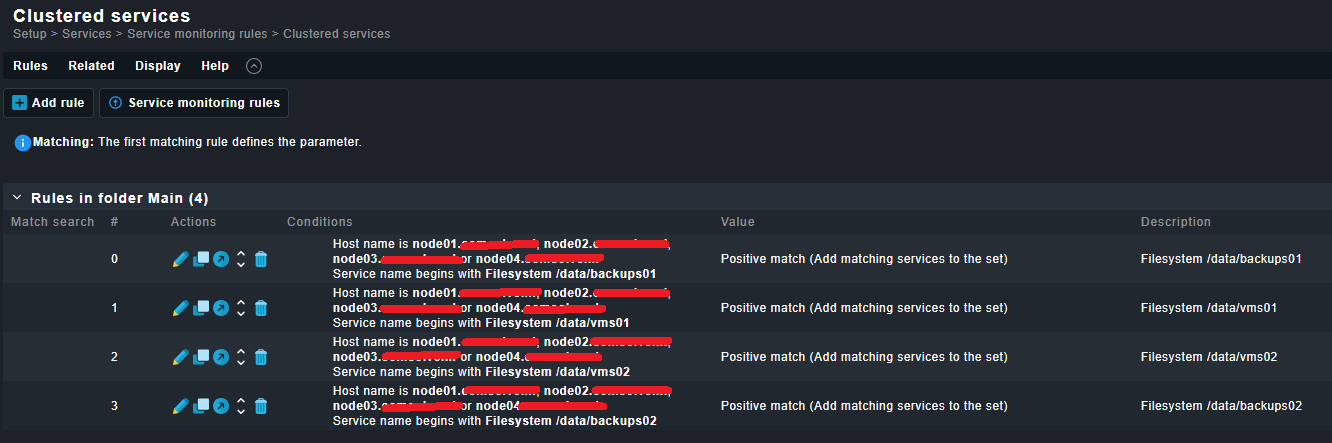
On the topic of using the proxmox API with a virtual cluster ip: is this documented anywhere in the checkmk documentation?

Reading it, it seems that individual nodes are supposed to be monitored.

Also, some (maybe all?) info retrieved is definitely node specific (e.g. Proxmox VE Node Info), so would that mean that the proxmox API should be used on both the individual nodes and on the cluster ip?

(using checkmk 2.4 raw)

@Glowsome
yes, you are right, this should be investigated.
restored the originally post.

@rdot84
using a virtual cluster ip would move the problem from a working node ip to the cluster ip.

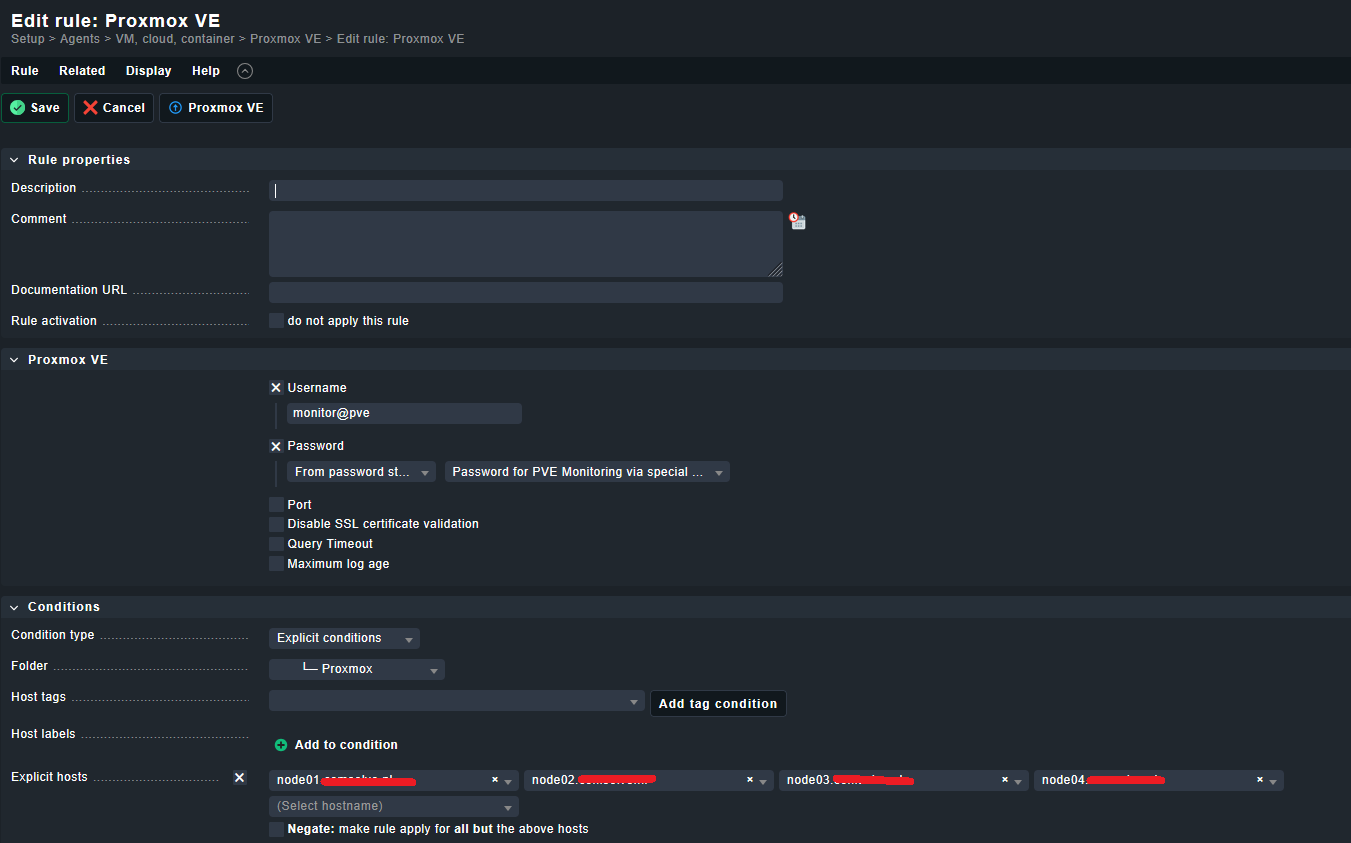
Just to clarify my setup (and my usage of the special PVE agent)

Beware, i’ve got a bit of an exotic setup (as described in https://forum.proxmox.com/threads/pve-7-x-cluster-setup-of-shared-lvm-lv-with-msa2040-sas-partial-howto.57536/ )

… I did not expect it to still be viable/running since PVE7 - it was merely built as a test, but have cherished the setup since.

  • 4 nodes ( yes i know, it should be an odd number, this is work in progress)
  • Shared Storage via MSA2040 SAS (23TB)
  • Shared Storage is presented as Shared LVM volumes with GFS2 , offered to the nodes as mountpoints under /data/mountpointX
  • Uses HA affinity rules on all LXC’s (37) /VM’s (26)
  • Using pve-manager/9.1.1/42db4a6cf33dac83 / Kernel Linux 6.17.2-1-pve (2025-10-21T11:55Z)

In regards of monitoring (on RAW edition 2.3.0p40 at current) the following has been setup:

IF a node goes down i do not see/experience a ‘full stop of data’ as you experience where the PVE plugin is crashing, but get correct output via the other node(s).

On top of that i also get notification that Quorum (which should be 4 in my case) is missing a node.

  • Glowsome

PS,

Not saying, or even daring to suggest that my explanation of my setup is/would be a/the solution for you, but maybe my post offers a bit of insight for comparison as to your end.

2 Likes