CMK version: 2.0.0p21 (CFE) OS version: Docker container
Output of “cmk --debug -vvn hostname”: (If it is a problem with checks or plugins)
Hello,
I’ve been getting weird bugs with changing the service check interval, for any service in general.
Here’s a test configuration for an example service (Temperature):
https:// imgur.com/a/TxQsBIq
Everything has to be imgur since new users can only post one embedded media link…
Even though all of this is configured, the service check still occurs every 60s. The rule I’ve set is either being overwritten or doesn’t work as expected. And this issue occurs with any rule I’ve tried it with.
Does anyone have a clue with what’s going wrong? Am I configuring something improperly?
The ruleset “Normal check interval for service checks” is for active checks.
If your check “Temperature Zone 1” is a passive check and you want it to be checked every 30 minutes only, you need to apply the above rule to the “Check_MK” check. This, however, means that all passive checks from this host will only be executed every 30 minutes.
Note: when editing a rule, you can switch on the Online Help for this ruleset. There you can find an explanation on how to use this ruleset.
The description still confuses me, because my custom check seems to be an active check right now, since it has the refresh button. I’m fine with all the checkmk checks being on a one minute interval, but I don’t need my custom check to be.
What I actually want to achieve, is have a simple check (it’s basically a script that parses and prints numbers from a webserver’s json output), but I don’t need it to parse every minute because the changes are not that significant.
Now from my understanding, you’re saying that, the check for which I want to reduce the frequency, should be a passive check? If so, I’m looking at this page: Understanding and configuring services - Detecting and monitoring elements of a host but I’m thinking then I have to setup a cronjob to run my script and save the ouput somewhere for CMK to be able to read it, which seems like an overall hassle. Is there really no easy way to change the interval of a single active check other than changing the interval for all checks?
If your custom check is an active check, then you should be able to set the check interval individually by using the ruleset “Normal check interval for service checks”. I am not aware of a Checkmk bug in these ruleset; I’m using it to run HTTPS Certificate Checks only every 15 minutes, and it works fine.
You should re-check your configuration. The first screenshot says that you are using rule 3 in main directory, but the second shows that there are only two rules of this type in main directory. Note that the order of rules matters, and that rules in main directory can be overruled by rules in subdirectories.
OMD[mysite]:~$ cd ~/local/share/check_mk/agents
OMD[mysite]:~$ ~/local/share/check_mk/agents$ mkdir -p custom/mycustompackage/lib/local/
Though I just read the Docs again and noticed paragraph 3.7 from the link above. Could this be the missing puzzle piece?
If yes, since I want the check to run, let’s say every 3 hours, should I make a folder named 10800, put the script inside, and that would be it? Or do I also need to change the settings in the WebUI as shown in the Imgur gallery up top?
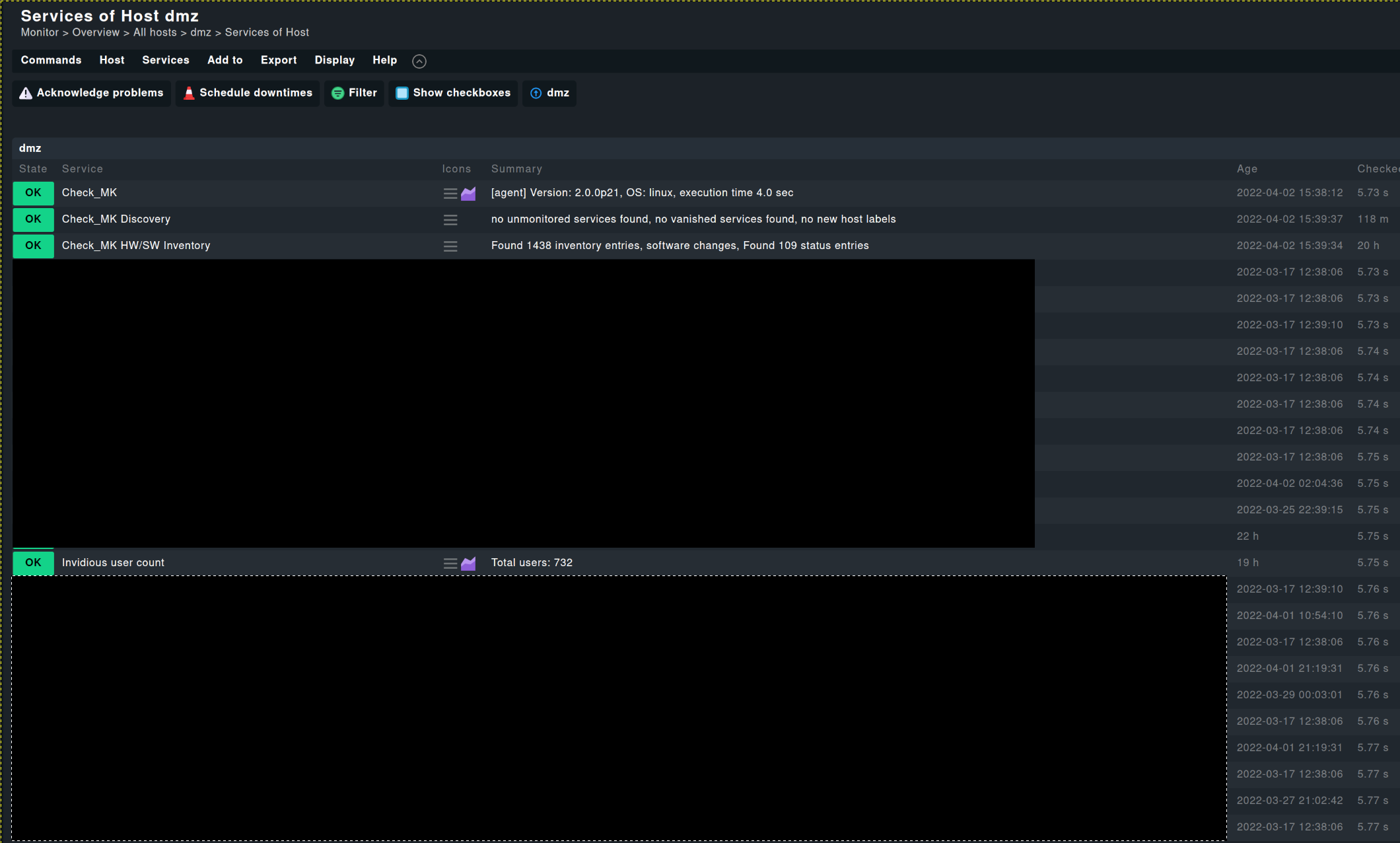
In the screenshot i don’t see if this is an active or passive check.
But if i look at the last check column i would say this is a normal passive agent based check result.
Here the info @kdeutsch requested can help.
Ok - you answered my question - you wrote a local check and this local check can only configured on the host it is executed on. That means if you want a higher check interval then you have to configure this local check on the host that it only runs every X minutes.
You seem to have written a local check. Local checks are passive checks. They are executed every time the Checkmk agent is queried, and their results are passively injected to the Check monitoring core.
Yes, you can use the caching mechanism as described in par. 3.7 of the local check documentation.
I’m still confused about the whole active/passive check naming convention, but I’m only 20 days into CheckMK, so I’m hoping I’ll get to know it better through active use.
This topic was automatically closed 365 days after the last reply. New replies are no longer allowed. Contact an admin if you think this should be re-opened.