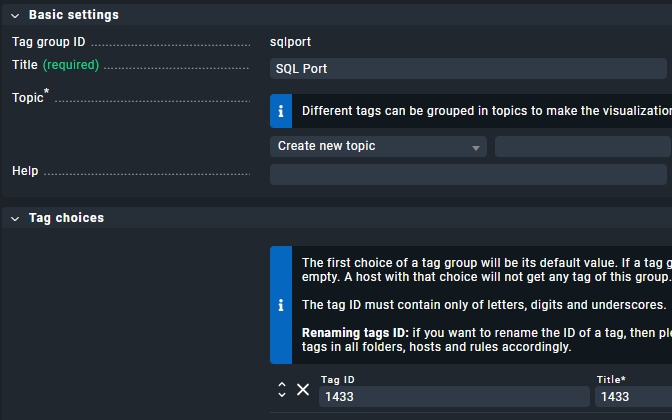
CMK version: Checkmk Enterprise Edition 2.3.0p25 OS version: CheckMK Appliance
Error message: WARNING: Config creation for active check sql failed on celpgsqlp403_pgSQL_tsmp: invalid literal for int() with base 10: '$HOSTLABEL_pgport
Issue Description:
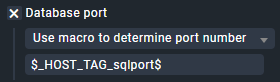
While configuring an active check for a PostgreSQL database, I encountered an issue with the feature introduced in Werk #16644: Check SQL: Allow to configure port via custom macros.
Specifically, when using the $HOSTLABEL_key macro for the database port, it does not expand correctly.
Questions:
Am I using the macro incorrectly, or is this a bug that needs to be addressed?
Can someone verify this behavior in their setup?
Troubleshooting Attempts:
I have restarted both OMD and the CMK Core, but the issue persists. This feature is crucial for monitoring at scale, so resolving this would be highly beneficial.
Thank you very much! The problem was how I wrote the macro.
Correct ussage is $_HOST_LABEL_key$
Do you know where would I find correct format for diffent types of $MACROS$ ? I didn’t find any in the documentation or even in standard nagios macros. The underscore at the beginning is really curious i have to add.