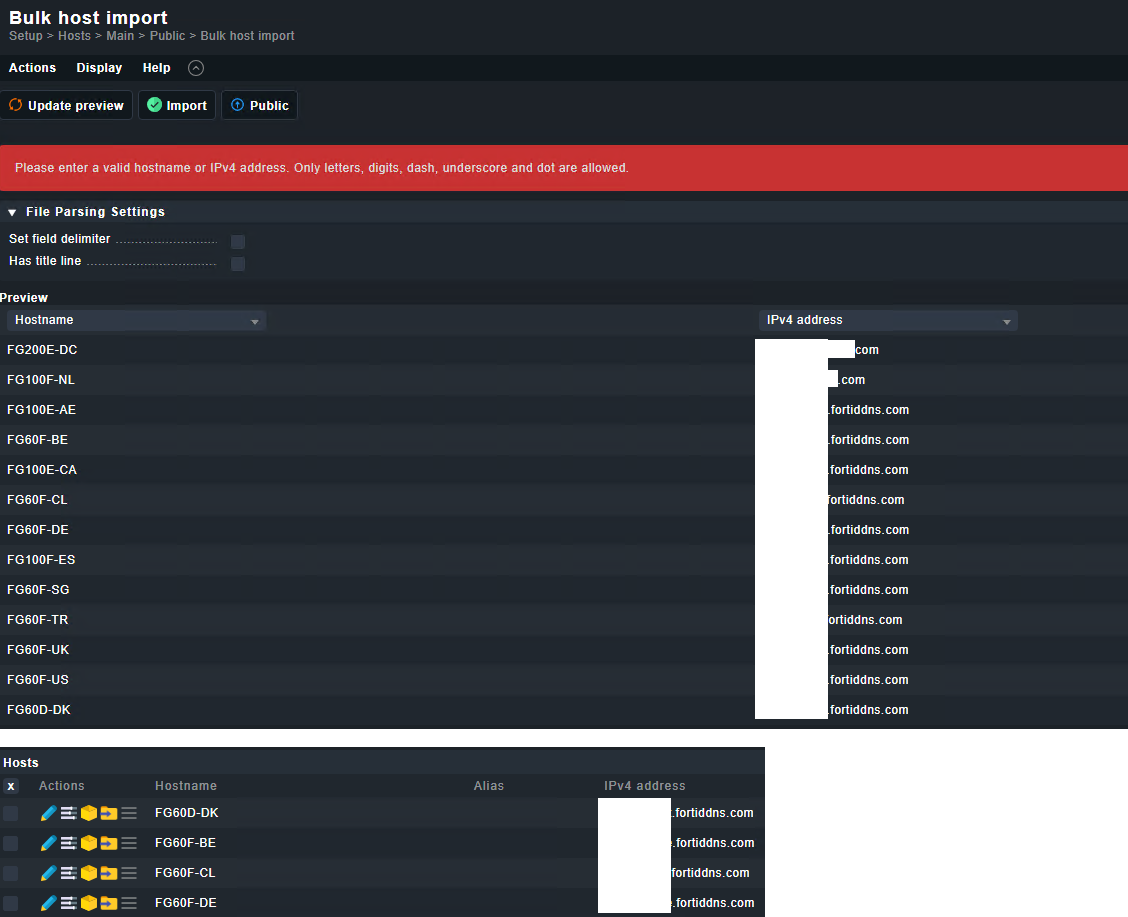
I’m trying to bulk import a bunch of hosts with an internal host name. They are web exposed with a public dns name. I want a clean dashboard so i’ll be using the internal host name with a manual ipv4 address to the public dns name. You can do this manually without any problem. When bulk importing a hostname + public dns/fqdn in the IPv4 address field I get an error:
Please enter a valid hostname or IPv4 address. Only letters, digits, dash, underscore and dot are allowed.
tl;dr
Manually create host with hostname and fqdn in ipv4 address field = ok
Bulk import host with hostname and fqdn in ipv4 address field = error
I made a short check with actual 2.2 and has no problem to do a bulk import with fqdn inside the ipv4 field. You are sure that your data has no other special characters inside, beside the visible ones.
This topic was automatically closed 365 days after the last reply. New replies are no longer allowed. Contact an admin if you think this should be re-opened.