Output: [special_redfish] redfish.rest.v1.RetriesExhaustedError(!!), [piggyback] Success (but no data found for this host), Missing monitoring data for all plugins(!), execution time 18.0 sec
5 minutes later it works fine again. Already have set the timeout to 30 seconds but the error keeps coming back often.
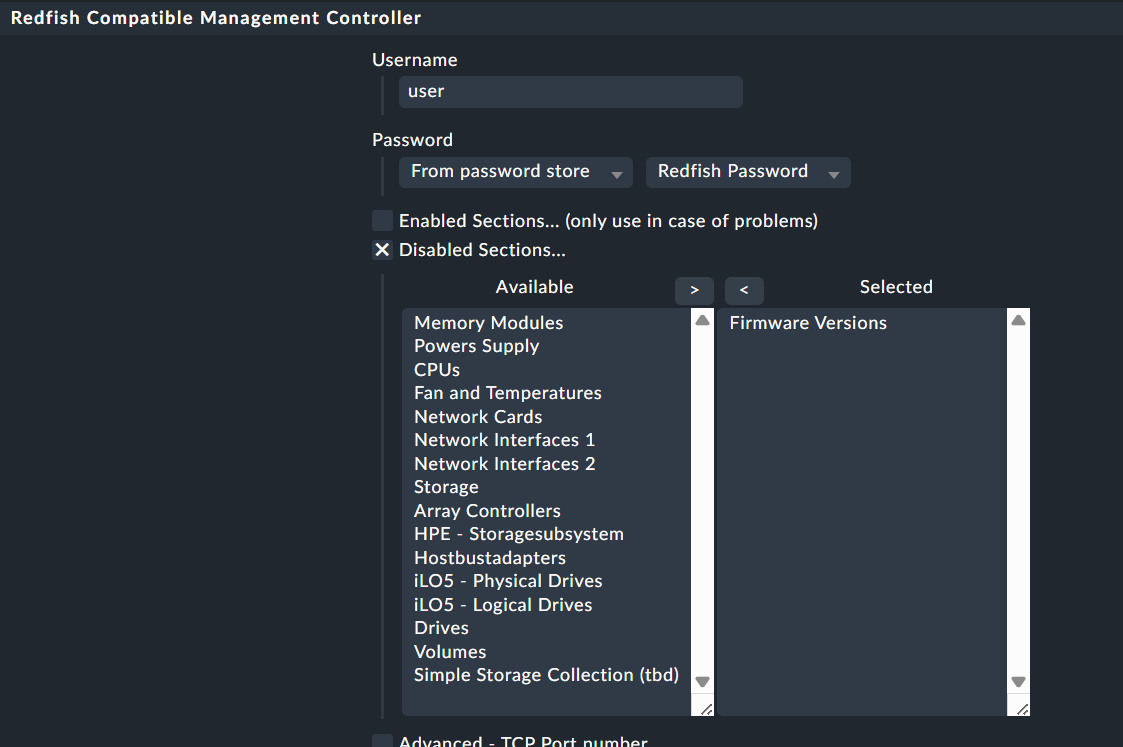
ps. have disabled the firmware versions.
Any posible ideas?
The node in question as a new HPE Alletra 4140, ILO 6 with latest ilo firmware.
When the plugin does get data, it gets all data correct(disk/cpu etcetc)
Sorry for the late response. I don’t saw this post.
If all the data is missing, it means already the login is not working. That is strange.
I don’t think that it will be fixed with my newer version i have completed today.
You can only check on the command line if you execute the special agent manually with “–debug” option if you see some more information.
New version available - ATTENTION - please first test this version in a test site.
The plugin has some new functions/features that i cannot test in a good way with the Redfish simulator.
New features
labels from the agent itself are now like they are from normal Linux and Windows agent.
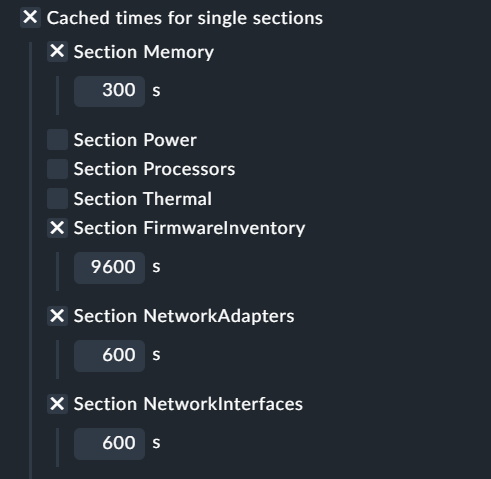
caching for single sections can be activated inside special agent setup
the FirmwareInventory section has, as the only section, a default cache time of 9600 if nothing is defined
FirmwareInventory has an default timeout of 10 seconds beside the normal timeout definition - next step will be the possibility to define timeouts on section basis
cache files are now pickle files
I don’t think that i will backport the caching for 2.2 at the moment.
Hi Andreas, It is a very sporadic issue but it looks like the ILO does not respond in time, times out sometimes. Testing further. If i have any more info i’ll let you know.
I’ve edited datasource_program.py to increase the maximum permitted timeout from 20 seconds to 30, but even with a 30 second timeout I still get the error.
Any ideas?
Edit: Trying to disable sections to narrow down the issue gives this error:
ValueError: list.remove(x): x not in list
The user interface with both ‘enabled sections’ and ‘disabled sections’ is a bit confusing.
You can also set the timeout from the special agent configuration.
What i have done to find problematic sections is the following.
Don’t define any enabled sections. That’s why i wrote there, that enabled sections is a legacy setting.
2.3.60 - special agent fixed if user and password is used on CLI
2.3.61 - small naming change in metric translation
2.3.62 - implemented caching for sections - Attention if you monitor iLO4 please stay at 2.3.60 for the moment
2.3.63 - fixed some iLO specific HW/SW inventory problems - this release should also work with iLO4 now
2.3.64 - bug fixed in processing cache files
2.3.65 - temp folder creating bug fixed
2.3.66 - added discovery option for physical ports
What exactly have you done to get this error?
To get a better error message, you can start the special agent on the command line with addition of “–debug” as parameter.
Caching the Firmware check for 15 minutes now results in normal agent timeouts on the misbehaving hosts, which is more like what I would expect.
A subtle bug in the caching logic, maybe?
Whatever, I’m happy with disabling the Firmware check as a solution / workaround.
The affected hosts were all Dell R630s, R640s, and R760s so the issue correlates with an earlier post on this thread mentioning Dell firmware inventory.
Increasing the firmware timeout to 15 seconds made no difference to the results when caching is enabled.
The moment I enable caching, I get the original retries exhausted error.
The “ValueError: list.remove(x): x not in list” error, which I get after removing an entry from the disabled list, is resolved by restarting my monitoring server. Even an omd restart sitename doesn’t seem to clear it. Being more tolerant of the response from attempting to add or remove an item from the list would be the best workaround. If you can’t remove an item because it isn’t there, don’t error. Or when you add an item which is already in the list.
Until now I had no luck to reproduce the error message.
For the timeout, I will add an debug option. With this option enabled (you can do this for one specific host) a debug log is written at every call of the special agent.
If you get such an retries exhausted error it would be nice if you can sent me such a debug log.