I think my ca-certificates.crt file got hosed on the “main” checkmk server. There are a total of 7 distributed monitors, and I am trying to add an 8th.
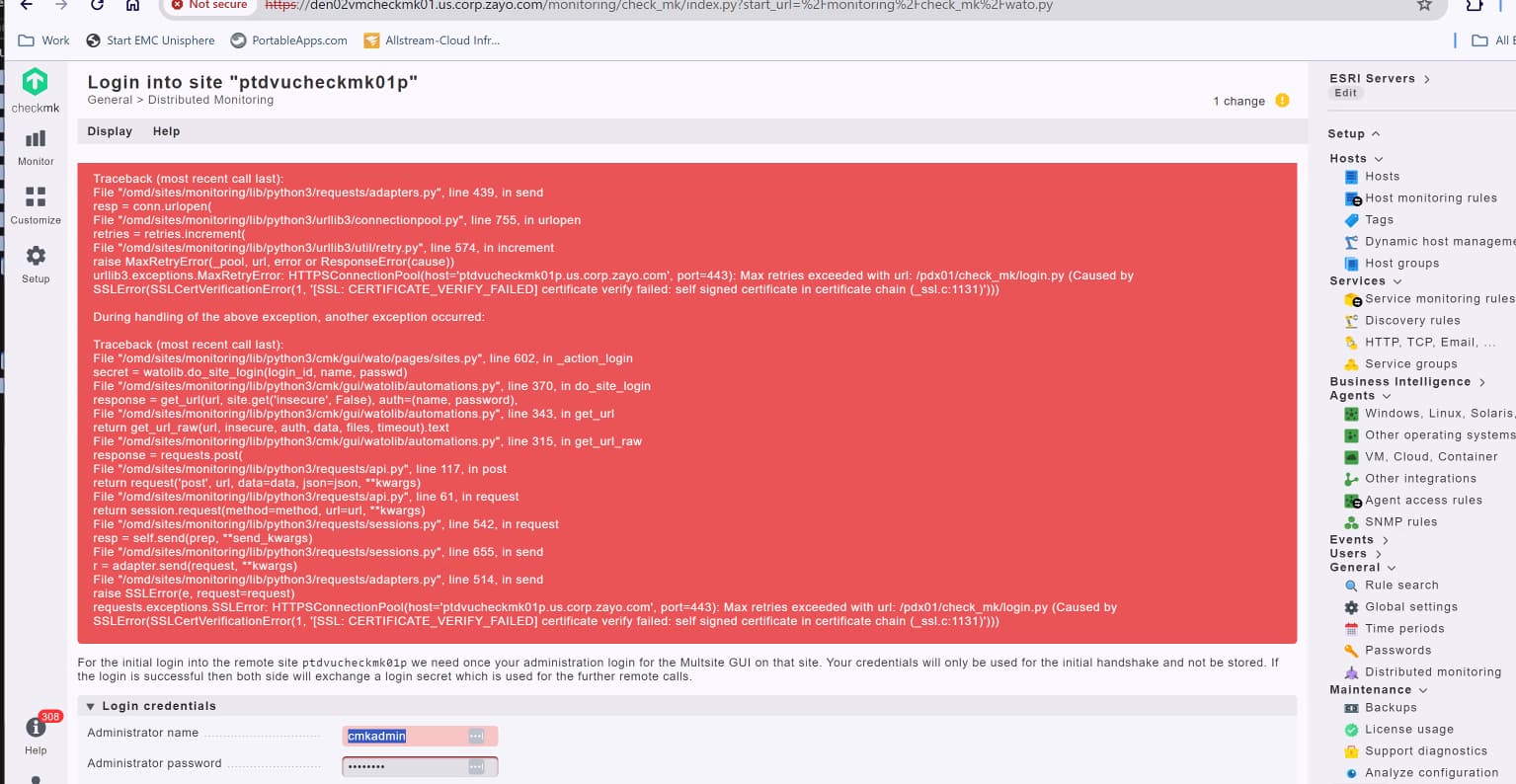
installing the new remote monitoring node was halted because the site firewall blocked traffic. after this was fixed, encrypted connections fail with the below error.
I began to search around and noticed the new node’s certificate was not in my /opt/omd/sites//var/ssl/ca-certificates.crt file.
is there a way to rebuild this file?
can I just concatenate the ca.crt from the new node?
if I do this, will it need to be done on all of the other nodes?
CMK version: 2.0.0p33 OS version: redhat 8.9
Error message:
Unhandled excpeption: 400 site connection not initiated ([SSL:CERTIFICATE_VERIFY_FAILED] certificate verify failed: self signed certificate in certificate chain (_ssl.c:1131)).
Output of “cmk --debug -vvn hostname”: (If it is a problem with checks or plugins)
This looks more like a problem with the webserver certificate of the satellite. Is this self signed or from an internal ca?
If it is from an internal CA, you have to Import the root Ca Certificate in the global settings of checkmk or install it in the operating system key store.
Or you can set the sattelite connection to not complain about not trusted certificates. (insecure)
You can check the global settings “trusted root cas”.
If the previous certificate has been added there with the same Name, you might have to remove that, I once also had an issue with that.
This topic was automatically closed 365 days after the last reply. New replies are no longer allowed. Contact an admin if you think this should be re-opened.