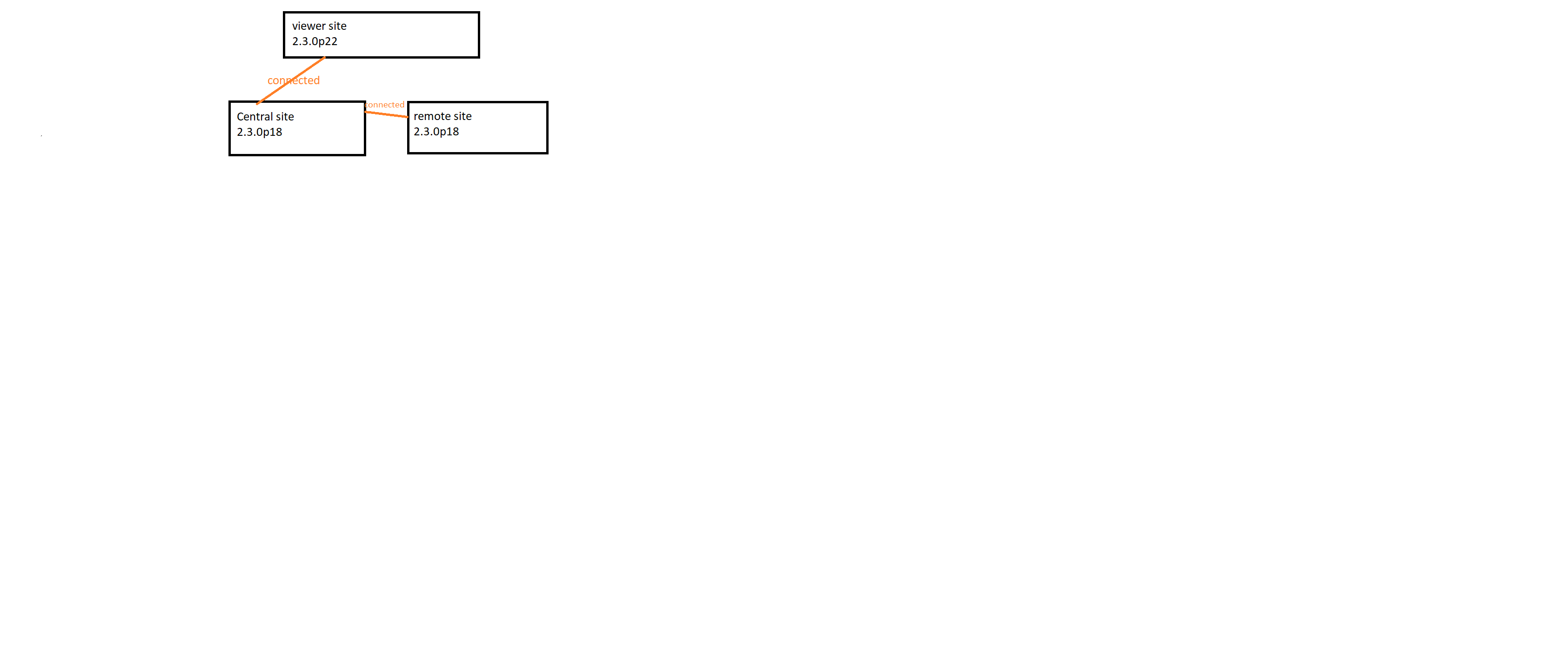
. Viewer site: the site which i want to monitor all hosts, services that running on sites like remote ore central site. Just monitoring not configuring as well.
. Central site: the site can communicate to remote and viewer site directly
But on the first step taken on central site i met the issue like this. could you please enlighten me about.
Cannot connect to 'unix:/omd/sites/nagios/tmp/run/liveproxy/xxxxx': [Errno 2] No such file or directory
yes, everything do as instruction of KB,
. central site:
under “Live status proxy daemon” enabled allow access via tcp port 6560
Under “connection via TCP (ipv4)” fill up with ip address of server running remote site port 6557
. Viewer site:
under “Basic setting - site id”: set up with exactly site_name which used in central site (name of remote site)
under “Status connection” on “TCP address to connect to” host is set up with ip of server which running central site.
remote site: enabled livestatus proxy, and Live status TCP at port 6557, listen only from ip of server which running central site.
But at the first step in KB error still occur, on the proxyd.log have some lines:
cmk.utils.exceptions.MKGeneralException: Cannot create TCP socket :::6560: [Errno 97] Address family not supported by protocol
note: all port 6557, 6560 allowed on firewall, server release is Alma 8.5 and 9.0
Any help will be appreciate .
Maybe you have deactivated IPV6 on system.
Have a look at your /etc/default/grub, is there something like
GRUB_CMDLINE_LINUX_DEFAULT="ipv6.disable=1"
or GRUB_CMDLINE_LINUX="ipv6.disable=1"
?
You can try to comment out these lines, save and sudo update-grub, reboot and try again.
Hi hassj, thanks for laying out your setup so clearly. I’d say, the error you’re encountering when trying to cascade sites (“Cannot connect … unix:/omd/sites…liveproxy… No such file or directory”) points to a Livestatus proxy misconfiguration. Since you already enabled the Live status proxy daemon and opened the TCP ports, the next thing I’d check is whether IPv6 is interfering — some users have reported that disabling IPv6 at the kernel level helped in similar setups.
If you want a more stable and modern alternative, consider using a server-side tracking container for your monitoring events: it lets you handle event forwarding at the server level, sidestepping some of the complexities of direct site-to-site proxying. It’s become a solid pattern in distributed setups.
Good luck troubleshooting — happy to dig into your proxy config further if you post your omd config and proxy logs.