CMK version:
2.3.0p17 OS version:
Ubuntu 22.04.5 LTS
Hi guys!
So we’ve been having this problem for a while. Three of the hosts in our DMZ (different network from the one the CMK Server is in) keep going stale in CheckMK, with the following messages:
When that happens, a reboot of the Server in question is sufficient to restore full functionality within CheckMK. Just restarting the CheckMK Service does NOT help.
It’s really weird. If it was a firewall problem, then it would be a permanent issue and not resolvable by rebooting the Servers. I’ve also tried a full reinstall of the Agent on these servers, but to no avail. The CheckMK Service shows as running when this happens.
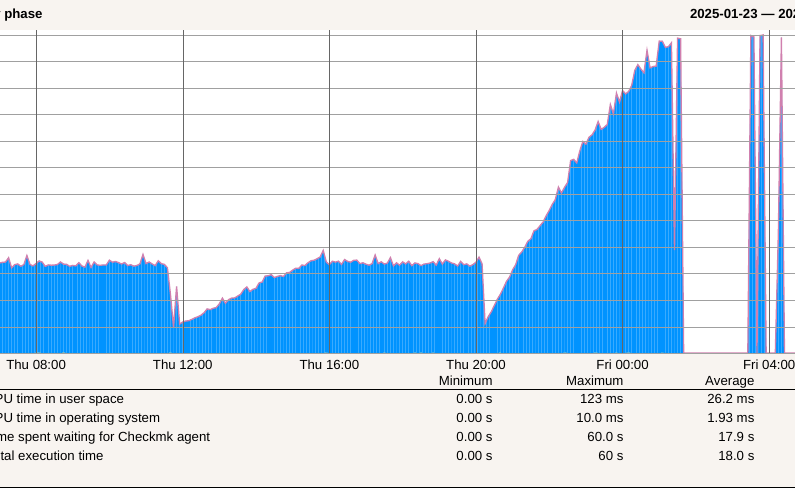
The Graph is also interesting and always looks like this:
So it seems the response time slowly rises until it runs into a timeout?
Anyone have an idea what the issue could be? I’m kind of pulling my hair out with this
EDIT: So while typing this I got the idea of testing a higher timeout - that was the reason. The checks with all the plugins took a grand total of 178 seconds! I have no idea why that is the case… any pointers?
The reason here is very simple → wrong configuration of the check_mk_user.yml or wrong rules in the bakery if deployed with agent bakery.
The default check_mk_user.yml should only be used if no extra plugins are used.
As you see in my edit, the issue is actually a timeout. Raising the timeout for service checks to 3 minutes for the DMZ hosts worked. Still weird that it intermittently takes so long.
We don’t edit any .yml files usually, we use the agent bakery for everything.
I say it again this is a wrong or not configured agent. Normally a Windows agent with a good configuration should not take longer than 3-4 seconds. That’s already long.
Your “solutions” is just a workaround for the real problem.
It’s configured almost exactly the same as all the other hosts, which have no problems at all. The only difference is the Network and the IIS Plugin (which some other hosts also have without issues).
I have no idea what would be wrong in the config, but I’m not a CMK pro, so who knows…
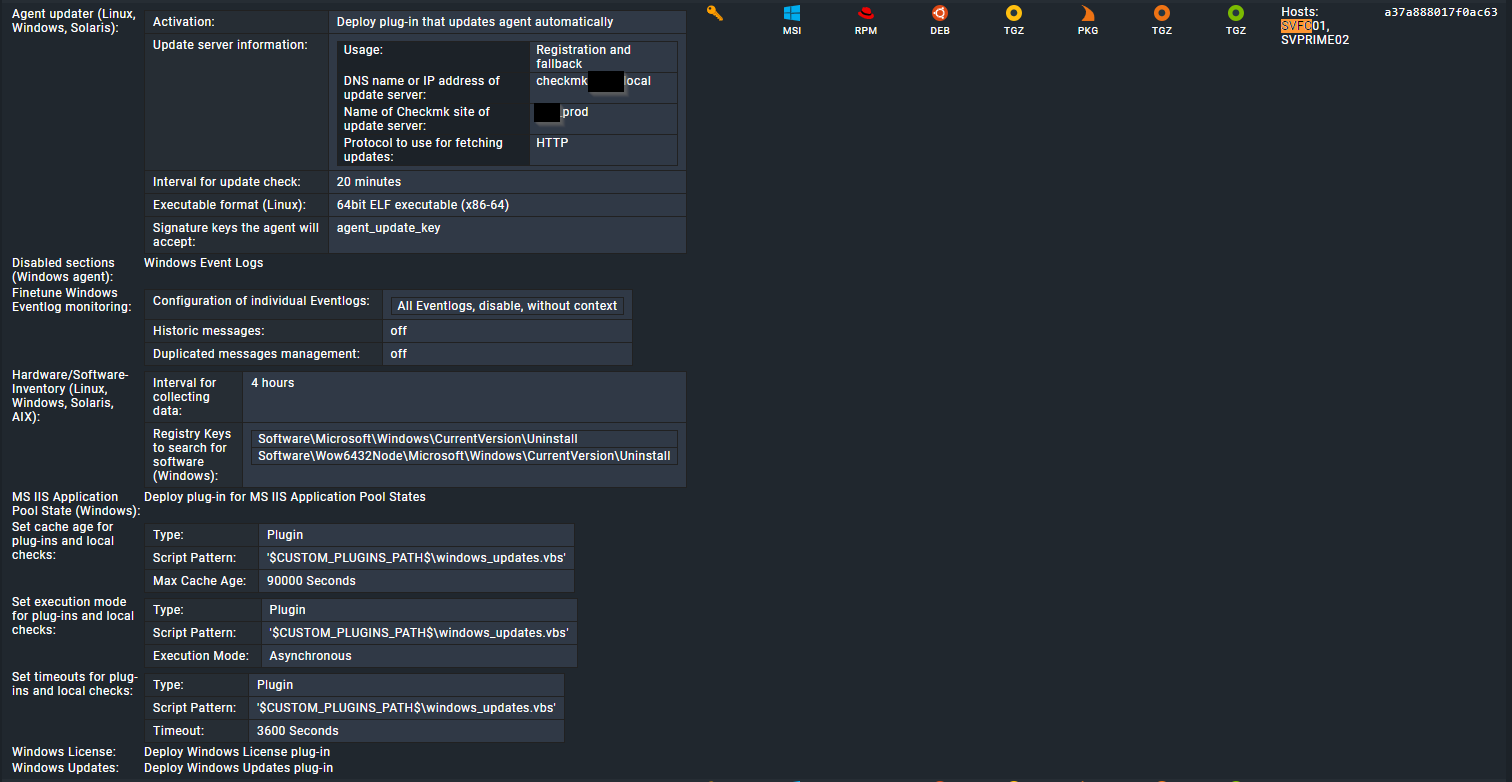
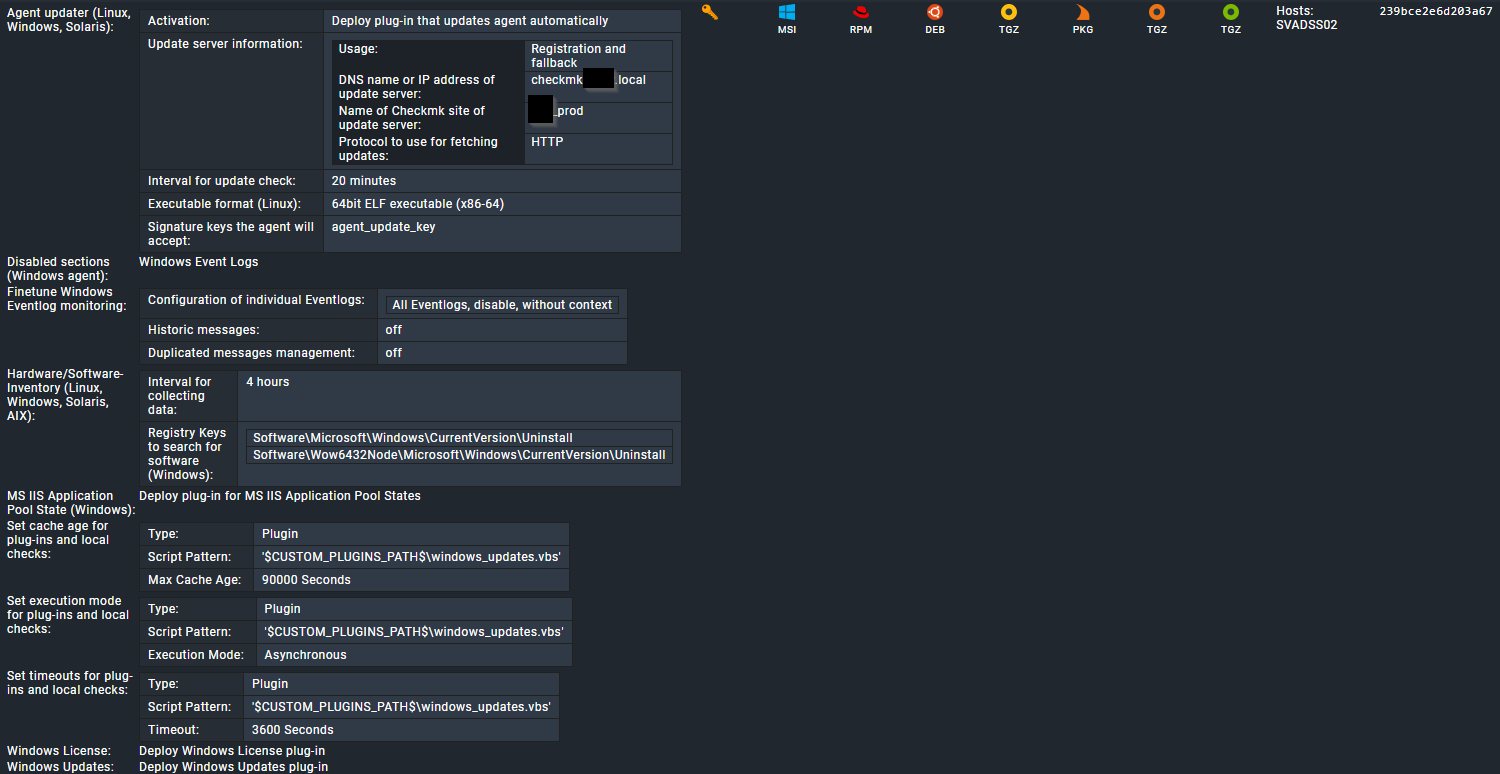
For reference, here’s the config for two of the problem Servers (I have no idea why the bakery seperates these two configs, they are identical!?):
The next step is the agent log on one of the affected machines. There you should see the runtime of one agent query and also what the agent does the whole time.
This topic was automatically closed 365 days after the last reply. New replies are no longer allowed. Contact an admin if you think this should be re-opened.