Hello,
I’m experiencing a bug.
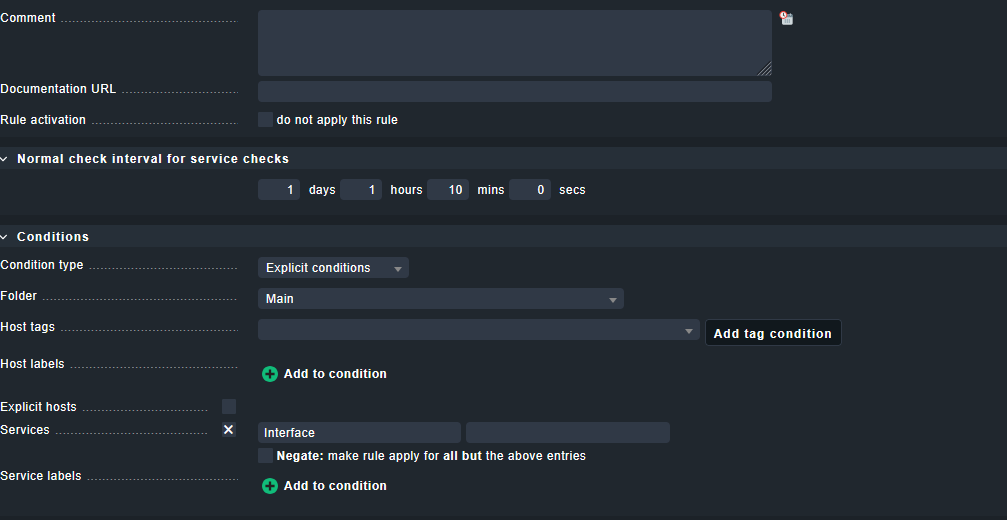
I’m trying to change the interval between two checks on my interfaces. So I created a rule in Setup > Services > Service monitoring rules > Normal check interval for service checks.
This rule has the condition “Service name begins with Interface.”
However, this rule still uses my initial time of 5 minutes and doesn’t take my new interval into account.
However, when I click on “Parameters for this service,” I see my modified time.
And when I click on “Normal check interval for service checks for host XXX and service ‘YYY,’”
You cannot change the check interval of services that get their data from the agent. These are technically passive checks and are updated whenever the agent gets queried.
It’s the same, agent was meant broadly by me. SNMP also queries an agent and special agents are also affected.
Basically every check that does not come form its own Nagios plugin (active check).
Please keep in mind that checkmk is doing it differently than how its done traditionally in Nagios. In plain Nagios each service was an active check and was scheduled independently from each other. Here you had the luxury to use individual timing settings for the scheduling of the check plugin but with the cost that it consumes huge resources and the more services you have the slower your monitoring.
The agent based checks in checkmk doing it in a different way. The service Check_MK is the only active check (as long as you didn’t configure additional active checks like check_http etc.) and this check fetches ALL data or all services from the agent (snmp or checkmk) or special agent. Then this data is ‘distributed’ to all services and evaluated by the check plugins which then update the state of the service as Robert mentioned.
So, in case you need to change the timing of a passive check you can do this only with the active Check_MK service and ALL other passive service are always also affected by this change.
Bonus hint: Dont forget to change the RRD step settings same way.
This topic was automatically closed 365 days after the last reply. New replies are no longer allowed. Contact an admin if you think this should be re-opened.