CMK version: 2.5.0p16 Pro OS version: RHEL 8**
Browser:** Chrome Version 156.0.8078.47
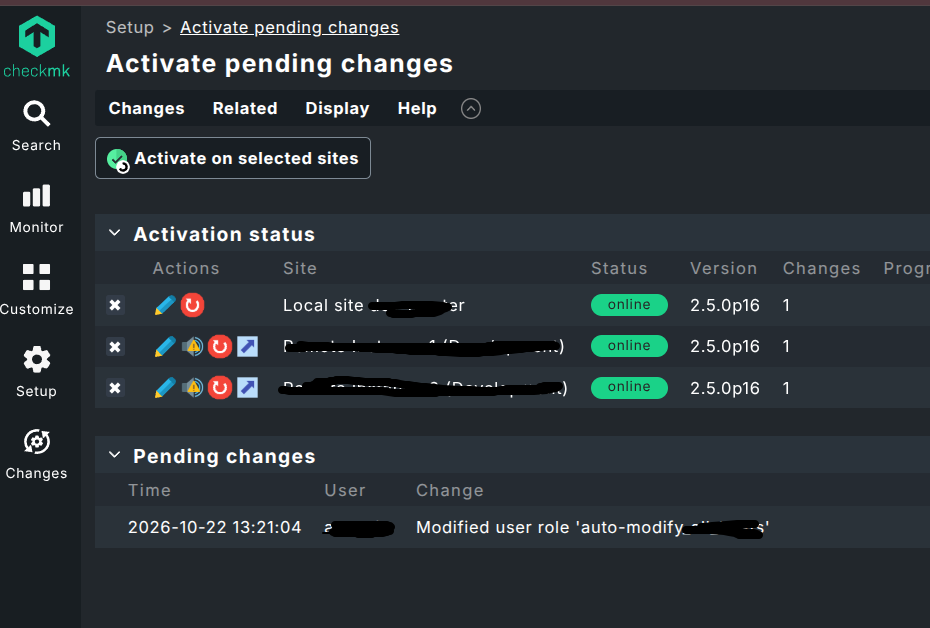
We occasionally experience an issue with the new Changes button on the left side in Checkmk 2.5. After making changes to rules, the button is sometimes not highlighted in yellow.
If we refresh the browser page using F5, the Changes button is displayed in yellow as expected.
The screenshot also shows the Changes button not being highlighted despite pending changes.
I can’t reproduce this. But to me this sounds more like a browser cache issue than an issue with CheckMK, since pressing F5 leads to the changes button being displayed in yellow.
Next time you have changes, try with an incognito browser; that should rule out any browser caching issues.
Thanks for your answer. Yes, this could be related to the browser.
Just to clarify: The issue only occurs occasionally. In around 90% of cases, the new Changes button in Checkmk 2.5 is highlighted in yellow correctly after making changes. Only from time to time, the highlighting is missing until the page is refreshed.
Ah, okay. We also usually have multiple tabs open for different Checkmk sites (e.g. Prod and Dev) in the same browser instance, but normally not multiple tabs for the same site.
Would it be safer to open the different Checkmk sites in separate private/incognito tabs as well?
However, when I experienced a missing yellow badge after making changes to the config, these requests are simply not there for some reason. A page refresh then fixed that.