Hi
I have a issue with Modbus TCP Plugin in CheckMK RAW v2.3.0p9.
I thought I had done everything, but I’m stuck here, the screen from the …/web.log

Could You help me?

Thank You and best regards!
Hi
I have a issue with Modbus TCP Plugin in CheckMK RAW v2.3.0p9.
I thought I had done everything, but I’m stuck here, the screen from the …/web.log
Can you perhaps include v2 of the agent_modbus into check_mk default repository?
Maybe a stupid question, but unfortunately I don’t know, I’m still learning CheckMK, Where can I find v2 of agent_modbus?
How can I add it?
See the post Check Agent for Modbus - #19 by vtacquet?
I finally upgraded agent_modbus to v2, but still have the same problem.
The path checkmk is showing seems odd to me. The modbus.py should not be in there in my opinion. Every third party addon should be below ~/local.
Could it be, that you manually copied or moved it there ?
If you remove the modbus package and the file is still there, i would delete / move it away from there and test again.
I did everything in both versions (2.1.0p48 and 2.3.0p48) the same way from this manual:
Check Agent for Modbus - #6 by paulosantanabr.
I did a test on a new system (Debian 12.7.0), installed the latest version of CheckMK 2.3.18 and got a similar error with the modbus plug-in. As far as I can see the problem with the plugin is from CheckMK version 2.3 upwards.
Hi,
I am getting the same Failed to load plug-in error.
name ‘TextInput’ is not defined.
It seems to be just the plugin at issue in my case, as I get correct results when calling agent_modbus manually.
I am running omd Version 2.3.0p21.cre
Did anyone get any resolution to this issue?
vim ./share/check_mk/web/plugins/wato/modbus.py
Add ->> from cmk.gui.valuespec import (TextInput, ListOf,)
@wjs67
The plug-in now seems to be working properly 
I have no more errors
Thank You!
Modbus plugin for CMK v2.4, available at:
Will your work be published as a finished package on exchange?
That would be very helpful for me as a beginner.
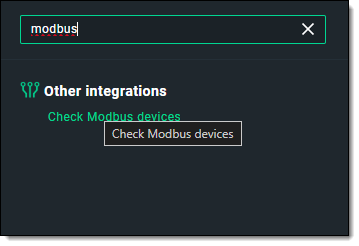
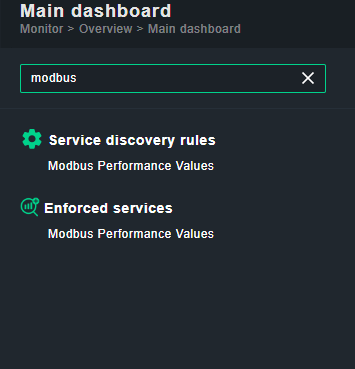
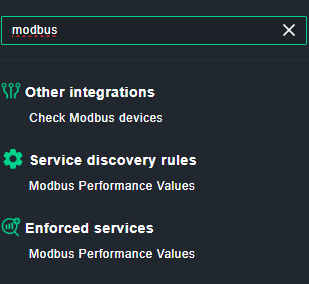
I tried to implement it but I see in only in “Other integrations”:
I can do the configurations but it is not used at all …
What am I missing?
The agent itself works fine on command line:
OMD[cmk]:~$ ~/local/lib/python3/cmk_addons/plugins/modbus/libexec/agent_modbus 192.168.xxx.yyy 502 255 107:1:counter:result_code
<<<modbus_value>>>
107 0 counter result_code
If register 107 is not 0 this is the error code of my wallbox.
So output looks good to me.
My Bad!!
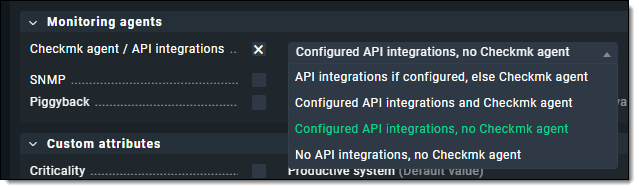
I had to enable the API integrations …
But how do I now create warnings/critical events for specific values?
Hi @mmartin ,
as a short guide, this is how I installed the modbus agent but I agree, putting it on exchange would be much better.
su <SITENAME>
mkdir ~/local/lib/python3/cmk_addons/plugins/modbus
mkdir ~/local/lib/python3/cmk_addons/plugins/modbus/agent_based
mkdir ~/local/lib/python3/cmk_addons/plugins/modbus/checkman
mkdir ~/local/lib/python3/cmk_addons/plugins/modbus/libexec
mkdir ~/local/lib/python3/cmk_addons/plugins/modbus/rulesets
mkdir ~/local/lib/python3/cmk_addons/plugins/modbus/server_side_calls

wget https://raw.githubusercontent.com/wjs67/check_mk_plugins/refs/heads/main/modbus/agent_based/modbus.py -P ~/local/lib/python3/cmk_addons/plugins/modbus/agent_based
wget https://raw.githubusercontent.com/wjs67/check_mk_plugins/refs/heads/main/modbus/checkman/modbus -P ~/local/lib/python3/cmk_addons/plugins/modbus/checkman
wget https://github.com/wjs67/check_mk_plugins/raw/refs/heads/main/modbus/libexec/agent_modbus -P ~/local/lib/python3/cmk_addons/plugins/modbus/libexec
wget https://raw.githubusercontent.com/wjs67/check_mk_plugins/refs/heads/main/modbus/rulesets/modbus.py -P ~/local/lib/python3/cmk_addons/plugins/modbus/rulesets
wget https://raw.githubusercontent.com/wjs67/check_mk_plugins/refs/heads/main/modbus/server_side_calls/modbus.py -P ~/local/lib/python3/cmk_addons/plugins/modbus/server_side_calls
chmod 700 ~/local/lib/python3/cmk_addons/plugins/modbus/libexec/agent_modbus


wget  https://raw.githubusercontent.com/wjs67/check_mk_plugins/refs/heads/main/modbus/mkp/modbus.manifest.temp -P ~/tmp
mkp package ~/tmp/modbus.manifest.temp
rm ~/tmp/modbus.manifest.temp

mkp list
This will first download all files into the directories. After a restart you can use the agent.
Or (2nd part): You can create a mkp and see it in mkp list for example.