CMK version: 2.0.0p19.cre OS version: centos 8 stream Error message: CRITICAL - Cannot make SSL connection.
Hello,
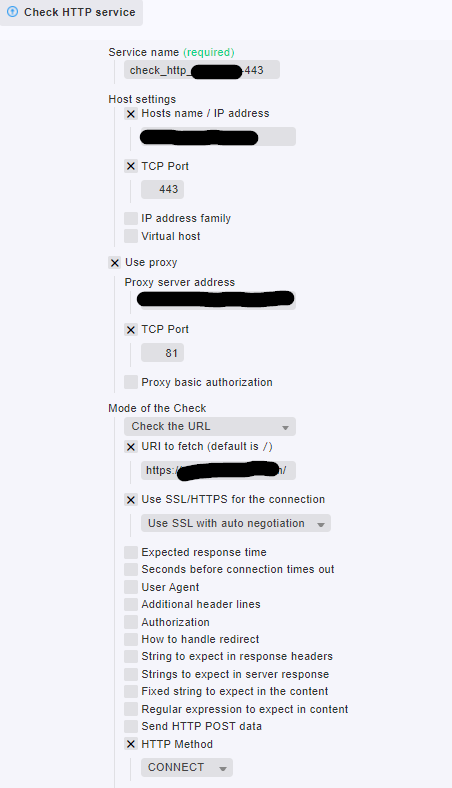
we are trying to monitor an external website (internet) from the checkmk-server which is behind a proxy.
when we run the check_http command via commandline it works just fine:
check_http -I proxy-adress -p 81 -j CONNECT -H website:443 -u https://website/ -S
however when configuring the rule within checkmk we get above error message
we managed to fetch the triggered command which look like this:
-u https://website/ --ssl -j CONNECT --sni -p 81 proxy website:443
please note the missing -I and -H arguments in front of proxy and website
i guess this is the issue - the rule somehow forgets to add -H and -I
is there a way we can fix this or is something missing in the rule ?
we already tried a ton of combinations within the rule to get it working - but for us it now looks like it’s more of an internal issue
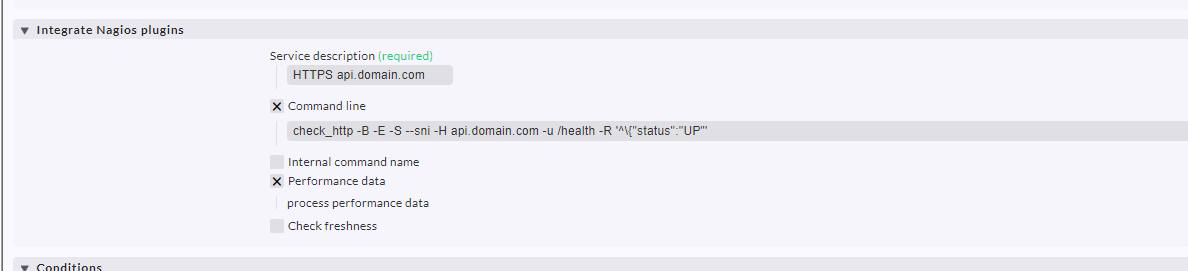
the nagios-workaround works fine - thanks for that hint
we were just focused on the check_http rule so we forgot about such options
we can go on with this solution for now - thanks a lot !
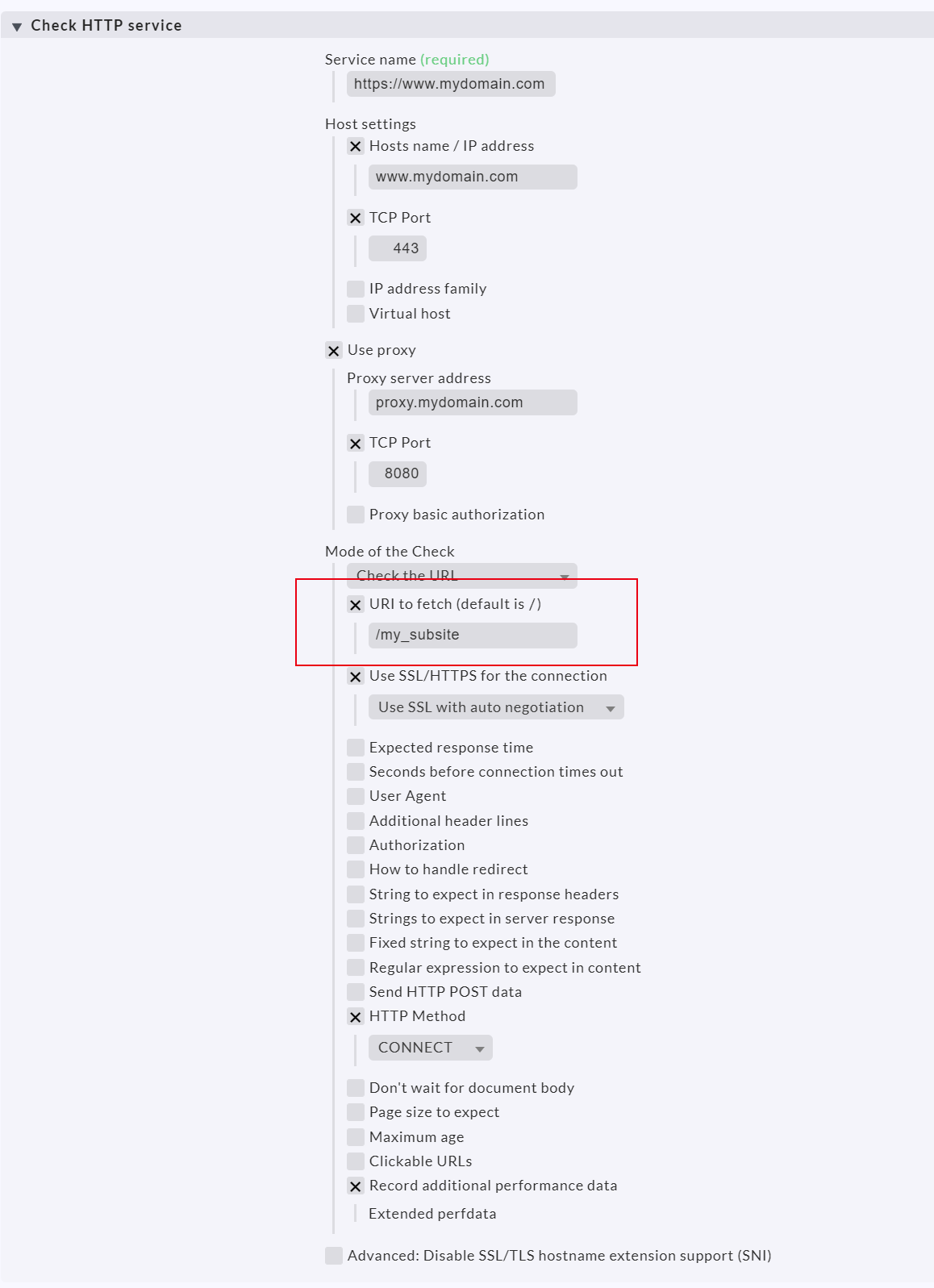
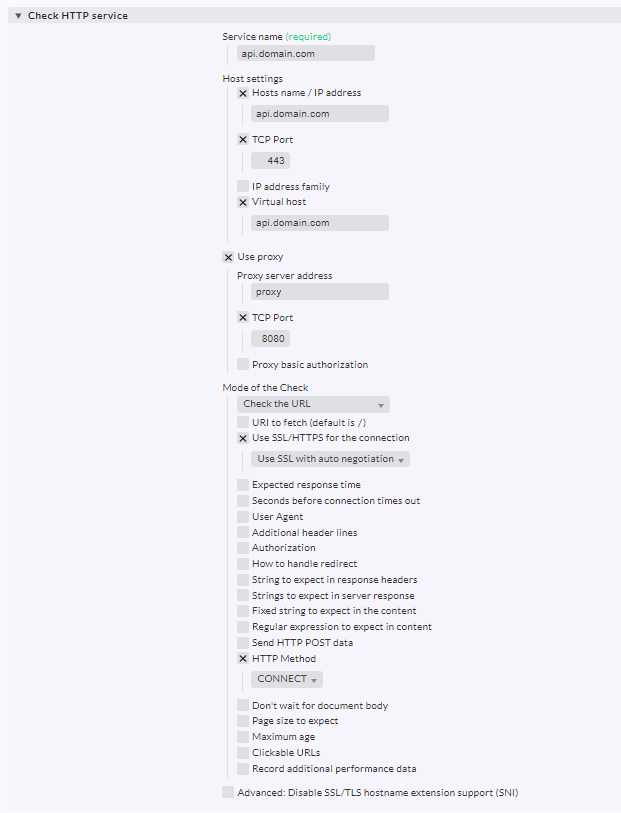
i’ve also tried the second option with the virtual host - unfortunately it makes no difference
even the triggered command looks the same - the virtual host option is not executed
for debugging we temporarily replace the check_http command with a own script which logs the command and all of its parameter into a logfile. It looks like the virtual host parameter was not passed to the command at all
or maybe our debugging is wrong - that’s just how we figured it out
a virtual exact copy of our rule just without ssl (port 443) but normal http (port 80) is working fine - but as soon as we activate to use ssl and switch to port 443 the rule is not working
and thats when our debuging shows that -H and -I are missing in the check_http command execution
I am not 100% sure whats going on here, but maybe the following information is useful:
The arguments are passed as positional arguments on purpose. IIRC this was the reason:
When connecting via a non-standard port, you are supposed to pass the port via “-p”. However, if you configure the use of a proxy, the value provided by “-p” is used as the proxy port (which may or may not be the same as the servers port). If you pass -H server:PORT, the port is ignored completely. If you pass server:PORT as a positional argument, the port will be respected. So this seemed the only way to configure a non-standard server port in combination with a proxy.
This topic was automatically closed 365 days after the last reply. New replies are no longer allowed. Contact an admin if you think this should be re-opened.