ikmal.j
March 7, 2022, 9:49am
1
Hi all,
I have followed steps and guideline provided from The official Checkmk user guide and Episode 1: Installing Checkmk and monitoring your first host - YouTube on how to install checkmk raw version.
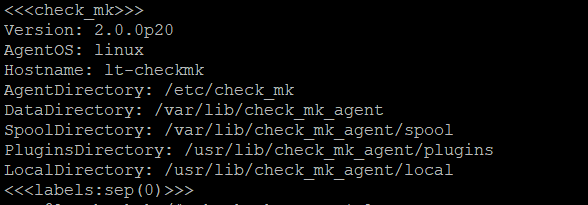
Before adding the host, I had download and install the agent properly. I do run cmd to verify agent install or not and yes it is installed.
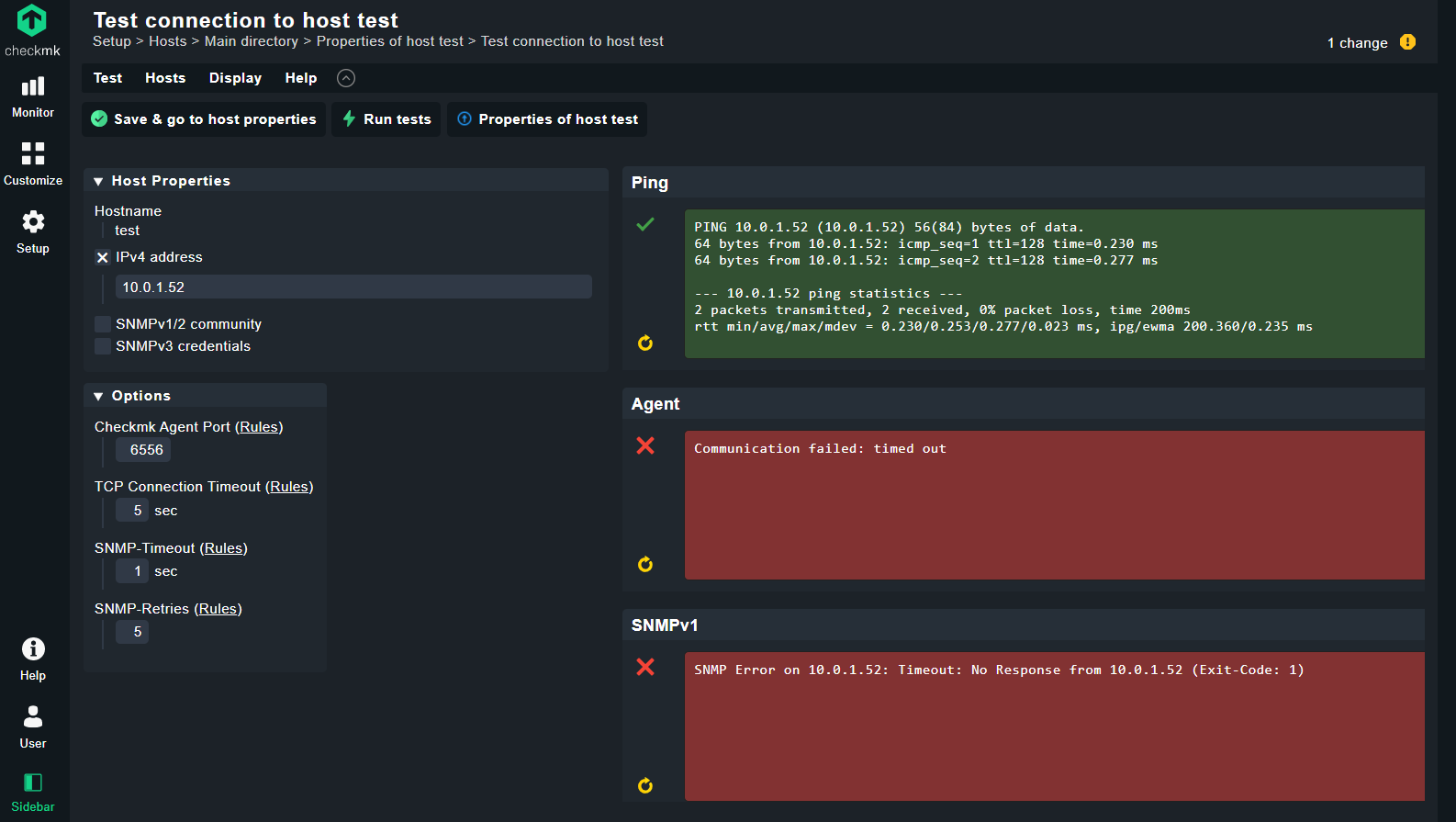
But, when try to adding the host, the error occurred that connection is failed.
Can someone guide me to solve this issue? Many thanks again.
Ikmal
ikmal.j
March 7, 2022, 9:51am
2
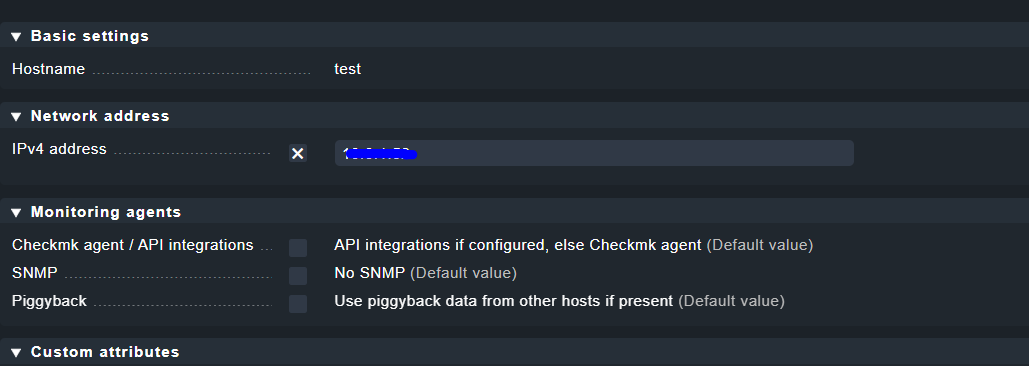
This my previous setting before I added the host
maybe you have some sort of firewall issue.
Yggy
March 7, 2022, 10:09am
4
Did you check firewall settings on host?
ikmal.j
March 7, 2022, 10:17am
5
How to check that? Can you teach me.
Yggy
March 7, 2022, 10:31am
6
Check the following documentation for firewall settings on Windows:
Since Linux paths are given here, I also assume a Linux system.iptables › Wiki › ubuntuusers.de Monitoring Linux - The agent for Linux in detail
ikmal.j
March 8, 2022, 3:00am
8
I did check on firewall. It works fine. No issues regarding on firewall.
can you simply do a telnet on the port?
kdeutsch
March 8, 2022, 7:17am
10
Hi,nc localhost 6556. Do you see the agent output?telnet 10.0.1.52 6556 Do you get the agent output?
Karl
ikmal.j
March 8, 2022, 7:24am
11
Hi kdeutsch,
I was able to receive agent output after run nc localhost. But, for telnet I was able to receive agent output. It end up like this :
“Trying 10.0.1.52…
In this case you do have a firewall issue.
netstat -ano | grep 6556 (agent)
iptables -vnL (agent)
ufw status (agent)
ip a (server and agent)
ip r (server and agent)
1 Like
system
March 8, 2023, 9:18am
13
This topic was automatically closed 365 days after the last reply. New replies are no longer allowed. Contact an admin if you think this should be re-opened.