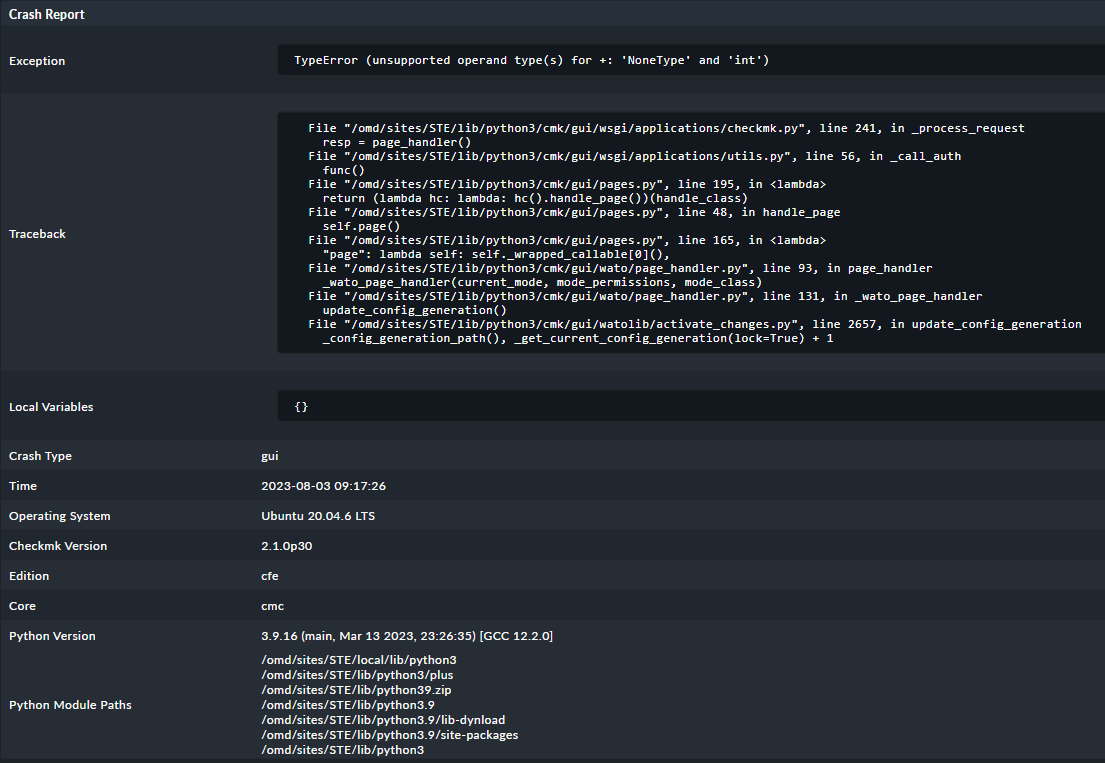
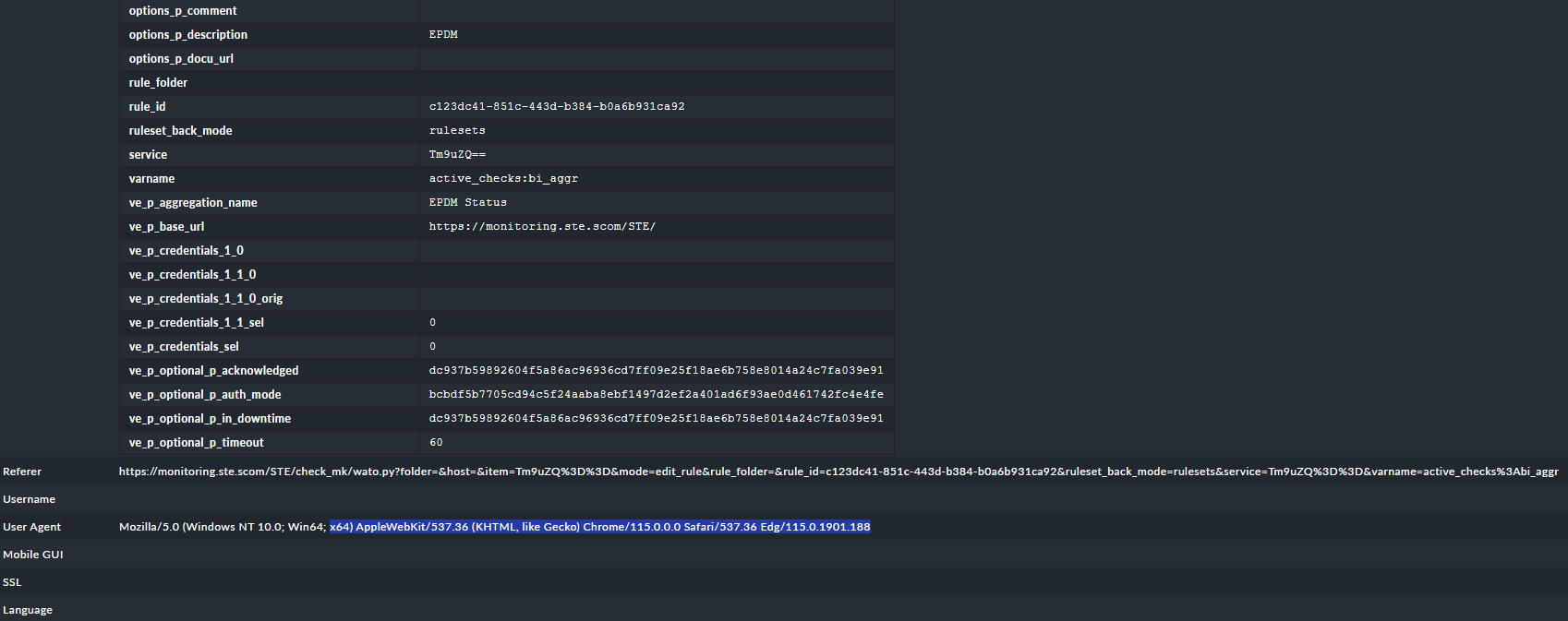
Can someone help me with issue I’m still having since … I cannot tell exactly but my best guess is I think it’s from 2.1.0 p7
CMK version: 2.1.0p30 OS version: Ubuntu 20.04.6 LTS
**Error message: Internal error: unsupported operand type(s) for +: ‘NoneType’ and ‘int’ **
Crash Report
File “/omd/sites/STE/lib/python3/cmk/gui/wsgi/applications/checkmk.py”, line 241, in _process_request
resp = page_handler()
File “/omd/sites/STE/lib/python3/cmk/gui/wsgi/applications/utils.py”, line 56, in _call_auth
func()
File “/omd/sites/STE/lib/python3/cmk/gui/pages.py”, line 195, in
return (lambda hc: lambda: hc().handle_page())(handle_class)
File “/omd/sites/STE/lib/python3/cmk/gui/pages.py”, line 48, in handle_page
self.page()
File “/omd/sites/STE/lib/python3/cmk/gui/pages.py”, line 165, in
“page”: lambda self: self._wrapped_callable0,
File “/omd/sites/STE/lib/python3/cmk/gui/wato/page_handler.py”, line 93, in page_handler
_wato_page_handler(current_mode, mode_permissions, mode_class)
File “/omd/sites/STE/lib/python3/cmk/gui/wato/page_handler.py”, line 131, in _wato_page_handler
update_config_generation()
File “/omd/sites/STE/lib/python3/cmk/gui/watolib/activate_changes.py”, line 2657, in update_config_generation
_config_generation_path(), _get_current_config_generation(lock=True) + 1
I must mention that this is purely UI and it is not blocking my modifications so far - as a workaround I can fall back to previous page in my browser, refresh and then apply the changes …
Did you updated from 2.1.0p7 to 2.1.0p30? Which edition do you use?
No I was steady following up the release frequency and I do not recall having any issues in the update process
I was using the free version because I was monitoring a very small infrastructure 20 hosts …
I hope you’ll provide some insight on this mind boggling issue I have.
Mehdi
PS: you’ll find attached the crash reports extract as csv
They keep stacking up
Rest_api and gui but always with TypeError: unsupported operand type(s) for +: ‘NoneType’ and ‘int’ designation
I can’t tell the origin of the error from the crashlog.
To troubleshoot this further I would look into installed thirdparty MKP’s, Scripts, Modifications and deactivate or remove them.
Change into the site user context and execute the following command to find all the modifications of your site:
OMD[mysite]:~$ find -L ~/local -type f
The easiest would be to remove all the modified files and see if your error still occurs. Make sure to back up your files first.
If you only worked with MKP’s you should use the mkp commands like:
If you can do a “cmk --debug -vvU” on the command line then it is “only” a GUI problem. With error messages here it is more a core / config generation problem.
Can you please check this?
Unfortunately, I am unable to send these logs here. While there are no errors explicitly mentioned in the logs, the issue lies in the fact that these errors occur, leading to a malfunction in the notification system.
If there is no error on the command line then it means it is purely GUI based problem. You are sure that no modified files existing inside the “~/local/” structure?
Not sure how can I check the “structure” but I think it is normal to have a bunch of modified files in this folder - cf added plugin /scripts / bakery … and UI elements such as icons…
1841 files on the output of “find -L ~/local -type f”
Is there a way to reset somehow the GUI base structure file without touching all the instance related ruleset and configuration ???
sure that there is o modified files existing inside the “~/local/” structure. this error is a very bad situation, and the only reply that i have it is to deploy a new environment.
The problem is here that no one of us here knows what is modified or installed inside your instance. I would start with the changed or added GUI extensions. As it is a GUI problem it is possible that you can solve it if you move the GUI extensions to some folder outside of your instance.
GUI extensions → ~/local/share/check_mk/web/plugins/…
This topic was automatically closed 365 days after the last reply. New replies are no longer allowed. Contact an admin if you think this should be re-opened.