Hey there,
I have upgrade one of my CheckMK installations to CheckMK 2.1. I heard about the significant changes of the agent communication introduced with CheckMK 2.1 from the YouTube channel.
After updating my site to 2.1, CheckMK exposes port 8000 to ALL interfaces/IP’s on my machine:

As this machine is exposed to public internet directly, my system-wide apache makes CheckMK available only on an dedicated internal IP interface via Virtual-Host definition.
So I went with omd config to check, If I’m able to change the listening address for the Agent Receiver service as well, but unfortunatly no success:
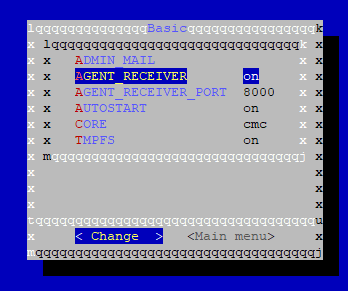
You can only change the port, but not the listening address.
Is there any way to change the listening address, as I don’t want to expose the agent receiver service to public internet? I did not found any information on this.
For now, I have disabled the agent receiver in omd config
Thank you
Best Regards
Markus