Thank you for sharing your experiences. At the moment, you can only create one new special agent rule per each “query block” in the custom graph editor; as our special agents follow a “first matching rule wins” approach, you can therefore only transfer one “query block” into an active special agent rule per each host.
This limitation however only applies to the “quick path” from inside the custom graph editor. If you want to add additional queries to a special agent rule, this is still possible. For this, please open the “active” (i.e., matching) rule from the rule set “Other integrations > Metric backend (custom query) > Metric backend (custom query)”, and add another query via “Add new entry”. With this approach, you can associate multiple queries with one and the same special agent rule, enabling you to have more than one query result converted into Checkmk services.
Please be assured that we’re already looking into making alerting on OpenTelemetry metrics more convenient in future iterations of Checkmk. We’re on it.
Being one of the product managers working on these topics, I’d be super interested in further details about your experience. Maybe we could have a meeting anytime soon. I’ll contact you via PM.
I wasnt using the quick create, I was making them manually but I misunderstood and was trying to make a new rule for each metric, but I see now, I just keep adding metrics to the one rule for that host. I didnt see the add new entry button thanks!
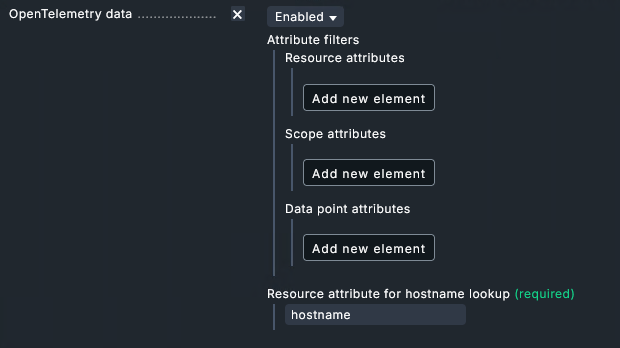
In this case, as you want system.memory.utilization, I assume filtering for data point attribute state:used would be the right choice. That results in one metric.
What would have been the expected outcome for you? One service per metric instead of the current “UNKN”?
Yes that is what I have done, just filter for used. I am just curious how its able to combine all 3 metrics into one service, with all 3 graphs available when you configure otel data on the host agent but you cant do this when creating the queries manually via the special agent rule.
Another use pain point is for CPU utilization, the device being monitored provides me utilization for each core but no overall/all core utilization so I have to add each core and can only show one state which results in
Ideally I would like all cores on a single service and aggregate their usage with average or high. From what I understand there is the ability to change aggregation but the rule only seems to work on services added when using the host agent for otel, not via the special agent rule.
Or If I must have a service per core, I would like multiple metrics for state - busy, user, system etc
Thanks a lot for clarifying your use case, Garth. Such aggregations are exactly what we’re working on right now. We’ll do our best to provide them as early as possible.
You’re right – Checkmk backups don’t (yet) include the ClickHouse database (regardless of the no-rrds parameter). Given its current 14-days retention period, we rather consider ClickHouse a short-term storage and therefore have excluded it. If a backup is still required, you might want to consider utilizing the ClickHouse native functions.
Is there a plan to allow the relay to connect to a remote site? This is a real issue now for MSP if we want to give access to the customer site and they can’t see their network devices connected via the relay

 thanks!