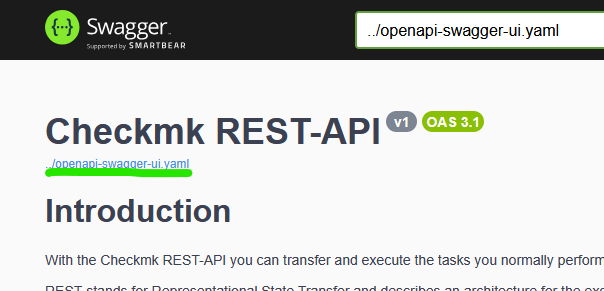
Also I should note that the Click Help > REST API > Version 1 Documentation Link opens
//check_mk/api/doc/ but the “Download” link there does pull/save “openapi-doc.yaml”.
As a follow up, I dropped this into the CheckMK AI chat just to see what it provided. It explained the doc is generated when changes or restarts occur and recommended running a command cmk-compute-api-spec.
I did a full omd restart but the command was not available as root or as the site user. I also made a minor change to one of the hosts and activated the change with no change in behavior either.
AI Output
The OpenAPI specification file (e.g. openapi-swagger-ui.yaml) in Checkmk 2.5.0 UltimateMT is not generated on-demand at runtime anymore. Instead, it is precomputed and stored persistently within the site. This change was made to avoid delays and memory overhead caused by computing the spec dynamically for each request.
The specification is generated and updated automatically in these situations:
After a site is created (post-create hook)
After a site is copied, restored, or renamed
When the site configuration is updated
When the Apache process is started, restarted, or reloaded
There is a dedicated command cmk-compute-api-spec that can be used to manually trigger the computation of the API specification if needed for debugging or other purposes.
Because the spec is stored persistently in the site, it should be accessible from the command line within the site directory, rather than being generated on the fly. The exact file location is not explicitly documented, but it is managed internally by Checkmk and updated by the above mechanisms.
If you get a 404 when accessing the openapi-swagger-ui.yaml link, it may indicate the spec was not generated or updated properly. Running cmk-compute-api-spec manually and restarting the site might resolve this.