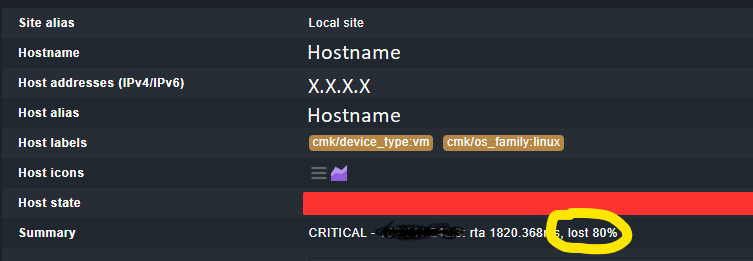
This is not the Ping check i don’t use that configuration, but for some reason is taking the lost on my erratic network, does anyone know how can i disable this?
I dont want the alert for the lost of 80% or the RTA, im just want to check if the server is UP or Down, but i dont know were i can modify this threshold
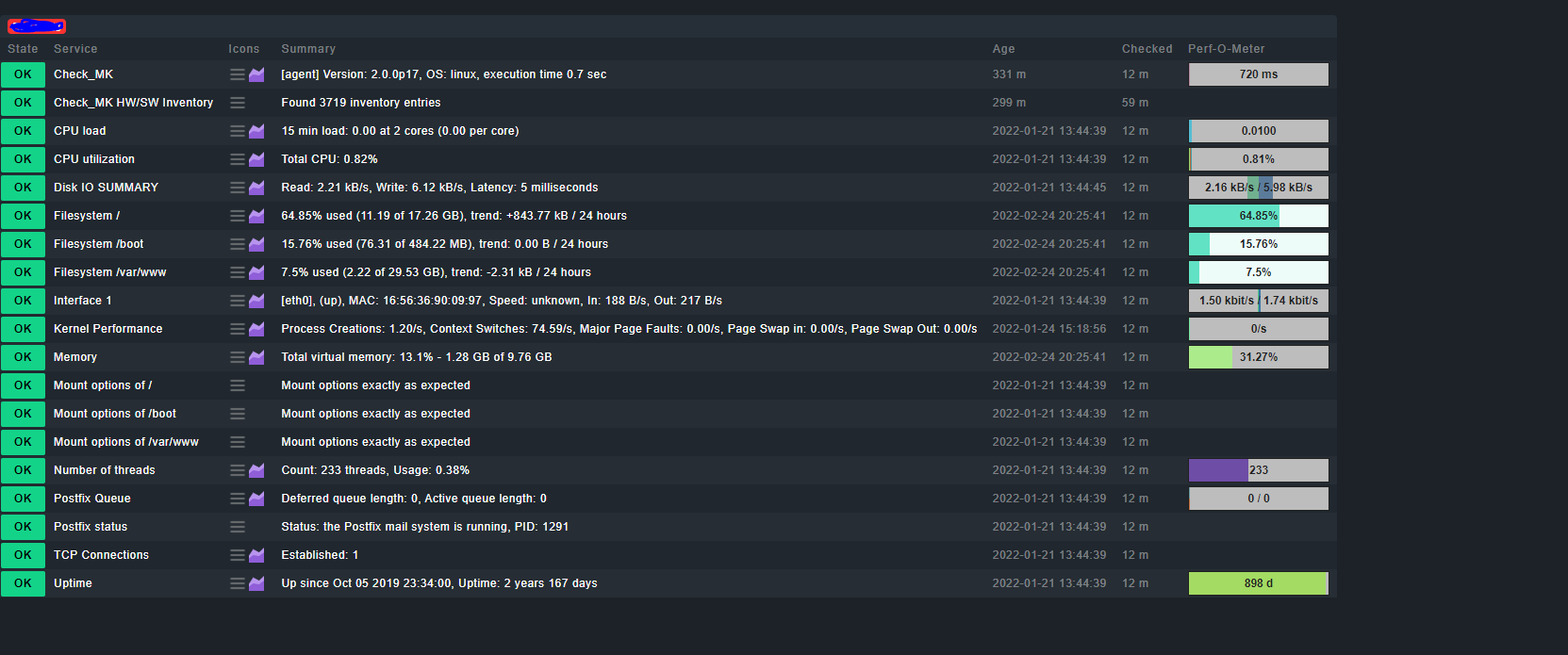
For some strange reasons, your ping latency is mostly around 2s and the packet loss at 80%, while the Check_MK agent query takes just 0.7s. This could be a firewall or routing issue. The best solution is to find and solve those issues.
Otherwise, you could try several options of the “host check command” ruleset:
Set the host check command to the status of the Checkmk agent, so host-ping check is not used at all. This is only recommended if the agent query time is constantly low.
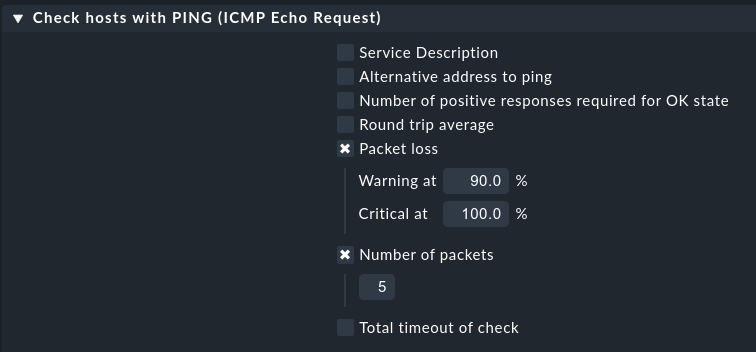
Configure an active PING check for the host, set the round trip time reasonably high (min. 3s) and packet loss rate to at least 90%. Set the host check command to the PING service. Try to slightly increase the thresholds if this does not help.
Set the host check command to “TCP connect” and connect to a port number that is usually opened (e.g. 80 or 22). Do not use the Checkmk agent port 6556!
Write a custom script that checks the host by another method; I use the arping Linux command in some cases.
If all those hints do not help, the last option is to set the host check command to “Always assume the host to be up”. Note that the host state will always stay green in this configuration, and you need to carefully check the state and age(!) of the services. I use this only for hosts which are entirely stealth.
This topic was automatically closed 365 days after the last reply. New replies are no longer allowed. Contact an admin if you think this should be re-opened.