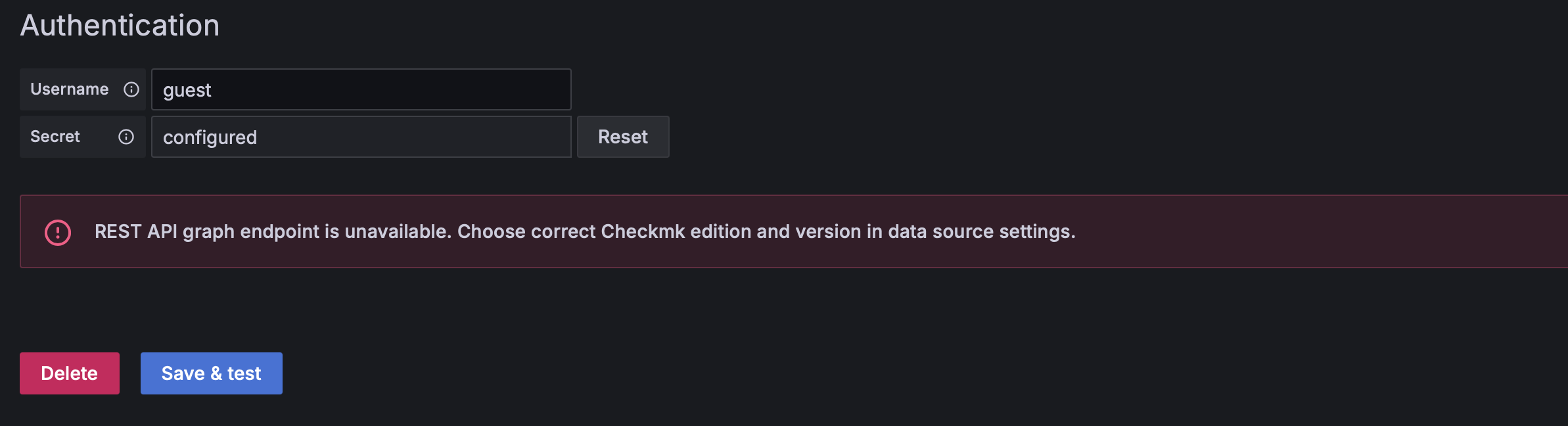
Checkmk data source API problem

CMK version: 2.2.0p23.cre
OS version: Ubuntu 22.04

Error message: INFO [07-01|12:51:43] Request Completed logger=context userId=1 orgId=1 uname=admin method=GET path=/api/datasources/proxy/uid/edqfmqmdgpm2oc/rest/check_mk/api/1.0/version status=404 remote_addr=192.168.65.1 time_ms=6 duration=6.871103ms size=196 referer=http://localhost:3000/connections/datasources/edit/edqfmqmdgpm2oc handler=/api/datasources/proxy/uid/:uid/* status_source=server

I’m encountering an issue with the REST API; they are telling me there might be a problem with the versions or the edition of Checkmk. I tried getting the latest version of the Grafana Checkmk Datasource plugin, version 3.3.0 (more precisely this plugin: https://github.com/Checkmk/grafana-checkmk-datasource/releases/download/v3.3.0/tribe-29-checkmk-datasource-3.3.0.zip) . Despite this, it seems that the API route isn’t up-to-date. Consequently, I’m unable to connect my Checkmk server to Grafana v11.1.0.

Should I wait for a plugin update? Or is there possibly an error in how I’m setting things up?

Thanks.

Hello
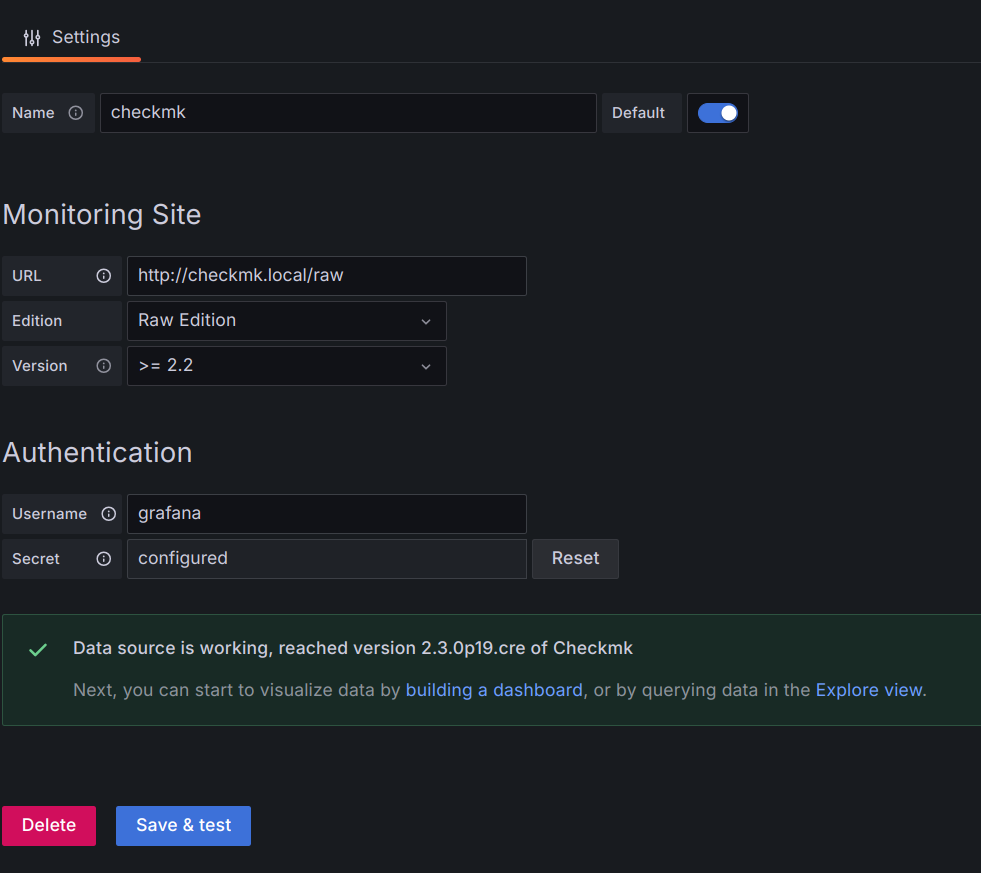
Please, check your config. It seems you are using Checkmk 2.2.0p23 Raw edition (cre), so you must fill this information:
URL: http:///
Edition: Raw Edition
Version: >= 2.2
Also check the credentials you are using.

Same problem here on checkmk raw Version: 2.3.0p19

I’ve tried to connect Checkmk Raw Edition 2.3.0p19 to the latest version of the Grafana plugin and there is no issue.

Please check the following:

  • The connection between Grafana and Checkmk, especially if any of them is running from docker
  • There is no firewall interrupting the communication.
  • The user grafana has administrator permissions
  • Grafana’s logs
  • Checkmk logs (~/var/log/web.log, ~/var/log/apache/access.log, ~/var/log/apache/error.log)

I was following the Checkmk Grafana Integration documentation and identified a key issue: the address for the Checkmk data source must include the port 5000 in the format http://127.0.0.1:5000/<checkmk_site>. Additionally, Grafana must be running on the same server as Checkmk for the integration to work; otherwise, it won’t function.

This requirement is also highlighted in the plugin development documentation: Grafana Checkmk Datasource Plugin Development Guide.

Moreover, you’ll need to set several environment variables for proper operation. These can either be exported directly in your environment or defined in a .env file for convenience.

Variable Description Example
CMK_SITE Checkmk site name cmk
CMK_ADMIN Administrator user name for Checkmk cmkadmin
CMK_AUTOMATION Automation user name for Checkmk automation
CMK_PASSWORD Password CMK_ADMIN and CMK_AUTOMATION my_secret
PLAYWRIGHT_TO_CHECKMK_URL URL for connecting Playwright to Checkmk http://127.0.0.1:12345/cmk/
PLAYWRIGHT_TO_GRAFANA_URL URL for connecting Playwright to Grafana http://127.0.0.1:3003/
GRAFANA_USER User name for connecting to Grafana’s Rest API grafana_user
GRAFANA_PASSWORD Password for GRAFANA_USERNAME my_other_secret
GRAFANA_TO_CHECKMK_URL URL for connecting Grafana to Checkmk http://checkmk:5000/cmk/
GRAFANA_TO_CHECKMK_USER Checkmk user name to access the Rest API automation
GRAFANA_TO_CHECKMK_PASSWORD Password for GRAFANA_TO_CHECKMK_USER my_secret