Checkmk host notes url not displayed in email notification

Hi all,

i tried to add my Custom Host Notes URL to my email notifications but even if I tick the “Custom host/service notes URL” in the HTML Email parameter.

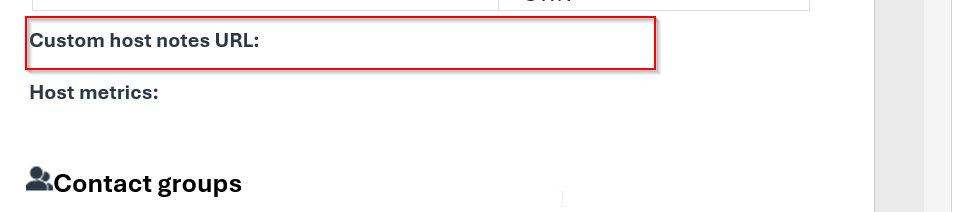
The headline/category is added to the Email but the content is empty:

Even if the (host) note URL was assigned properly to the host.

Is this a bug or was anybody able to add the Notes (URL) for Hosts to an HTML email notification or/and ASCII email notification.

Any help is highly appreciated.

Regards,

Benni

I wasn’t able to get it working on my 2.1.0p5.cre server in the past.

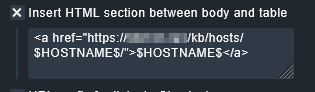
As workaround I rebuild the URL directly in HTML Email parameter. Luckily I only needed $HOSTNAME$ for that.
image

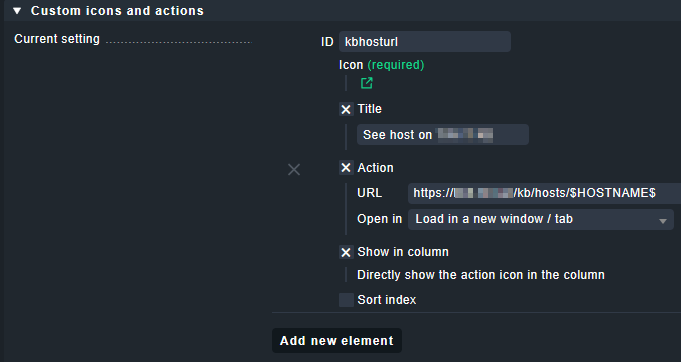
I use same URL as action / icon in some views.
Setup in Setup > General > Global settings > Edit global setting first:

Setup > Hosts > Host monitoring rules > Custom icons or actions for hosts in status GUI.
image

Thanks for the workaround , actually this was also my first thought but the inserted HTML section at the beginning of the email does look really ugly and is also from the usability side not that nice.

I would really prefer the information being displayed in the section “additional information” as it from my point of view should be after ticking the “Custom host/service notes URL” in the email parameter settings. So I guess it is a bug or for what reason is the “Custom host/service notes URL” included in the email template?

Yes, it’s an ugly workaround.
To be honest I never bothered looking deeper into this issue. I kind of hoped it was just my version getting vintage and it would work in current versions, if I would ever upgrade. (-;
1 Like

Has anybody else found a way to add the custom host notes URL to a notification as it should be?