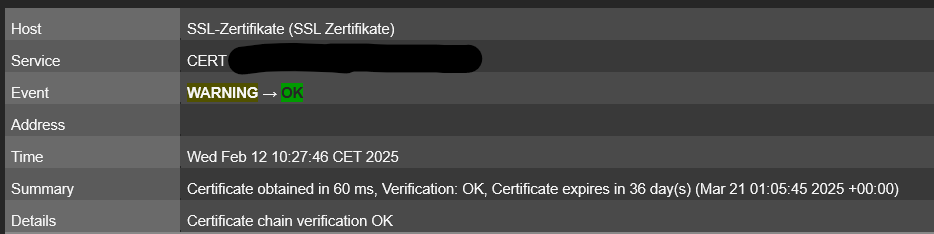
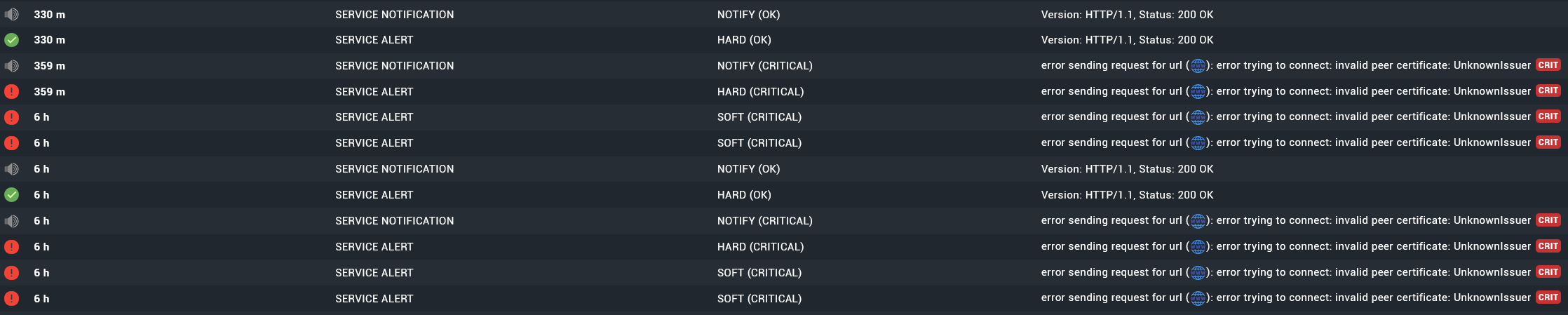
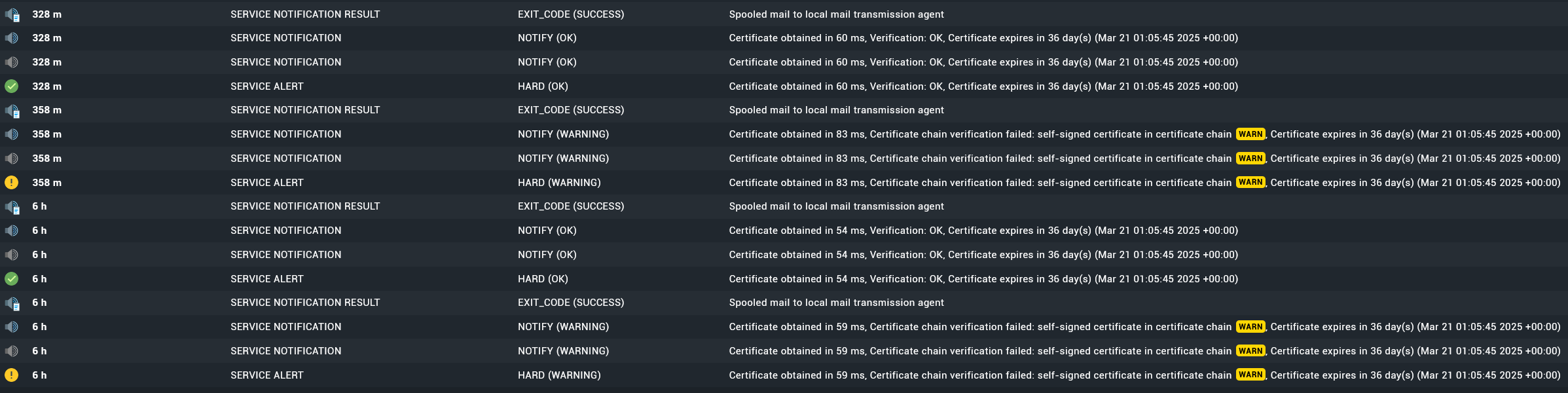
Error message:
I have a web application running on Azure in a VM, and I’ve configured some rules to monitor the certificate validity and ensure the website is reachable via HTTPS. The certificate is issued by Let’s Encrypt, and I’ve added it to Azure KeyVault for use with the Application Gateway.
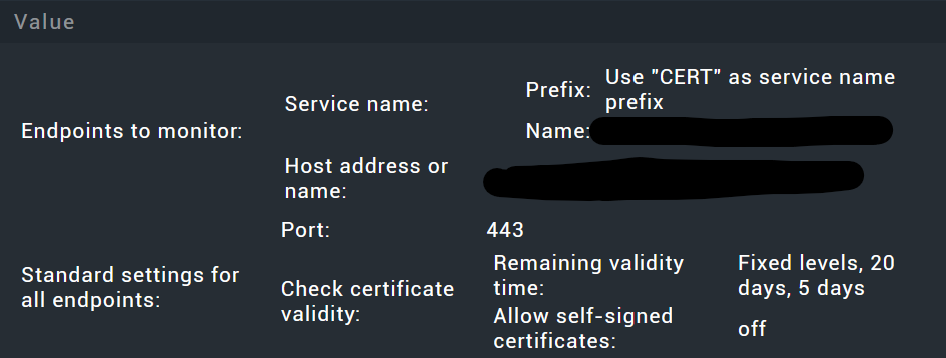
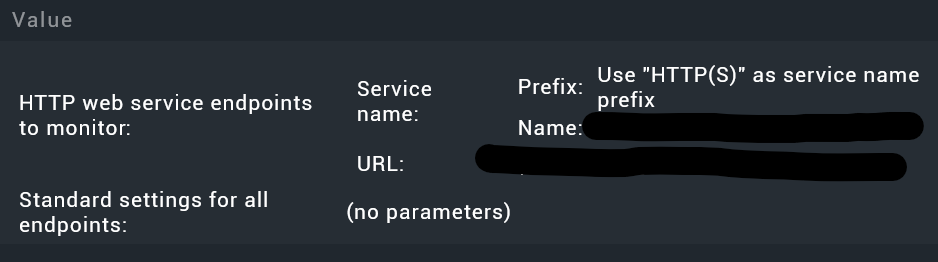
Here are the monitoring rules I’ve configured:
CERT
The website is always accessible and the certificate appears valid when I check it, but I still receive these errors. Neither I nor any customers have experienced connectivity issues with the web application.
I’m wondering if Checkmk has any known issues with Let’s Encrypt certificates or if I might have missed a configuration. Could someone please guide me on how to resolve this?
Output of “cmk --debug -vvn hostname”:
The output of cmk --debug -vvn <*****> shows the same error as in the email: “Certificate chain verification failed: self-signed certificate in certificate chain.”
I have many sites with LE certificates and have no issues.
Is it possible that there are some other devices (Firewalls) in between the CMK instance and the tested web service?
It would be strange if there is only SSL inspection from time to time but it could be possible.
If you receive the error message and check the chain with openssl from inside the CMK instance, what do you see there?
@andreas-doehler Sure, I completely agree with you. This behavior is indeed strange, and I haven’t been able to reproduce or explain why or how it happens.
I’ve verified the certificate chain on the machine hosting Checkmk. Here are the details:
:~$ openssl version
OpenSSL 3.0.2 15 Mar 2022 (Library: OpenSSL 3.0.2 15 Mar 2022)

:~$ openssl s_client -showcerts -connect my.site.com:443
# copy certificate to cert.pem
# copy chain certificate to chain.pem

:~$ openssl verify -CAfile chain.pem cert.pem
cert.pem: OK
The certificate and chain seem to be fine. Let me know if you have any other ideas.
Additionally, I’ve also checked some local web applications and others running behind an application gateway. With these apps, I don’t encounter any issues, even though some use Let’s Encrypt certificates, some are self-signed, and others are purchased certificates. Everything seems to work fine in those cases.
@jochum, good input! I’ll wait until the issue occurs, then I’ll try using check_http and check_httpv2 to troubleshoot:
OMD[cmksite]:~$ ./lib/nagios/plugins/check_http -H site.example.com -C 1,1 --sni
OK - Certificate '*.example.com' will expire on Fri Mar 21 01:05:45 2025 +0000.
Additionally, I can confirm that Checkmk is using its own OpenSSL library:
According to this Checkmk 2.4 change (Werk 15520), you’ll be able to ignore the certificate chain issue. However, I’m not fully satisfied with this solution because it merely bypasses the problem rather than solving it.
Edit: Here’s the output from openssl s_client when connecting to the site:
OMD[cmksite]:~$ openssl s_client -connect site.example.com:https
CONNECTED(00000003)
depth=2 C = US, O = Internet Security Research Group, CN = ISRG Root X1
verify return:1
depth=1 C = US, O = Let's Encrypt, CN = R11
verify return:1
depth=0 CN = *.example.com
verify return:1
---
Certificate chain
 0 s:CN = *.example.com
   i:C = US, O = Let's Encrypt, CN = R11
   a:PKEY: rsaEncryption, 2048 (bit); sigalg: RSA-SHA256
   v:NotBefore: Dec 21 01:05:46 2024 GMT; NotAfter: Mar 21 01:05:45 2025 GMT
 1 s:C = US, O = Let's Encrypt, CN = R11
   i:C = US, O = Internet Security Research Group, CN = ISRG Root X1
   a:PKEY: rsaEncryption, 2048 (bit); sigalg: RSA-SHA256
   v:NotBefore: Mar 13 00:00:00 2024 GMT; NotAfter: Mar 12 23:59:59 2027 GMT
---
@jochum I understand, but I’m pretty sure that’s not the issue. Due to the problem, I’m manually updating the certificate. I use Certbot to generate the certificate, then create a PFX file with the key and fullchain file (since Microsoft only allows PFX files). This PFX file is then uploaded to Azure KeyVault. I’ve been uploading certificates for other websites without any issues, and this is the only one causing a problem. Azure KeyVault only allows uploads of valid certificates.
To double-check the certificate validity, I’ve also used/tested lego-acme.
So, there can’t be a bug in the Azure update script. I’m not sure what you mean by a " 3 hour temporary error in that software" — the certificate is managed by the Azure Application Gateway, not by the software or a script. (It’s all Microsoft bull***t )
Is the Checkmk server that you are using to monitor this app also on a Azure VM ?
Maybe you can create a simple local check (like using curl to check the endpoint) directly on Azure VM(where you are running your web application) and see if that fails as well?
After analyzing the traffic and routing, I found the issue. Checkmk is working perfectly (very well), but I can’t say the same about my internet service provider.
The issue was resolved after I created an SD-WAN rule to route my traffic through another ISP, and since then everything has been working great.
This topic was automatically closed 365 days after the last reply. New replies are no longer allowed. Contact an admin if you think this should be re-opened.


 )
)