CMK version: Latest
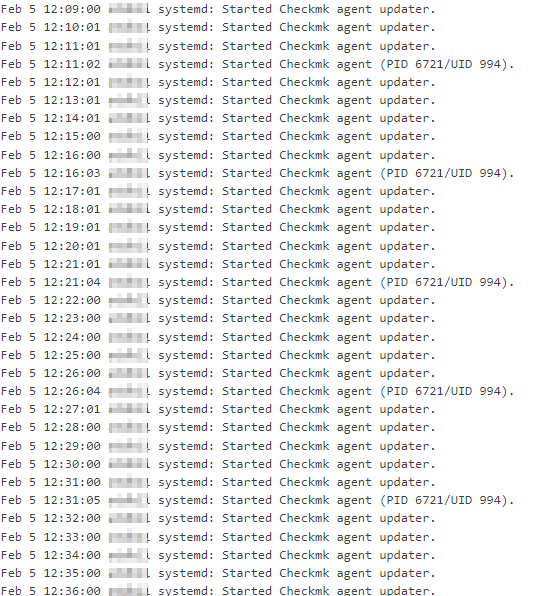
Did you check the “Agent updater” rule?
Unfortunately, I don’t know exactly what you mean. Can you please explain it to me in more detail?
Hi @freindl and welcome to the forum.
@Humaer wanted to know what update interval for the agent updater is configured.
You can find that by navigating to the Agent updater (Linux, Windows, Solaris) rule. Located at Setup → Agents → Windows, Linux, Solaris, AIX → Agent rules → Agent updater (Linux, Windows, Solaris)
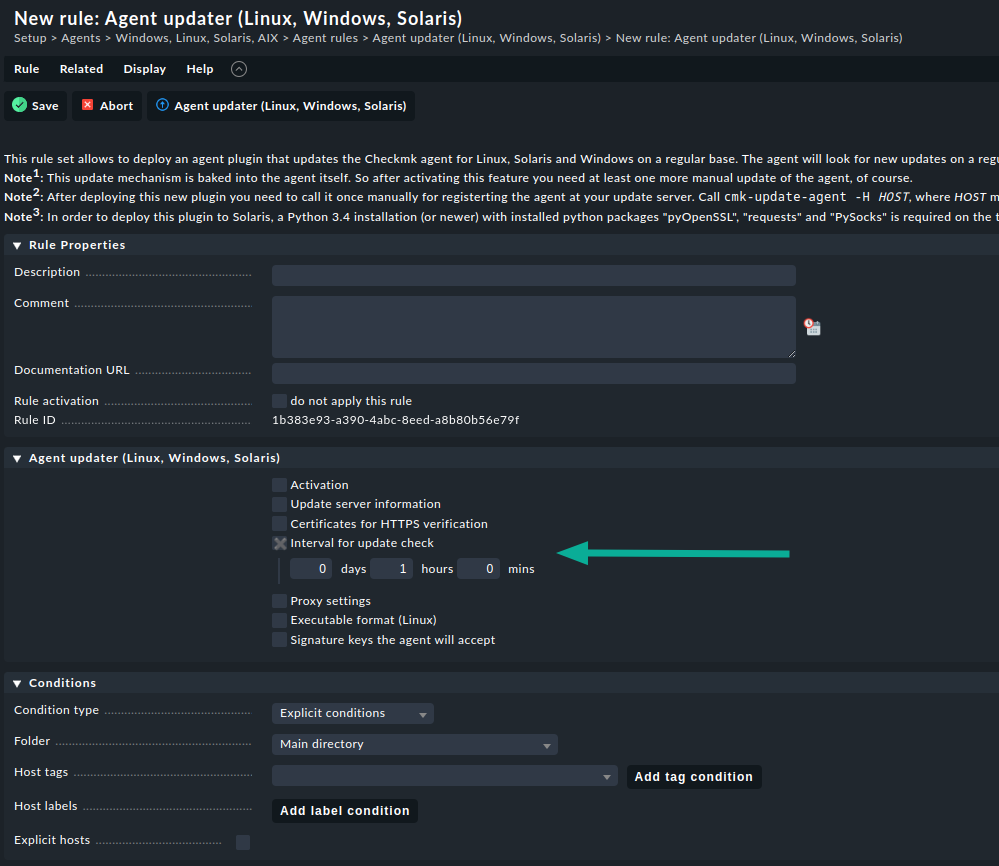
Please check the update interval for the agent updates.
Hope this helps. 
Regards
Norm
3 Likes

I think these log message shows intentional behaviour.
Do you run into any problems?
Otherwise I would not know about other problems
I just checked the logs of my productive system at work - same behaviour.
So if everything works - don´t worry
This is my understanding, not sure if this is documented.
The Agent updater process is called every time your monitoring service talks to the agent, the interval fo checks - That is BY DEFAULT every minute.
The agent updater then check if the time has passed to check for updates, and if not it just ignores this.
The agent updater does not run a service, instead it’s being executed from the agent and it checks the update interval.
Perhaps having this informative event is unnecessary.
3 Likes
@Humaer Yes, it is intentional. But it should write entry to log only on configured time of “Interval for update check”
I really don’t need this spam:
May  9 06:54:00 node2 systemd: Started Checkmk agent updater.
May  9 06:55:00 node2 systemd: Started Checkmk agent updater.
May  9 06:56:00 node2 systemd: Started Checkmk agent updater.
May  9 06:57:00 node2 systemd: Started Checkmk agent updater.
May  9 06:58:01 node2 systemd: Started Checkmk agent updater.
May  9 06:58:14 node2 systemd: Started Checkmk agent (PID 266257/UID 995).
May  9 06:59:00 node2 systemd: Started Checkmk agent updater.
May  9 07:00:00 node2 systemd: Started Checkmk agent updater.
May  9 07:01:00 node2 systemd: Started Checkmk agent updater.
May  9 07:02:01 node2 systemd: Started Checkmk agent updater.
May  9 07:03:00 node2 systemd: Started Checkmk agent updater.
May  9 07:03:15 node2 systemd: Started Checkmk agent (PID 266257/UID 995).
May  9 07:04:00 node2 systemd: Started Checkmk agent updater.
May  9 07:05:00 node2 systemd: Started Checkmk agent updater.
May  9 07:06:00 node2 systemd: Started Checkmk agent updater.
May  9 07:07:01 node2 systemd: Started Checkmk agent updater.
May  9 07:08:00 node2 systemd: Started Checkmk agent updater.
May  9 07:08:16 node2 systemd: Started Checkmk agent (PID 266257/UID 995).
May  9 07:09:00 node2 systemd: Started Checkmk agent updater.
May  9 07:10:00 node2 systemd: Started Checkmk agent updater.
Btw: cmk-update-agent: Prevent the minutely timer from flooding the journalctl on Linux
@Anders I think you are wrong. This from docs:
Interval for update check
Here you specify the interval in which the agent updater queries the configured monitoring server whether any updates are available. As long as the specified interval has not expired, a cached call is returned, so as to burden the network load as little as possible. It usually makes sense to use an interval of not less than 10 minutes, otherwise there is the very great danger that your network will be very heavily burdened if you have a large number of Checkmk agents. If you do not set a value here a default value of 1 hour will apply.
This is definitely bug, which should be fixed in above werk but it wasn’t.
Hi!
Sorry, this is a known problem and I fear we don’t have a fix for it.
TL;DR:
The mentioned Werk is effective only for systemd versions 249 or above.
Lower versions unfortunately don’t support suppressing these kinds of status messages.
The whole story:
This status message comes from a systemd timer that indeed runs the agent updater every minute in “install” mode.
If there’s no package to install, it just checks for the presence of a file and then terminates.
To suppress the minutely start/stop status messages from systemd, we added a LogLevelMax=notice entry to the corresponding systemd unit.
For systemd version 236 we can find the following release note:
      A new LogLevelMax= setting configures the maximum log level any
      process of the service may log at (i.e. anything with a lesser
      priority than what is specified is automatically dropped). A new
      LogExtraFields= setting allows configuration of additional journal
      fields to attach to all log records generated by any of the unit's
      processes.
And for version 249:
      The LogLevelMax= setting of unit files now applies not only to log
      messages generated *by* the service, but also to log messages generated *about
      generated *about* the service by PID 1. To suppress logs concerning a
      specific service comprehensively, set this option to a high log
      level.
This means that we cannot suppress the start/stop messages at the service level in systemd < 249.
So to suppress them on such systems, you would actually have to go the journald configuration route: journald.conf
Unfortunately, we can’t do more from the Bakery side because we are not allowed to interfere with the logging behavior from the host system with the agent package.
Currently the systemd timer is part of the architecture of the agent updates on Linux.
The update process has to run in a completely separate process, because the check-mk-agent-async.service (which downloads the new agent package) would shut itself down during the update.
However, there is hope that we can simplify the update technique again in a future checkmk release.
Cheers
Andi
Hi @AndiU
Please don’t get me wrong, but to me it looks like that you have some weird design in agent. Maybe I’m wrong but this is not only about messages in log, but also that agent update checking process itself is spawning every minute and it is ignoring the value entered in portal in “Interval for update check”.
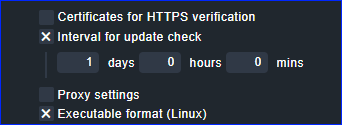
Or, the update process will really happen based on the value in portal, but the messages are written to log not when the update process spawn, but independently (every minute because of older systemd) of update process?
Yes, it’s a bit complicated, but it is like that because agent updates are triggered by the agent updater executable running as an agent plugin.
This is also the part that runs only once in an update interval.
Whenever the agent updater (running as agent plugin) decides to actually update the agent, it’s a bad idea to install it directly from a running subprocess of the agent that was triggered by systemd.
Otherwise, processes would be killed, or wait for each other unnecessarily long, and monitoring data will be lost.
We learned this the hard way.
(This was not a problem with xinetd, as xinetd doesn’t monitor forked subprocesses. Systemd does.)
Therefore, the installation is decoupled by checking for a prepared update regularly.
This is what the systemd-timer does once in a minute.
It’s not coupled to the configurable update interval, and it will not issue any network traffic.
Ah, that’s not so cool, but understand. Alright, as we have to stay on older systemd because of RHEL7.9, I’ve suppressed checkmk updater messages by this rule:
# cat /etc/rsyslog.d/10-ignore-systemd-checkmk-updater.conf
if $programname == "systemd" and ($msg contains "Started Checkmk agent updater") then stop
1 Like
Does this apply to all versions of Checkmk or what this implemented recently?
If recently it seems the pre-requirement are systemd => 2.49?
My understanding was that the check-mk-agent called for the cmk-update-agent and was triggered by a check from the checkmk server? Is this not the case at all? Or is this still the case when xinetd is used or if systemd is used, but with an older version?
This topic was automatically closed 365 days after the last reply. New replies are no longer allowed. Contact an admin if you think this should be re-opened.