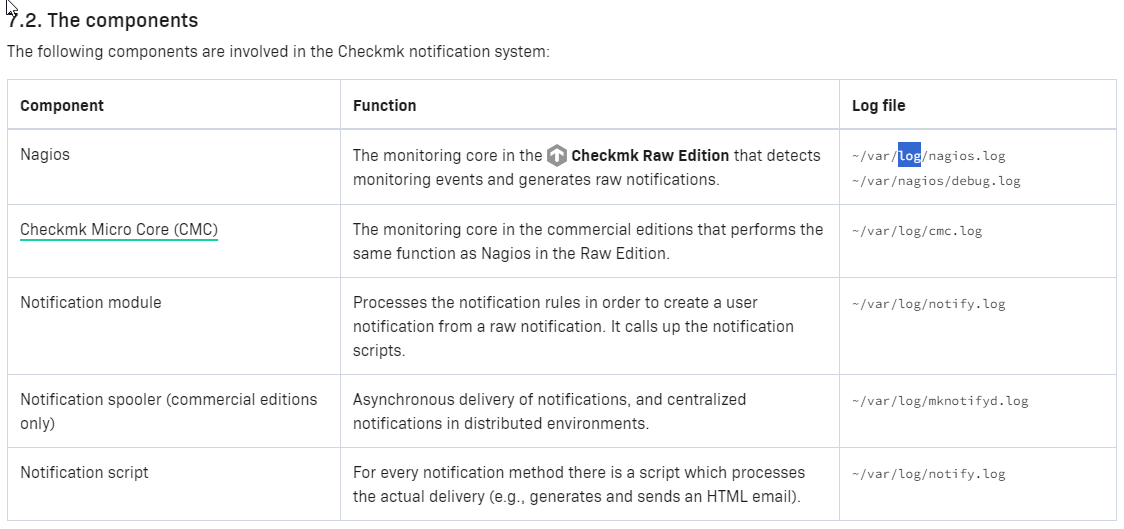
Hi, I’m trialling checkmk raw 2.2.0p16 in containers and am wondering if it’s possible to get checkmk’s alerting info into a text/log file, so I can feed it into syslog?
I’ve found cmk’s logs in /opt/sites/mysite/var/log/ - but can’t find anything that jumps out here. I’ve also got an Enterprise version and noticed that this has created an ‘alerts.log’ file, but even though I have around 200 warnings/crits, this log file doesn’t instantly seem to mention any of them.
I’ve have the enterprise, Monitoring Core > Logging of the core settings at ‘Notice’ for Alerts, but am not sure if I need to turn something else on to see this in the alerts.log file, or if I’m barking up the wrong tree? I’ve also seen that these same settings are not available in the raw container at all; assuming I can get it working on Enterprise, is it even possible to do it with raw?
I’m not sure if I understood you correctly. If you want to get notifications as syslog messages (like “Filesystem X is 85% full”) then you might want to add a custom notification script that does so. This is a very simple example:
#!/usr/bin/env bash
# Send notifications to syslog

if [ "$NOTIFY_WHAT" = "HOST" ]; then

    case $NOTIFY_HOSTSTATEID in
        0) prio=local1.info   ;;    # UP
        1) prio=local1.err    ;;    # DOWN
        *) prio=local1.notice ;;    # ???
    esac

    logger --priority $prio --tag $NOTIFY_OMD_SITE \
        "$NOTIFY_HOSTNAME: $NOTIFY_LASTHOSTSHORTSTATE->$NOTIFY_HOSTSHORTSTATE $NOTIFY_HOSTOUTPUT"

elif [ "$NOTIFY_WHAT" = "SERVICE" ]; then

    case $NOTIFY_SERVICESTATEID in
        0) prio=local1.info     ;;  # OK
        1) prio=local1.warning  ;;  # WARN
        2) prio=local1.err      ;;  # CRIT
        *) prio=local1.notice   ;;  # UNKN and anything else
    esac

    logger --priority $prio --tag $NOTIFY_OMD_SITE \
        "$NOTIFY_HOSTNAME/$NOTIFY_SERVICEDESC: $NOTIFY_LASTSERVICESHORTSTATE->$NOTIFY_SERVICESHORTSTATE $NOTIFY_SERVICEOUTPUT"

fi
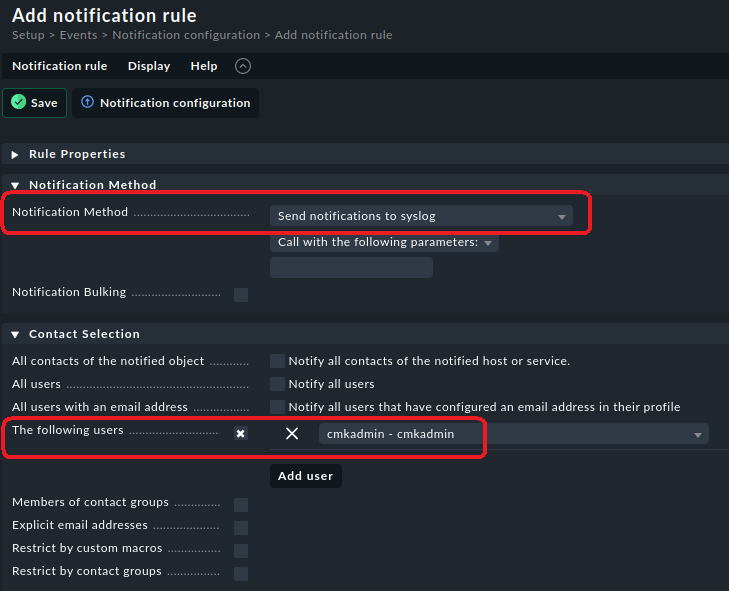
Put it in ~/local/share/check_mk/notifications/ (the name doesn’t matter) and make it executable. Then create a notification rule with this script.
Make sure to select only one user (which one doesn’t matter) as a contact for this rule. If you leave it at the default (all contacts…) then a syslog message is issued for every single contact of that host/service. You don’t want all those duplicate syslog messages.
Thanks for the welcome and info @elias.voelker - it seems my terminology was incorrect and I’ve had a read up and got my head straight!
@Dirk yes, this looks like exactly what I’m looking for, I can see why you’ve got that forum rank! I’ll request some time to test this and report back.
I also highly recommend to create the sample script from the docs (or something similar) because this is the easiest way to see which environment variables exist and what they contain:
This topic was automatically closed 365 days after the last reply. New replies are no longer allowed. Contact an admin if you think this should be re-opened.