reachmd
June 23, 2025, 10:25pm
1
i am trying to register my host (proxmox host) to fix the WARN for TLS not being activated.
when i run the command as mentioned in the docs it gives the error below.
Checkmk is running in portainer inside the proxmox’s LXC.
CMK version: 2.4.0p4OS version: Proxomox 8.4.1
Error message:
ERROR [cmk_agent_ctl] the handshake failed: error:0A0000C6:SSL routines:tls_get_more_records:packet length too long:ssl/record/methods/tls_common.c:662:, error:0A000139:SSL routines::record layer failure:ssl/record/rec_layer_s3.c:688:

Caused by:
    0: error:0A0000C6:SSL routines:tls_get_more_records:packet length too long:ssl/record/methods/tls_common.c:662:, error:0A000139:SSL routines::record layer failure:ssl/record/rec_layer_s3.c:688:
    1: error:0A0000C6:SSL routines:tls_get_more_records:packet length too long:ssl/record/methods/tls_common.c:662:, error:0A000139:SSL routines::record layer failure:ssl/record/rec_layer_s3.c:688:
mschlenker
June 24, 2025, 6:55am
2
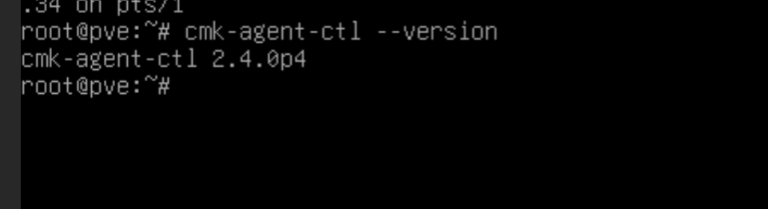
Is the agent controller on the Proxmox host the same Checkmk major version? There has been some changes that break agent registration of 2.2.0 agents on 2.4.0 servers. Only registration is affected, already registered 2.2.0 agents continue to work with Checkmk 2.4.0.
cmk-agent-ctl --version
reachmd
June 24, 2025, 11:58am
3
Yes. It is the same version
mschlenker
June 24, 2025, 12:33pm
4
What was the exact command you tried to run to get registration done. Can you curl on the web interface of Checkmk from the machine that you are trying to register, for example:
curl -v --insecure https://mycmkserver/mysite/check_mk/api/1.0/domain-types/internal/actions/discover-receiver/invoke
Then: can you telnet or netcat on the agent receiver port issued by the command above? Usually this is 8000.
reachmd
June 25, 2025, 2:29am
5
This is the command i used for registering
cmk-agent-ctl register --hostname pve.home.local --server portainer.pve.local:8100 --site mysite --user agent_registration
And this is the curl command output…
curl -v --insecure http://portainer.pve.local:8100/mysite/check_mk/api/1.0/domain-types/internal/actions/discover-receiver/invoke
*   Trying 192.168.86.82:8100...
* Connected to portainer.pve.local (192.168.86.82) port 8100 (#0)
> GET /mysite/check_mk/api/1.0/domain-types/internal/actions/discover-receiver/invoke HTTP/1.1
> Host: portainer.pve.local:8100
> User-Agent: curl/7.88.1
> Accept: */*
>
< HTTP/1.1 200 OK
< Date: Wed, 25 Jun 2025 02:22:53 GMT
< Server: Apache
< Permissions-Policy: accelerometer=(), autoplay=(), camera=(), encrypted-media=(), fullscreen=(), geolocation=(), gyroscope=(), magnetometer=(), microphone=(), midi=(), payment=(), picture-in-picture=(), usb=()
< X-Frame-Options: sameorigin
< X-XSS-Protection: 1; mode=block
< X-Permitted-Cross-Domain-Policies: none
< Referrer-Policy: origin-when-cross-origin
< X-Content-Type-Options: nosniff
< Content-Length: 4
< Content-Security-Policy: default-src 'self' 'unsafe-inline' 'unsafe-eval' ssh: rdp:; img-src 'self' data: https://*.tile.openstreetmap.org/ ; connect-src 'self' https://crash.checkmk.com/ https://license.checkmk.com/api/verify; frame-ancestors 'self' ; base-uri 'self'; form-action 'self' javascript: 'unsafe-inline'; object-src 'self'; worker-src 'self' blob:
< Content-Type: text/html; charset=utf-8
<
* Connection #0 to host portainer.pve.local left intact
*
mschlenker
June 25, 2025, 7:17am
6
The port specified must not be the port used for the web GUI/REST-API, but that of the agent receiver. So for running the cmk-agent-ctl register use the port you read from the endpoint http://portainer.pve.local:8100/mysite/check_mk/api/1.0/domain-types/internal/actions/discover-receiver/invoke
See also:
reachmd
June 25, 2025, 3:22pm
7
Thanks so much for the info. Really helped in fixing my problem.
The agent receiver was using the port 8000 in the container, but my portainer was running on port 8000 as well and that is why it was failing.
I changed the port in the docker compose to map it to 8000 in the container.
ports:
  - "8100:5000" # Map host port 8000 to container port 5000 (Checkmk web interface)
  - "1800:8000" # Map host port 1800 to container port 8000 (CMK Agent Receiver)
And then it connected and got the certificate detaiils successfully and the registration was successfully and CMK Agent warn went away.
All is good now. Again thanks for the help.