HI ,
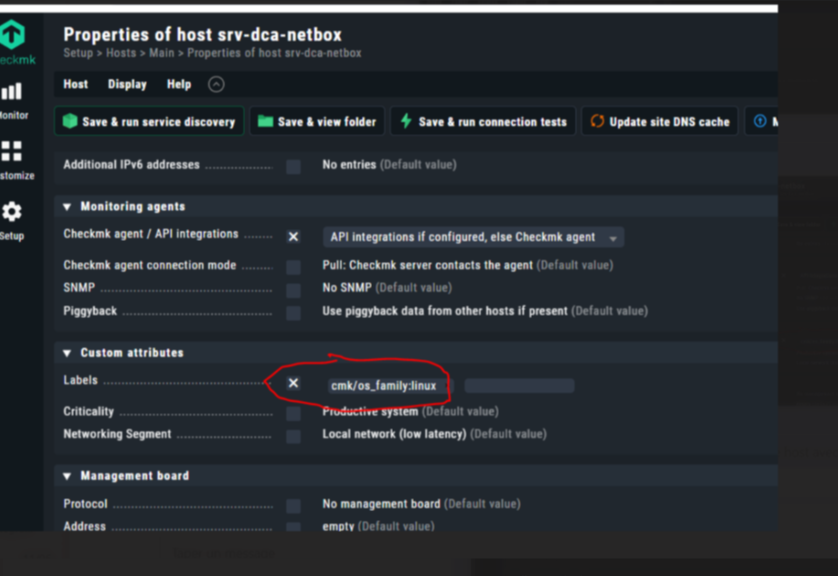
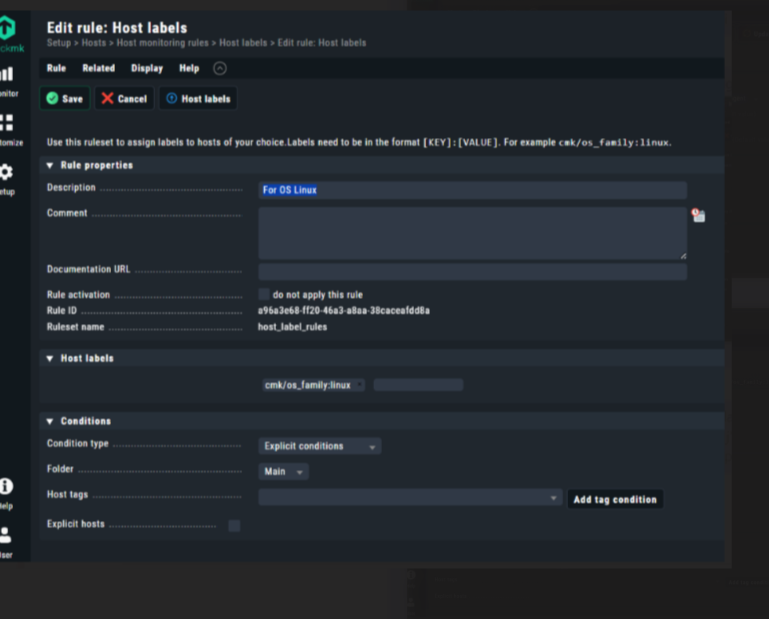
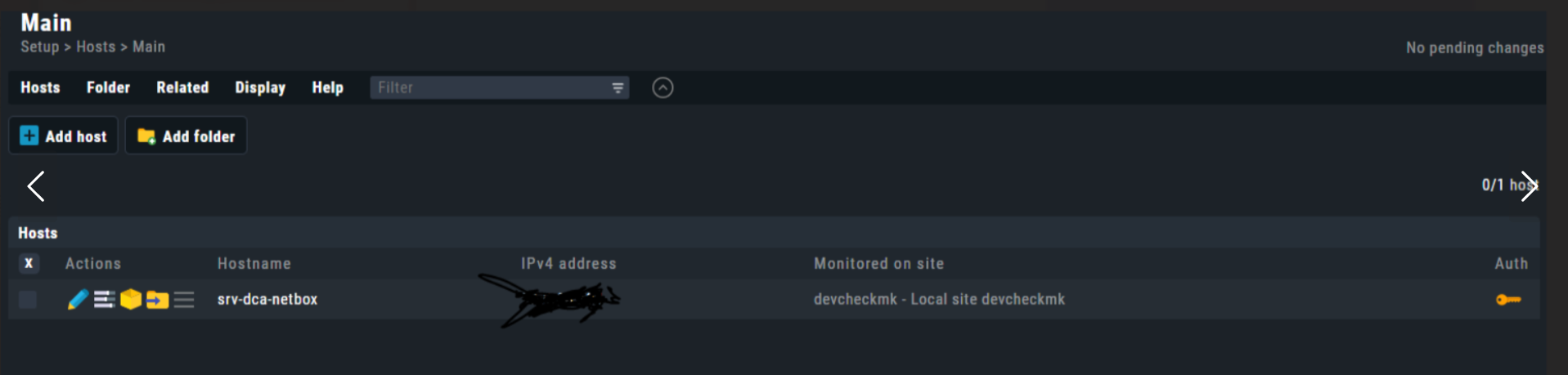
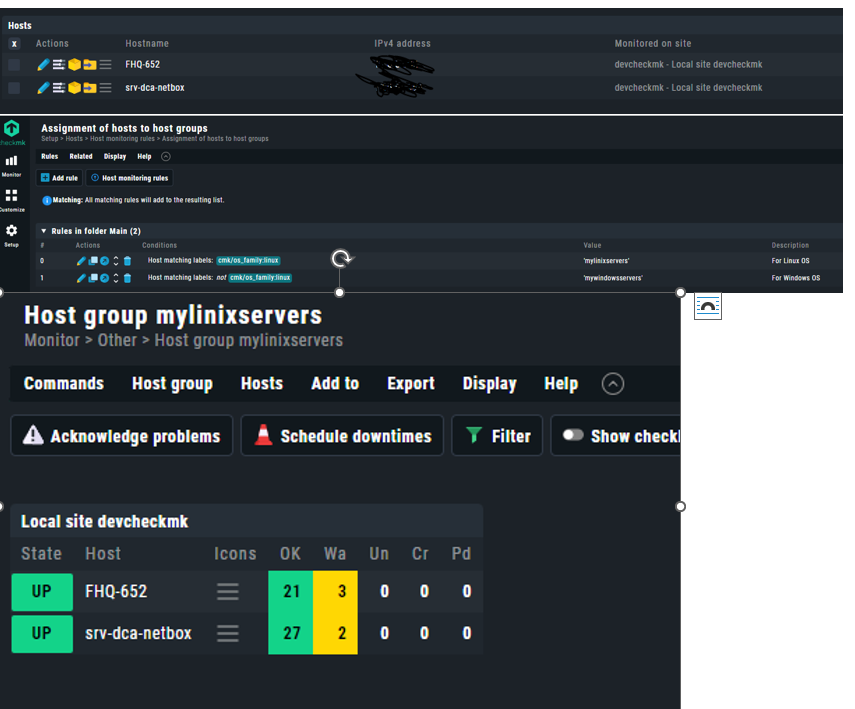
We have decided to use Check MK for monitoring. However, we are encountering some practical issues. The most important one is this: we have created two groups based on the OS (Windows and Linux), but we don’t know how to assign hosts to these groups. When adding hosts, we try to add them using labels, but it doesn’t work. Although we try to configure labels from the settings, every host we add belongs to both groups. How can I resolve this confusion?
For example, the host I added (an Ubuntu machine) appears in both groups even though I selected the correct label. How can I fix this issue? Even if I use the same label that I configured when adding the host, I can’t seem to add it to the correct host group, and I can’t establish the link between them.
Thanks
Just a little note. You don’t have to set the default os_family label explicitly. Checkmk will do this automatically based on the agent information it receives. (1st screenshot)
Hi Elias ,
Thanks for your answer. I tried it, but it didn’t work exactly as expected. Here’s the issue: I created two groups, but the second group, which is for Windows OS, doesn’t appear. Additionally, the second Windows host I added is showing up in the Linux group, even though it has the label cmk/os_family:windows.
First of all, thank you for your answers.
I have two Checkmk servers. One is for testing, the other is for production. The process worked on the test server. However, even though I follow the same procedure on the production server, the labels are not being recorded.
This topic was automatically closed 365 days after the last reply. New replies are no longer allowed. Contact an admin if you think this should be re-opened.