CMK version: CRE 2.3.0 OS version: Ubuntu 22.04 LT
I am migrating my HTTP checks and noticed something. Scenario:
You have a webserver in your monitoring, and it has a website you want to monitor.
This vhost is behind Cloudflare as reverse proxy, so the DNS A record points to Cloudflare.
You want to HTTP check the vhost both directly on the server and via Cloudflare.
With the old check, I created two HTTP checks on the server:
on one, I just passed the “virtual host”, so it would contact the server’s web server and pass the vhost via Host header
on the other, I additionally set the Address (name / IP or proxy) field to Hostname / IP address with the vhost name/domain name, so Checkmk would resolve that hostname and retrieve the website via cloudflare instead
This way, if something happens, I can quickly see if my own server is the culprit or if there is something wrong with CF. Also I have graphs for both.
With the new httpv2 check, I couldn’t find a way to use a defined IP or DNS name (or a specific vhost for that matter), just a URL field. That makes me assume that it always resolves the domain name of the URL instead of checking on the server the check is created on.
I think this may be problematic, because covering my outlined scenario is not possible, and you might want to use the check to verify the website works on your server as opposed to where the DNS points to in general, because these might be different things.
Or I am missing something, which is entirely possible.
This may work in some cases. Say the server is called web01.acme.tld and the web page acme-blog.tld, I could
edit my vhost on the server and, in apache speak, add a ServerAlias of e.g. direct.acme-blog.tld so apache makes that vhost listen for a separate domain name
add that domain name in DNS (or maybe /etc/hosts of my cmk server)
incase I have a TLS certificate on the server, I need to expand it or get another for the new subdomain, or just use HTTP to monitor the “direct” vhost
However, some web applications rely on the domain they’re being accessed with (read: the Host header), so they might respond with undesired output or throw an error.
But honestly, before making changes to my server and DNS configuration, I guess I’d rather stay with the classic check in these cases.
@chauhan_sudhir I have seen the endpoints thing, and my first thought was, that’s great to reduce the number of HTTP checks in the list (which got really long with the time), but then I realized if I have basically ten checks in a single “check rule” and want to edit one of them, that edit page itself becomes quite long and a bit overcrowded, so I stuck to separate rules for separate checks. That’s just personal preference though, it is for sure a nice addition!
This is an essential feature of the old HTTP check. Without it I cannot move a lot of our checks over to the new check_httpv2 plugin.
Using different URLs does not do the trick. As @Jay2k1 wrote the web server differentiates virtual hosts via the Host header. Therefore I must send a Host header that resolves to different IP addresses than the ones I want to connect to.
Think of curl --connect-to '::[ip:of:backend::server]:' https://www.domain-name-resolving-to-cdn.com/.
Furthermore I want to enable certificate validation, too, and that absolutely requires sending the correct host name for the certificate, not anything else.
I’m not calling this a regression as check_httpv2 isn’t positioned as a complete replacement for check_http yet; therefore I’m fine with it being incomplete for the time being. But before you really deprecate and drop the old one, this needs to be implemented.
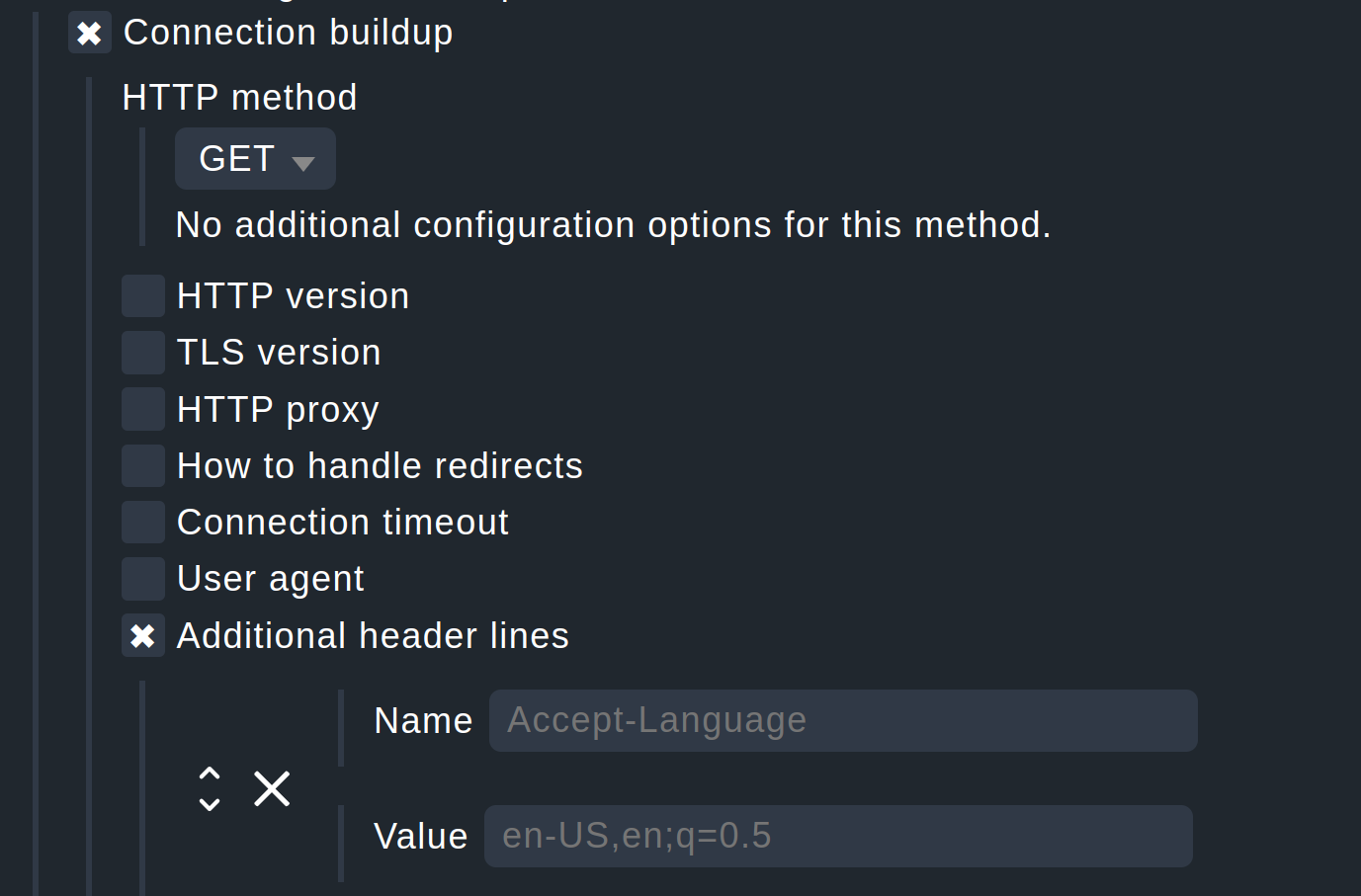
Thanks, that… might work, but doesn’t really as it seems to be buggy at the moment. Even if it works, it’s kind of ugly.
Here’s why it doesn’t work at the moment:
Using https://$HOSTADDRESS$/path as the URL leads to an error when using IPv6 as the resulting URL is https://2001:db8::42/path, meaning the IPv6 address isn’t enclosed in […] as it must be in URLs.
Enclosing the address manually like https://[$HOSTADDRESS$]/path doesn’t work either as I cannot even save the rule with it due to the following error message:
Internal error: '$HOSTADDRESS$' does not appear to be an IPv4 or IPv6 address
Haven’t been able to check if SSL verification works with this method due to the errors.
So yeah. I’d really prefer a dedicated input field for the address to connect to as it was with the older check_http.
I’ve tried what happens when you add a host header like in your example, fearing it might send two host headers then, but apparently, according to tcpdump, it does not:
	GET /foo HTTP/1.1
	host: test.de
	accept: */*
	user-agent: checkmk-active-httpv2/2.3.0
After trying it with http (so I could use tcpdump to look into the traffic), I tried to apply it to my actual use case, which is https. Unfortunately, the server in question has a different domain in its FQDN than the website I want to monitor, leading to AH02032: Hostname server1.webhoster.tld provided via SNI and hostname testdomain.tld provided via HTTP have no compatible SSL setup in the server’s error log, and the response I get in Checkmk is a 421 Misdirected Request.
That makes sense; the SSL handshake happens first, and then after that’s done, the HTTP request including the host header is being sent.
And this is only when the server has a certificate valid for whatever host name you use to connect ($HOSTNAME$ in my case, which happened to have a certificate). If that is not the case (for example, because you try $HOSTADDRESS instead), you will get error sending request for url (https://1.2.3.4/): error trying to connect: invalid peer certificate: NotValidForName
So, to round this up, the “additional headers” workaround may work for some cases, but certainly not all.
I can confirm what @Jay2k1 just wrote; I did basically the same kind of tests (first HTTP with tcpdump running, then HTTPS, running into SNI issues) after reporting my first issues above.
For me using an additional Host header is not an option. The SNI problem is the killer here for me.
Hi @mbunkus
Thanks for pointing us to these use cases. As far as I could see in this topic, we currently have two problems:
Monitoring web endpoints from two perspectives. One time from a user perspective (URL only) and one time from an internal perspective (webserver directly using SNI)
Entering IPv6 addresses as macro is currently broken
The second problem is clearly a bug as the macro does not get correctly resolved. The first one is a bit more complicated. As I understand your use case, I would like to have your request on the ideas portal and we will investigate when and how to re-add this functionality to the new check_httpv2. As far as I understand you, you’re not able to specify to connect to a specific host/address even if the virtual host is resolved to another host (load balancer or reverse proxy). Please open such an idea on our portal.
I also understand that you are partially able to migrate your config to the new https monitoring as it will work fine for the standard use case: Monitoring an https endpoint by specifying the URL.
Thank you @Jay2k1 ! I fixed the link in your description and set it to “Under consideration”. As soon as we have a concrete idea how to integrate this in an understandable way and know when we can add it, we will update the idea.
In general: I see the use case and we will take a look to implement that as soon as possible.
This topic was automatically closed 365 days after the last reply. New replies are no longer allowed. Contact an admin if you think this should be re-opened.