Just adding this here for infor, we’re at GMT-4 (at the moment, summer time) and we get a 4 hours difference, so that would make some sense.
My events are not cached. I can’t open a ticket
<<<esx_vsphere_vm>>>
snapshot.rootSnapshotList 1642 1717693242 poweredOff VEEAM BACKUP TEMPORARY SNAPSHOT|
|—|—|
<<<esx_vsphere_vm>>>
snapshot.rootSnapshotList 1639 1717693242 poweredOff VEEAM BACKUP TEMPORARY SNAPSHOT|
<<<esx_vsphere_snapshots_summary:sep(0)>>>|
{time: 1717693242, state: poweredOff, name: VEEAM BACKUP TEMPORARY SNAPSHOT, vm: server1}|
{time: 1717693242, state: poweredOff, name: VEEAM BACKUP TEMPORARY SNAPSHOT, vm: server2}|
@komaram can you please provide the time stamp as seen by vSphere on this snapshot and the timezones involved? The timestamp 1717693242 means Thu Jun 6 13:00:42 EDT 2024.
I show a screenshot of one example from vcenter in a post from 4 days ago ,if that is what you mean. Eastern is my time zone. looks like UTC vs. EST. VMWARE ESXi naturally records in UTC.
Hi there, was wondering if you had any news on this or if their support needed anything else.
I’m really sorry I can’t open a support ticket myself (unless I actually can on the RAW edition, but I assume not), it’d be helpful!
Same for me. GMT+2 … 2 hours difference.
/T
I’m wondering if anyone got anywhere with this since we still have that issue. Still haven’t figured out a way on my end.
I’m thinking of trying a brand new install at some point, just to see, but that’d take quite a bit of work. So it would be nice if there was a way to fix it.
I opened a ticket about this and its status is “in progress”, so hopefully a fix will be released at some point.
1 Like
Fantastic, not gonna lie though, I’m slightly confused, I don’t remember doing anything specific on my end but the error went away.
The only thing I can even start to think about that might have fixed it is a VCenter update on our VCSA. I don’t remember updating checkMK between the error existing and not existing.
Scrap what I said, I just saw the error pop back up when snapshots were created by Veeam backup. Weirdly enough, I don’t remember having that issue when I took snapshots Friday before updates. Did some more tests today, but creating them from vCenter, ESXi, VMWare Workstation all give the error. Oh well
Hi everyone! We are still researching the issue, and we need your help:
We need a trace of the special agent call to a vCenter where the issue currently exists.
This is a KB article explaining how to do this, but the TL;DR is:
OMD[mysite]:~$ /omd/sites/mysite/share/check_mk/agents/special/agent_vsphere -u 'user' -s 'password' --debug --tracefile $OMD_ROOT/tmp/vcenter.out -i hostsystem,virtualmachine,datastore,counters,licenses -P --spaces cut --no-cert-check '$HOST_ADDRESS' > $OMD_ROOT/tmp/vcenter.debug
After that, please share the resulting files ($OMD_ROOT/tmp/vcenter.out, $OMD_ROOT/tmp/vcenter.debug) with me in a private message.
Thanks for your collaboration!
Is there a way to configure the ESX Snapshot service monitoring to ignore or filter out alerts related to snapshots with timestamps in the future? I’d like to continue monitoring the service for other issues, but exclude the “in the future snapshot” alerts until the cause can be addressed.
I thought maybe one of those 2/3 ideas could work for you? I was playing with checkmk on my homelab and thought about that  . Though, that might only make sense if your issue comes from a backup system creating snapshots which spams notifications. If it’s for general snapshot creations during the workday, not entirely sure what the best would be.
Not sure why I hadn’t thought about it before, since our backups are normally done at a specific time anyways.
You could probably enable one of these two rules on the services named “ESX Snapshots” (for the VMs) and “ESX Snapshots Summary” (for the vCenter):
- Notification period for services
1.1. I personally enabled this first one and configured it for out of office hours for now - Delay service notifications
2.1. For this one, you could configure it to only alert you 1-2 hours after the creation of the snapshot since in most cases, that service is useful to know if a snapshot has existed for longer than x days. But obviously either of these rules entirely depend on your environment.
Otherwise to fully disable the notifications for that service, you could configure the following rule and set it up on the services named “ESX Snapshots” (for the VMs) and “ESX Snapshots Summary” (for the vCenter)
- Enable/disable notifications for services
For the first solution (limiting when notifications are sent), you’ll need to create a time period:
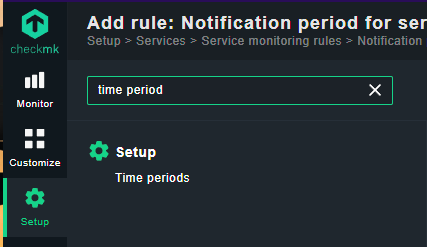
Obviously you’ll still get alerts in the interface and it’s a bit annoying, but it’s manageable. Email notifications for those alerts on the other hands are a nuisance, does the trick for me

Good news everyone!
This should be fixed with Werk 16870 in the upcoming Checkmk release 2.3.0p17.
1 Like
That would be great, thanks a lot for the info!
That’s going on top of my ever-expanding to-do list once that update releases
Based on the testing I’ve done on two different CheckMK 2.3.0p17 installations, this issue does not appear to be fixed.
I am afraid, I am going to need a few more details. Did you check all the points brought up earlier in this thread, of what can be at fault?
Sadly same thing here, it seems like after updating to .17, I still get the same behavior.
I thought I would try to upgrade to Ubuntu 24.04.1 to make sure we were still up to date but that went horribly wrong so I reverted to a previous snapshot, we’re still running Ubuntu 22.04, updates were done on the server.
I’ll extract some logs and send them your way, let me know if that works or if this has to be dealt with in a different way, thanks!
1 Like
Thanks again @dono2020 for working with me to get this thing sorted out, you are awesome! 
Also thanks to everyone for staying patient and reporting back. 
We are looking into this again and will report back, as soon as we find something.
1 Like
I think I identified and fixed the issue now. It seems that the creation time of the the snapshots was (wrongly) interpreted as local time by the special agent, but then (correctly) compared to UTC. So you should observe a incorrect snapshot age corresponding to your machines local time offset to UTC. That is fixed here.
4 Likes
Hi, I’m running the community edition and since the yesterday update from 2.2.0p35 to 2.2.0p36, which includes Werk #17197, I now have the issue, which I had not before.