What’s surprising is that in your screenshot, the right side of the dashboard shows the different time presets (last 4 hours, etc.), whereas I don’t have that at all.
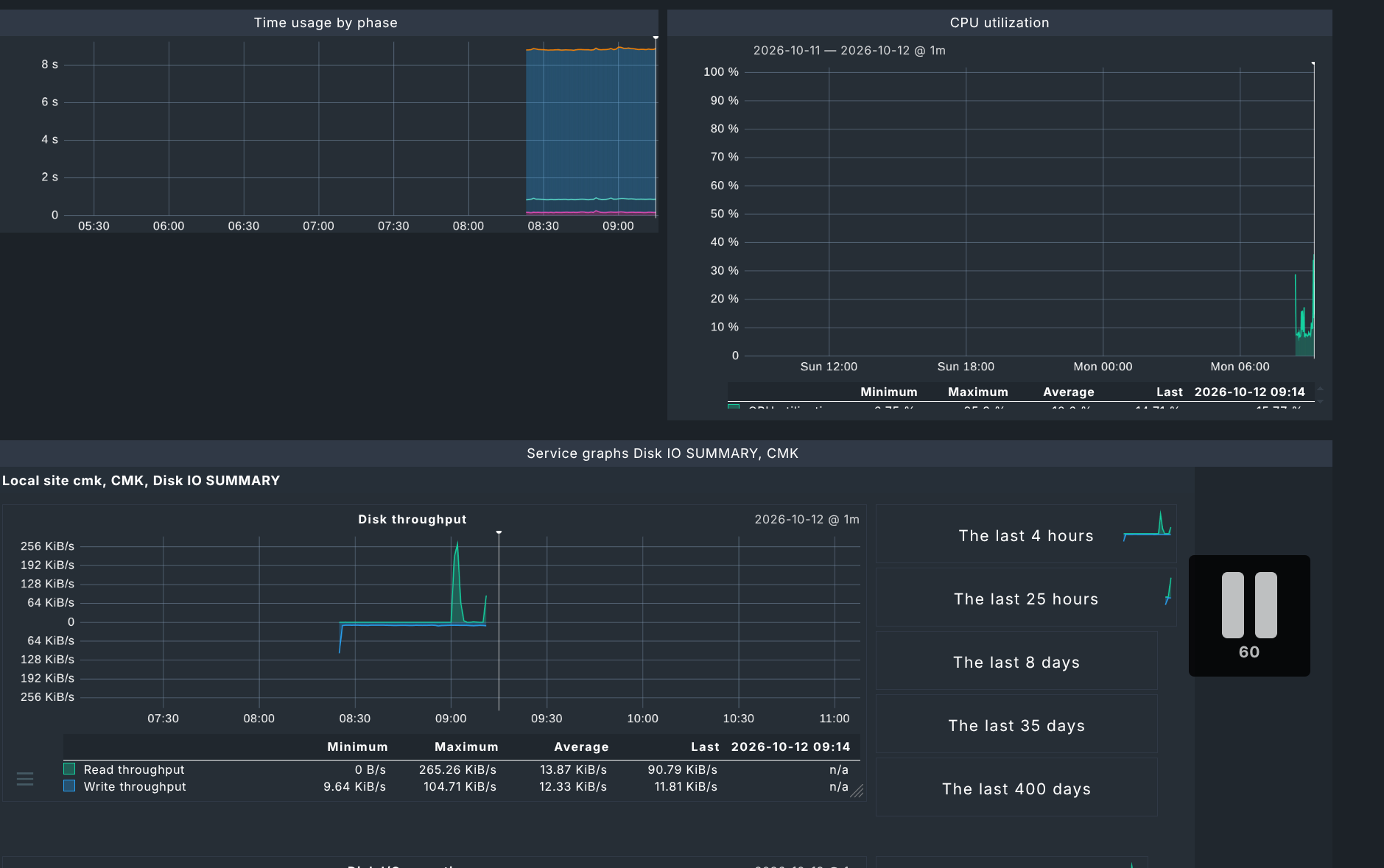

Thanks for the explanation, but I’m not sure I fully understand. Could you clarify a few points?
In 2.4, the pause icon was displayed both on service graph pages and on custom dashboards, but on custom dashboards, clicking on the “60” (as described in the documentation) didn’t stop the refresh. Is that the same issue you are describing, i.e. the reason why the icon was removed from dashboards in 2.5?
In 2.5, on a service graph page, the pause icon is still there and clicking on the “60” does freeze the graph. So is the refresh mechanism different between service graph pages and custom dashboards?
Also, this doesn’t explain why @dabrain gets the pause icon on his custom dashboard while I don’t, even though we both seem to be running 2.5.
I was planning to open a separate ticket about the 2.4 behavior, but I’d like to know first whether it’s the same problem.
The main difference lies between views and graphs. Views come with a Pause button, which lets you stop the automatic page refresh. Plain graphs don’t offer this button, even though they can also be added to a dashboard.
The way you add each element to a dashboard differs as well. For a view, you open it and use the Export menu in the menu bar at the top of the page to add it to a dashboard. For a graph, there’s an even quicker route: you can open the graph’s own hamburger menu directly and add it to a dashboard from there, without going through the page menu.
But then the pause is not working anymore 
Yes
Yes it’s different, the dashboard consists of more than one element. In a view you have only this one element that needs to be handled. Now if you want to stop something on the dashboard the system cannot handle one element different from all other in regard of refresh.
If you stop the refresh inside a element like @dabrain has it done then the dashboard does not need to know that the internal refresh of the view is stopped.
I don’t think that this will have positive outcome as this is a behaviour as it was also before 2.5, in 2.3/2.4 the same.
Thanks again to both of you. I tested the workaround with views: it works, but it doesn’t really fit my use case. Exporting a view adds all the graphs of the service, not only the one I need, and each view has its own time range, so I can no longer zoom on the same period across all services at once, which is the main point of my dashboard.
So would you say the solution is to wait for 3.0? If so, do you have an ETA for when I could beta test this version with Docker? I’d be happy to try it.
No but it will be before the next conference - I think march or april next year
You can test already there daily builds. If you pull the docker container with master-daily tag you get the latest pre alpha 3.0 build.