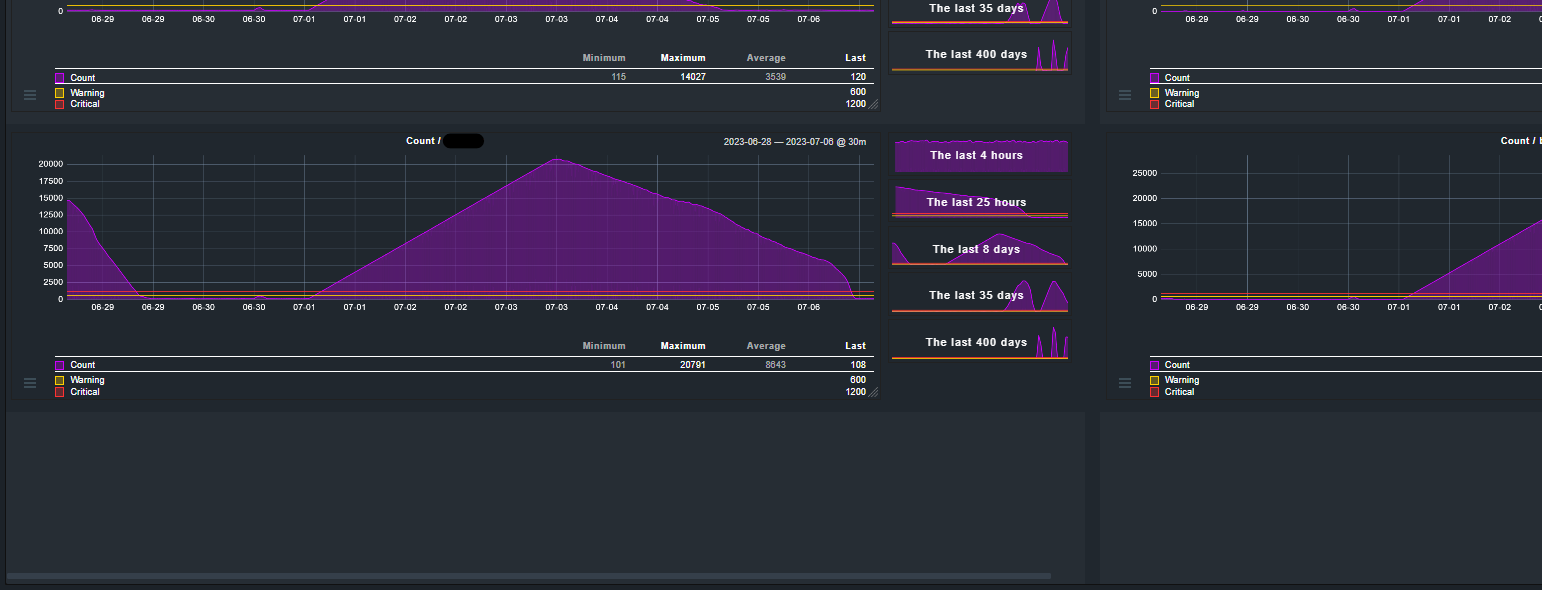
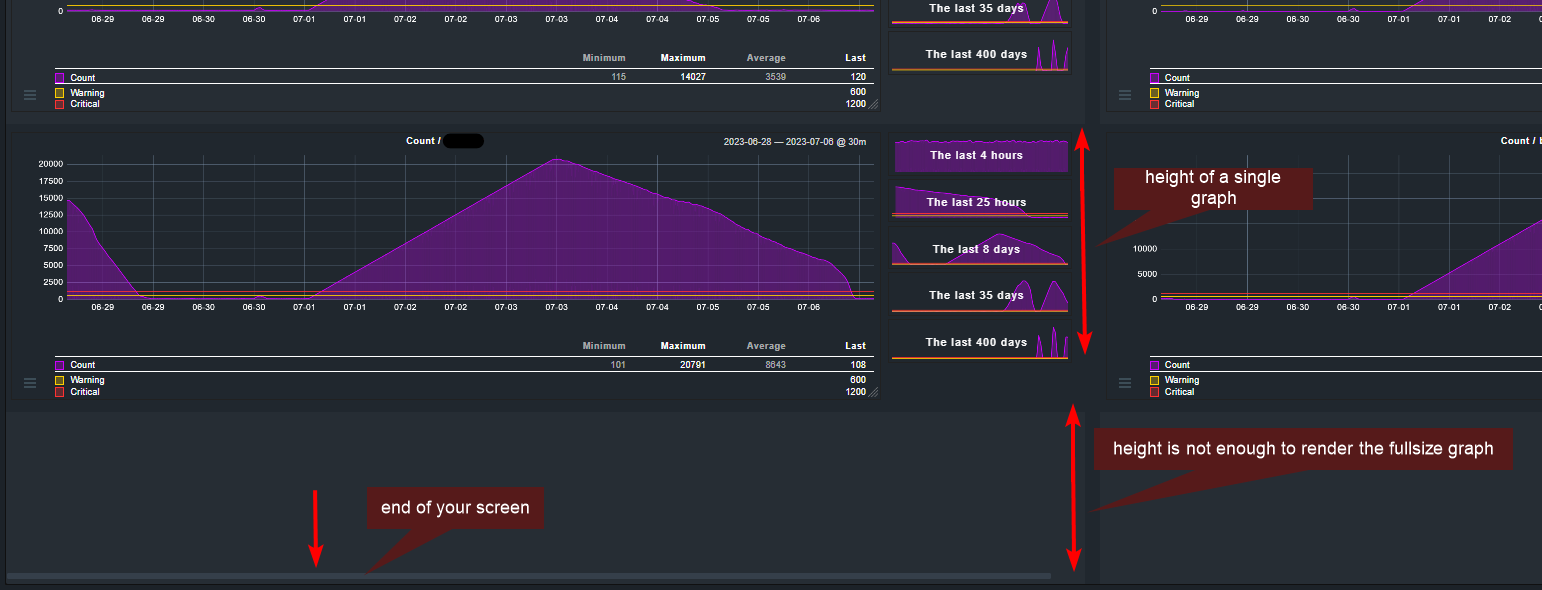
I never had this issue but I think it is because the graph that is not rendering cannot fit fully on your screen. As you can see in your screenshot there is the end of the browser window.
thanks for your reply. But in the settings of this “view” there are no height parameters to change this behaviour. I remember that I tried to avoid this without a “view” with all graphs at its own, but the problem was the same.
I wonder why the dashboard isn’t scaling all the graphs in its view. Really strange.
I recently noticed this when graphs are Iframes and display resolution is low. I will file a bug ticket internally for this, but still would recommend using dashboard elements that are not contained in Iframes.
This topic was automatically closed 365 days after the last reply. New replies are no longer allowed. Contact an admin if you think this should be re-opened.