Hi All,
The cloud provider I use randomly cause new network interfaces to appear on Linux hosts.
This causes lots of notifications to be sent daily about unmonitored services.
Due to that I disabled discovery of network interfaces and even deleted/disabled the existing monitored interfaces from all monitored hosts.
But now I still get discovery notifications such as the following. How can I disable this completely? I don’t want to be notified when these new interfaces randomly appear. If necessary, I would prefer to not get notifications at all for auto-discovered resources if that is the only way to resolve this issue. Thanks.
Email subject: Check_MK: somedomain.com Discovery OK → WARN
Email body (below):
Check_MK: somedomain.com Discovery OK → WARN
Host somehost.somedomain.com (somehost.somedomain.com)
Service Check_MK Discovery
Event OK → WARNING
Address 192.192.192.192
Date / Time Wed Jul 5 06:48:45 EDT 2023
Summary 1 unmonitored services (chrony:1)WARN, 1 vanished services (ntp_time:1), no new host labels
Details
unmonitored: chrony: NTP Time
vanished: ntp_time: NTP Time
ignored: lnx_if: Interface 2
ignored: lnx_if: Interface 3
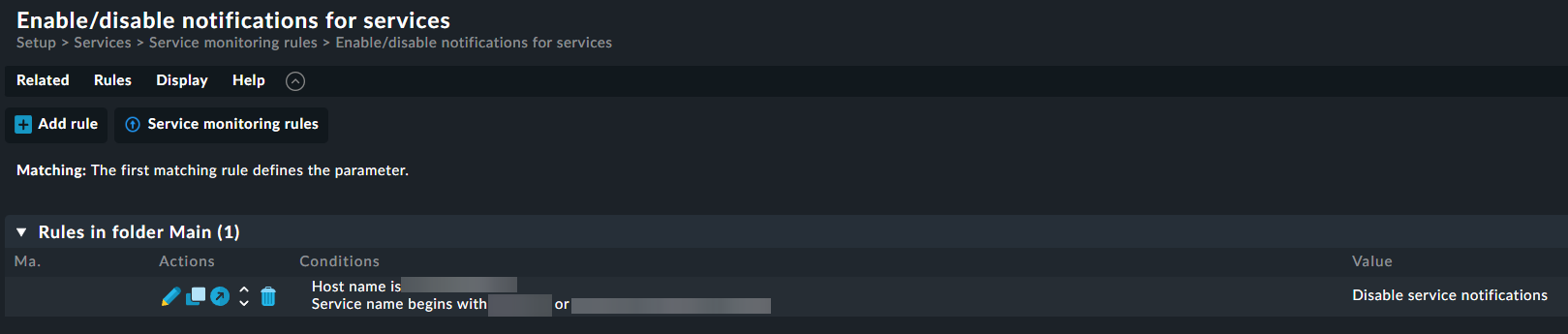
there are multiple ways to achieve your goal but one of the easiest should be to create a rule called “Enable/disable notifications for services” and add the Checkmk Service Discovery to it.
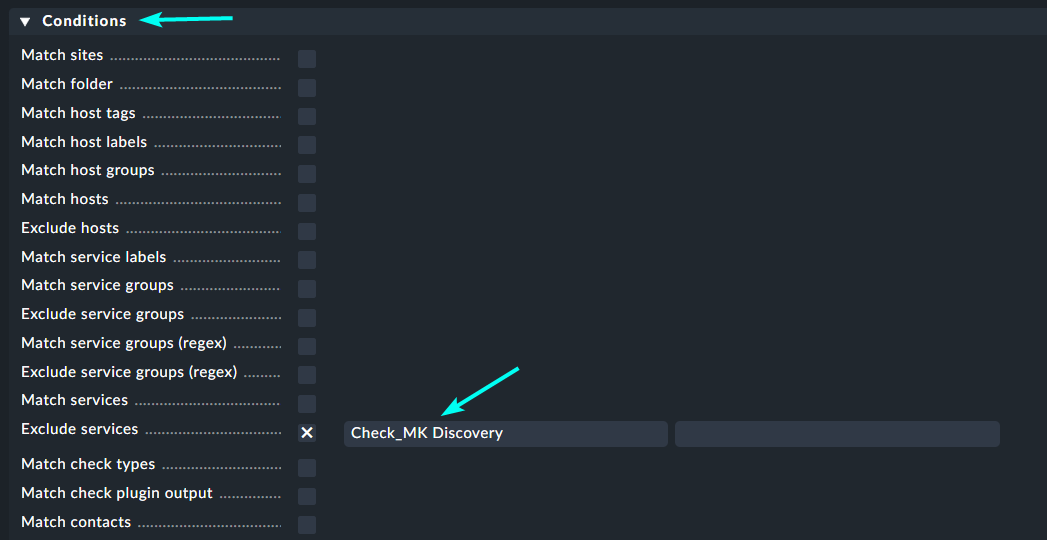
Another way is to exclude the Service Discovery Service in your notification rule.
Please can you clarify the options you provide a little more? I assume “Enable/disable notifications for services” is a notification rule? If yes, which of the several Conditions do I use and exactly what you I enter for the “Checkmk Service Discovery”?
Same applies for the alternative. I have about 10 notification rules now. I assume I need to exclude the Service Discovery in all of them? If so, what Condition do I use and exactly what do I type into the field? Thanks.
Services that are matching to this rule get a new icon on the service views like this:
Using the “Enable/disable notifications for services” rule means you don’t have to edit every single notification rule.
Otherwise you can exclude services inside every notification rule like this:
This topic was automatically closed 365 days after the last reply. New replies are no longer allowed. Contact an admin if you think this should be re-opened.