I posted about this earlier but deleted it because I thought I had it. I have a Leoch Battery device. They ONLY use private OIDs. I know checkmk normally will scan the .1.3.6.1.2.1.1 and first use like the sysDescr .1.3.6.1.2.1.1.1. then from there you trigger your additional plugin. Unfortunatly their device doesn’t return that at all. I was trying to query one of their private OIDs but that doesn’t seem to be working. I fear that because the device doesn’t return a sysDesc then checkmk is just abandoning all together. How can you handle this situation when developing a plugin for a device that doesn’t use sysDesc
OMD[dev]:~$ snmpwalk -v 2c -c public 192.168.10.250 .1.3.6.1.2.1.1.1
Error in packet.
Reason: wrongType (The set datatype does not match the data type the agent expects)
obviously if i force the detection of the plugin against the host it works and discovers the services.
OMD[dev]:~$ cmk --debug -vI --detect-plugins=leoch_Lithium PowerSystem
Discovering services and host labels on: PowerSystem
PowerSystem:
+ FETCHING DATA
Get piggybacked data
+ ANALYSE DISCOVERED HOST LABELS
SUCCESS - Found no new host labels
+ ANALYSE DISCOVERED SERVICES
+ EXECUTING DISCOVERY PLUGINS (1)
SUCCESS - Found no new services
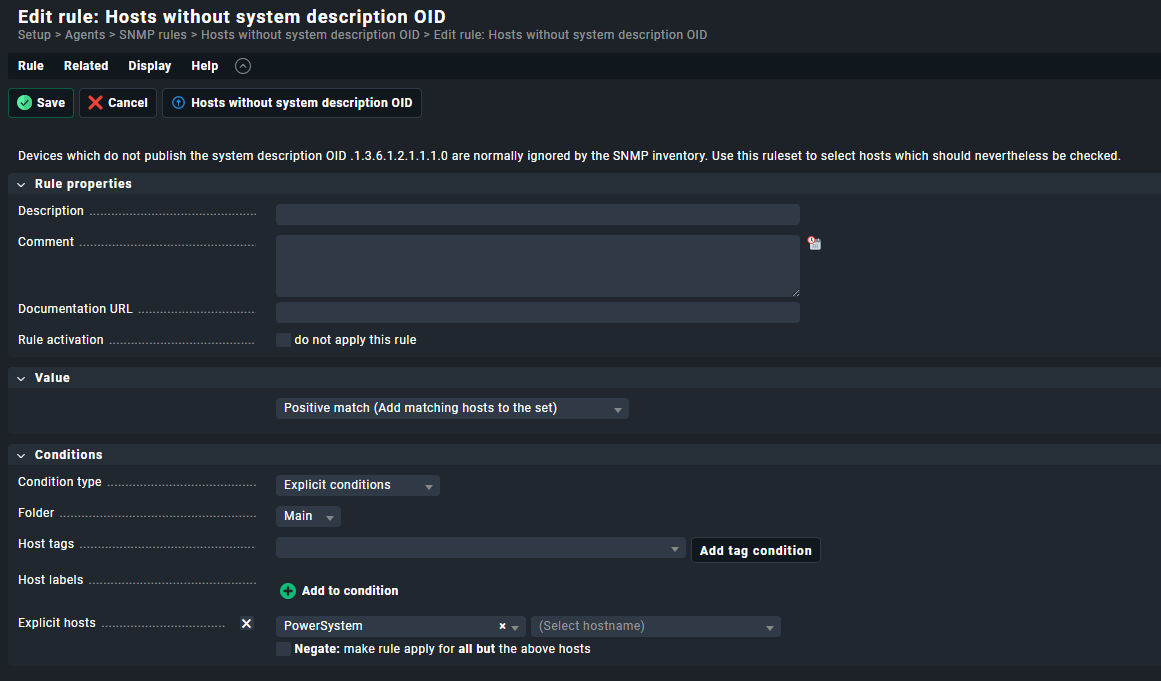
Also I have added it to the rule that tells it the device doesn’t have sysDesc
What happens on this device if you do a “cmk --debug -vvI hostname”?
If your detect function is working, you should see that CMK is sending a request to fetch the OID and also gets a positiv result.
I don’t usually do a supersedes but none of those plugins will work and I just wanted to try and make it not even attempt them. since this vendor is 100% private OID’s only.
I think though your suggestion led to some good info. when I run the command i noticed the following plugings being triggered
SNMP scan found hr_mem leoch_Lithium openbsd_sensors snmp_quantum_storage_info snmp_info, snmp_uptime
snmp_info: Fetching data (SNMP walk cache cleared)
Executing BULKWALK (v2c) of “.1.3.6.1.2.1.1.1” on PowerSystem
ERROR: SNMP error 7/0 (wrongType (The set datatype does not match the data type the agent expects))
the only way I can get this to stop is by making a config rule in check my to disable the snmp sections snmp_info, snmp_uptime. as long as they are allowed to run it breaks the inventory and nothing works. this is why i was using the supersedes was to try and stop these other plugins from running :(. suggestions?
This is the only way to stop not working SNMP section from trying to be fetched.
For such devices → create a “Disabled SNMP section” rule put all SNMP sections inside that are not working. Or better said for this device, leave only the “leoch_lithium” section active.
well, that is too bad. I was hoping there was a way to handle it in the plugin, so we don’t have to do custom rules every time we add one of these devices. I will probably make it happen with a Tag. Thanks for the help.