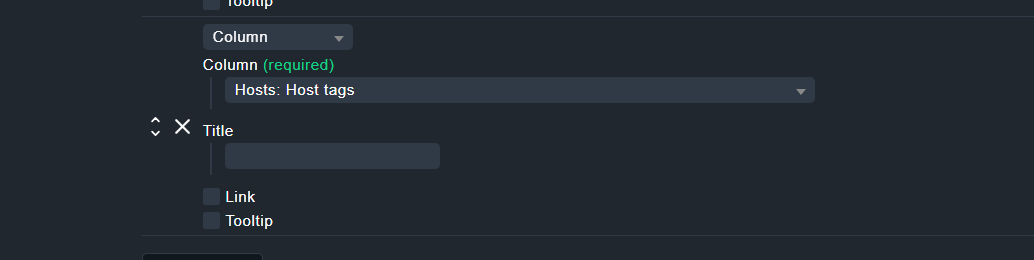
We created some custom tags from our host database. I modified the all_hosts view to display those tags. But it is displaying the tag_title, and not the shorter tag_id. In a view like all_hosts, the shorter id is much more logical then the longer title. But in other views the longer title might make sense, so I don’t want to shorten the title. Is there a way to just view the id instead of the title.
From what i could find, if you display the tags separated (one column for each tag) it just doesn’t show the id, but if you display them in one column with this option in the view configuration, it shows the id:
I have seen that by showing all tags you get only the id’s, but then also a lot of id’s, which doesn’t make it easy to see what you are after either. I am really after showing a specific tag in a condense way in the list view table format.