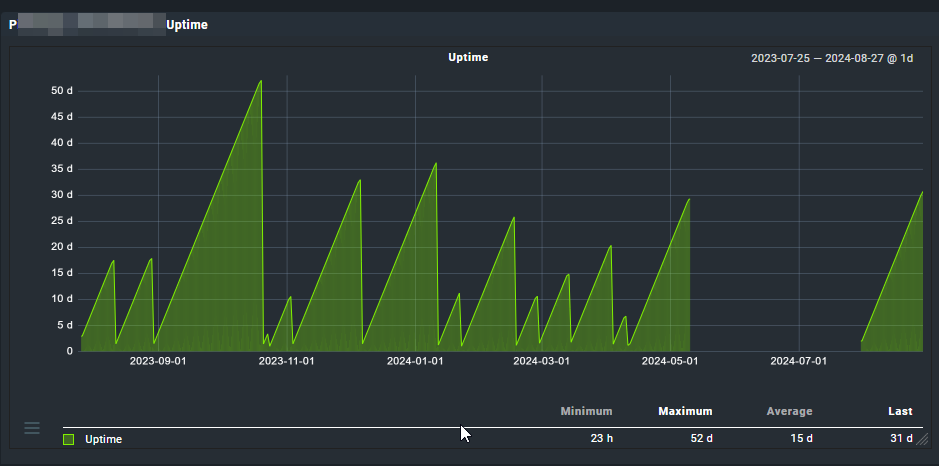
I see with CMK 2.2, agent “push” mode is being introduced. I’m considering recommending that to monitor workstations since we seem to have no idea when workstations are up and for how long at a time. It’s causing problems because our RMM scripts seem to be not completing but we’re not sure if it’s because users are not leaving their PCs online as we’ve asked.
Is there much other value to monitoring workstations? Going through the hassle just to see the workstation uptime seems like it might not be worth it.
Well, the “Host check” support a plethora of ways, which means you can create a rule that obtains output, which could be the “cat of a file” placed somewhere where hosts push to that location. Can also use the ssh host check to do this wizardry too, if that makes more sense.
Also, piggyback data from some sort of local check where it somehow parses through the pushed data to present, etc…
At least in my mind, this is “doable” in many different ways.
I understand it’s only the cloud version. I was considering the value of switching to that. We can’t ping them because they’re behind NAT gateways 99% of the time and are not going to respond to a ping of the public IP.
The problem is the workstations are often remote, behind NAT gateways. There’s no reliable way to “reach out” to them. That’s why the “push” method peaked my interest.
As @cjcox says. Some years ago I had “built” my own “push agent” on a workstation (Mac OS X): just a simple cronjob that ran the agent and piped the output via ssh (with pubkey auth) to the monitoring server, then used “cat thatfile” as the host check command.
This topic was automatically closed 365 days after the last reply. New replies are no longer allowed. Contact an admin if you think this should be re-opened.