CMK version: 2.2.0 p26
OS version: Ubuntu 20.04
Hi!
We have a problem since this night with some Agents and some Hosts.
A collegue created a rule for Network interface and switch port discovery which led to Service discovery detecting ALL network interfaces with another name. Since this was not wanted, I disabled the rules and let the system heal itself. We waited several hours but some things are still here.
The follwoing issues came alive in parallel with creating the rule above (which is now disabled). I dont know how they are combined, maybe someone can shed a light.
First issue: Two down hosts, but they are not:
CMK shows in its WebGUI for both: No IP packet received for 15.587090 s (deadline is 15.000000 s).
A cmk -vvv hostname shows:
[agent] Success, [piggyback] Success (but no data found for this host), execution time 2.1 sec | execution_time=2.080 user_time=0.010 system_time=0.000 children_user_time=0.000 children_system_time=0.000 cmk_time_agent=2.070
No issue. The cmk output is different from the webgui output. The Connection Tests also show NO issues at all:
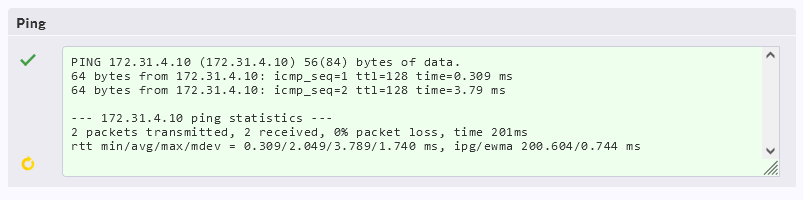
Any ideas?
The second issue are many Hosts, that shows since the same period now:
[agent] Agent controller not registeredCRIT, [piggyback] Success (but no data found for this host), execution time 0.0 sec.
But a cmk -vvv hostname again, shows everything is ok?
[agent] Success, [piggyback] Success (but no data found for this host), execution time 2.7 sec | execution_time=2.720 user_time=0.010 system_time=0.000 children_user_time=0.000 children_system_time=0.000 cmk_time_agent=2.700
Why the difference?
Any idea?
I already rebooted the CMK server itself.