Hello everyone,
i am having troubles connecting my Esxi Host to Checkmk Raw 2.0.0p11 edition of Checkmk.
I’ve followed this instructions Monitoring VMWare ESXi
I have created an user with only-read permission on the esxi host and also in my vsphere center. Also I’ve created new host with hostname, ipv4 address, checkmk agent, label where the server is located
Under Setup>Agents>VM, Cloud, Container>VMWare ESX via vSphere I created rule with the read-only user and password that I have created on the Esxi Host itself (I tried both combinations also with vsphere center user that I have created). I also activated “explicit hosts” and put the name of the host that i previously created.
Connection Test:
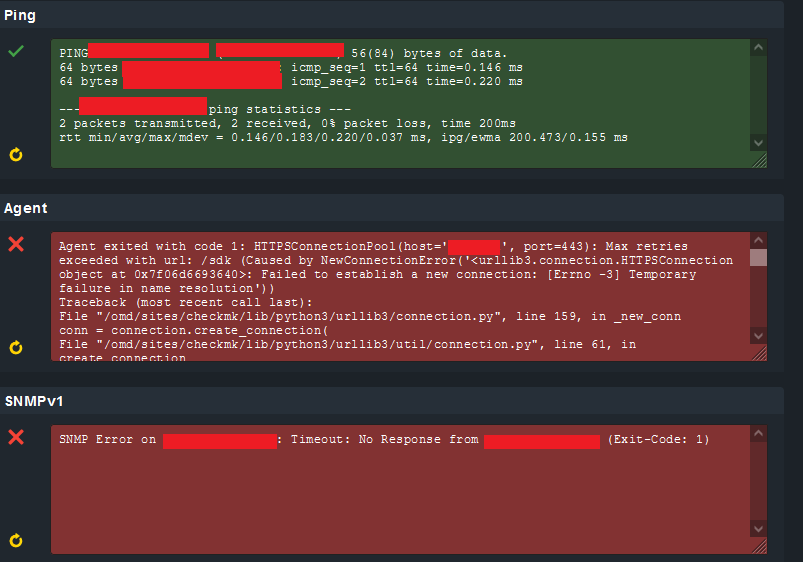
So ping works but I cannot connect to agent because of “temporary failure in name resolution” I am asking myself why is it even trying over DNS if there is IP address of host and ping to that ip address works?
I also tried following commands:
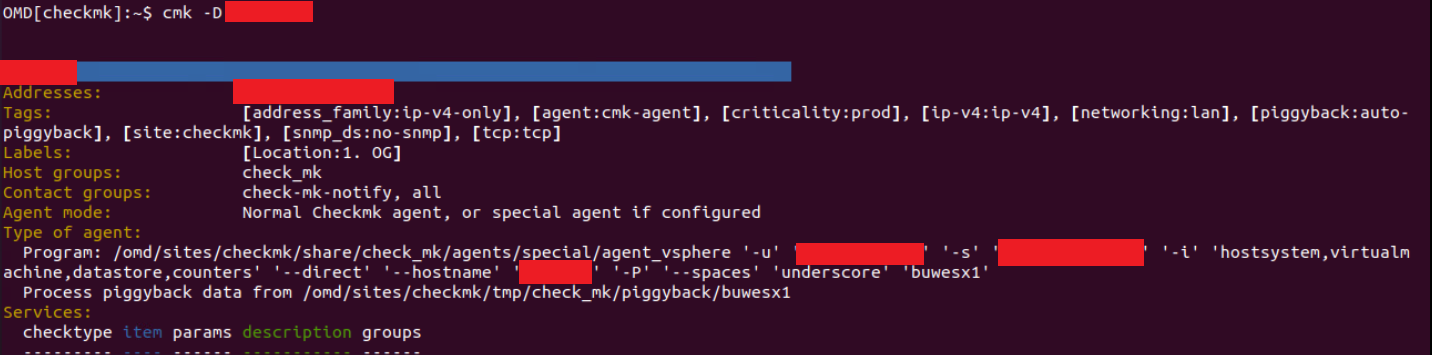
cmk -D HOSTNAME (everything looks fine, I get type of agent and I can see credentials)
cmk --debug --discover-marked-host -vv (Nothing to do)
cmk --debug --check-discovery -vv HOSTNAME (failed to lookup IPv4 address of -vv via DNS: [Errno -2] Name or service not known)
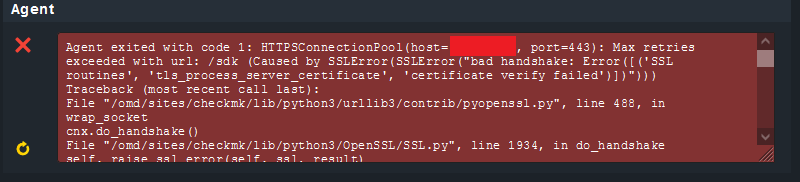
I saw an topic here where someone deactivated SSL and then it worked for similar problem. Do I need to deactivate SSL on the Esxi Host or where?
Thank you for helping,
regards