I trying to start to work with RAW version and after some basic steps i would like to understand if i can reach below goal.
Let’s i have a switch with 8 ports where P1 is used by a “critical” host and port from 2 to 8 are used by not relevant hosts.
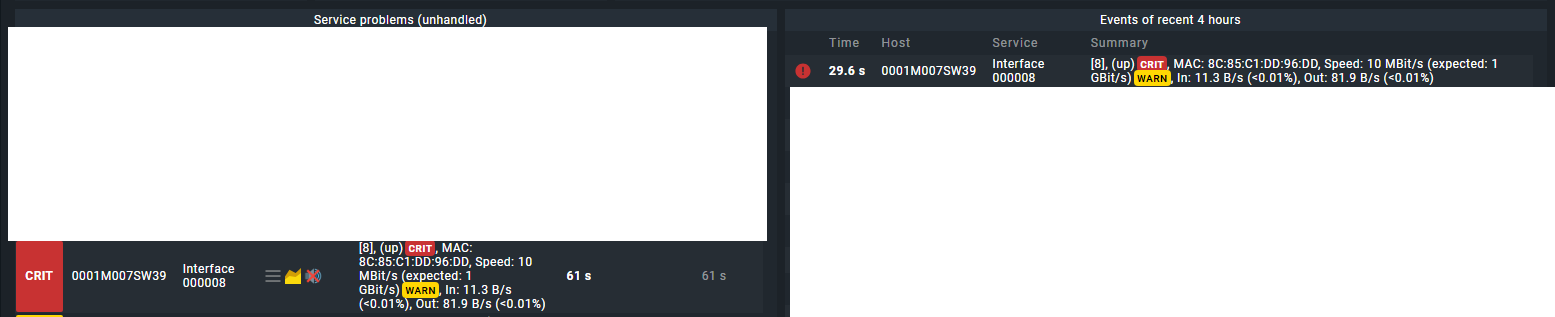
Currently, every time someone shutdown/poweron hosts in all ports, i receive both event (on right side of the dashboard) and service problem (on the left side of the dashboard) notifications.
Which rules i need to configure (if my goal is reachable) to have:
Only event at any change of port from 2 to 8
Event and service problem at any change of port 1
On this way, in my idea, i will have log of any change that i can check on needed and problem only for port where i’m interested to act asap.
Just tried with “Notified event for services” filtering for host and services without luck.
the rule you’re looking for is called “Enable/disable notifications for services”
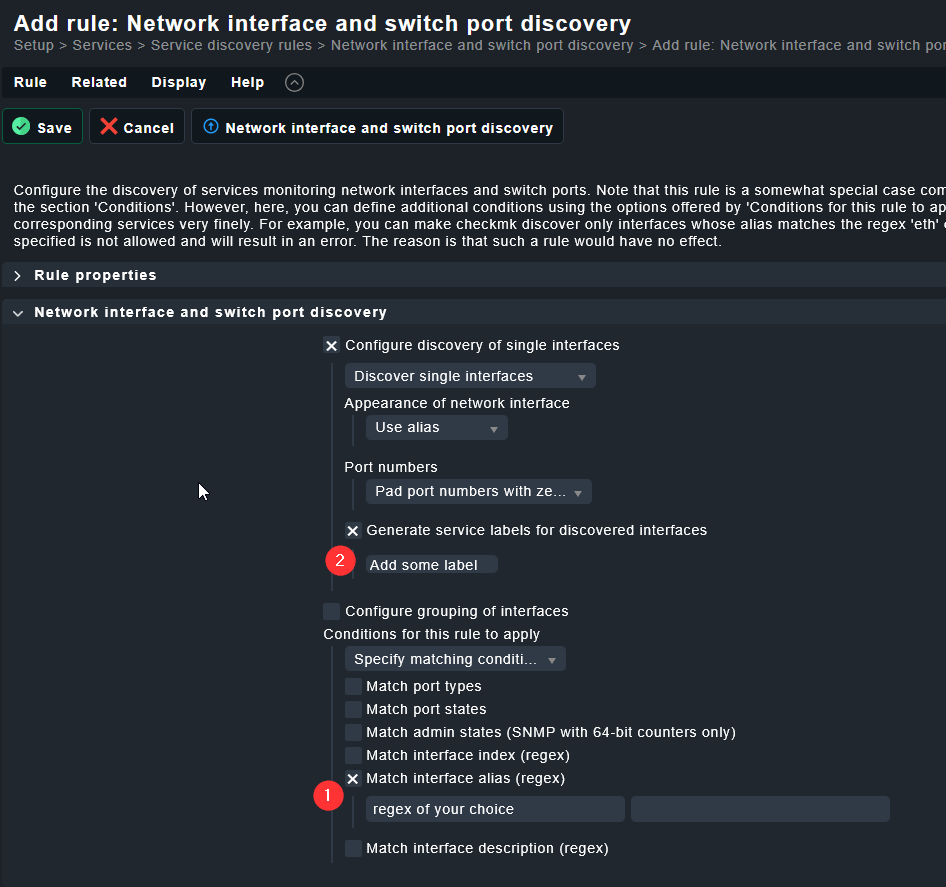
you can either built the rule directly or by a service label. That service label could itself be set by one or multiple service label rules, but checkmk can also generate service labels for you if you have a way to detect the less important ports e.g. by their alias?
it might be worth to mark port aliases with something like #uplink or #access etc etc on the switches, this way you can classify them within checkmk but also have some additional information when you or colleagues are working on the switch. (And if it’s on the switch, other tools that might scan your switch also have the same information and not just checkmk.)
My steps with one Host in port8 (NOT relevant port) down. and port1 (relevant port) UP
Setup → General → Rule search → Enable/disable notifications for services → Add Rules
Other than the general information, i changed:
Enable/disable notifications for services in Disable service notifications
Explicit Host selected the switch used for the test
Services Interface 000001$ (that is the name of the relevant host) and checked the flag (located under Services) Negate so that, for what i understand, the notifications will be disable for all ports except for the Interface 000001
Save and Apply
To resume, the rule conditions is Host name is SW39 Service name is not Interface 000001
After few minutes, i powered on the host in Port 8 and i have:
On the right the action is logged and this is fine but on the left i still have the service problem with the only difference that this time it have a new symbol of mute on the right. Instead, our goal is to don’t have any service problem on this case but only log.
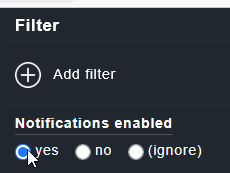
What you could do is, filter the dashlet on the left “Service Problems” so that only services where Notifications are enabled will be shown:
Now if someone opens the Switch directly, they will still see that this Interface is in a CRIT state, but the alert will not be shown in the dashboard.
However, it would still be counted in the Service statistics.
In the enterprise, you could go one step further and set this service into downtime. Service in downtime still create alerts, but those alerts will never create notifications and all problem views/dashboards usually filter out services in downtime.
(In raw, you can of course also set downtimes, just not via rule, but only via command, so you’d have to build your own automation.)
note: your rule might currently silence more than you want as “Interface 0000001” and then negate means that you also disable notifications for .e.g “Check_MK” or “Power Supply 1” as these services also are not named “Interface 000001”
To achieve what you want i.e. “all interfaces except this particular Interface” you either
a) use a regex with negative lookahead (I would advice against it, as a lot of people have trouble understanding that) so rather use
b) one general rule where you disable the notification for “Interface .*” on the switches + a second rule above where you explicitly “enable” the Notifications for “interface 0000001”
For sure, your suggestion about the filter is the solution for us although is “quite boring” to apply the filter every time we move out from the main page (because, for what i know there is no way to save the filter) but absolutely acceptable.
About the rule, for now we preferred to use the b suggestion and seems to work very well.
 to apply the filter every time we move out from the main page (because, for what i know there is no way to save the filter) but absolutely acceptable.