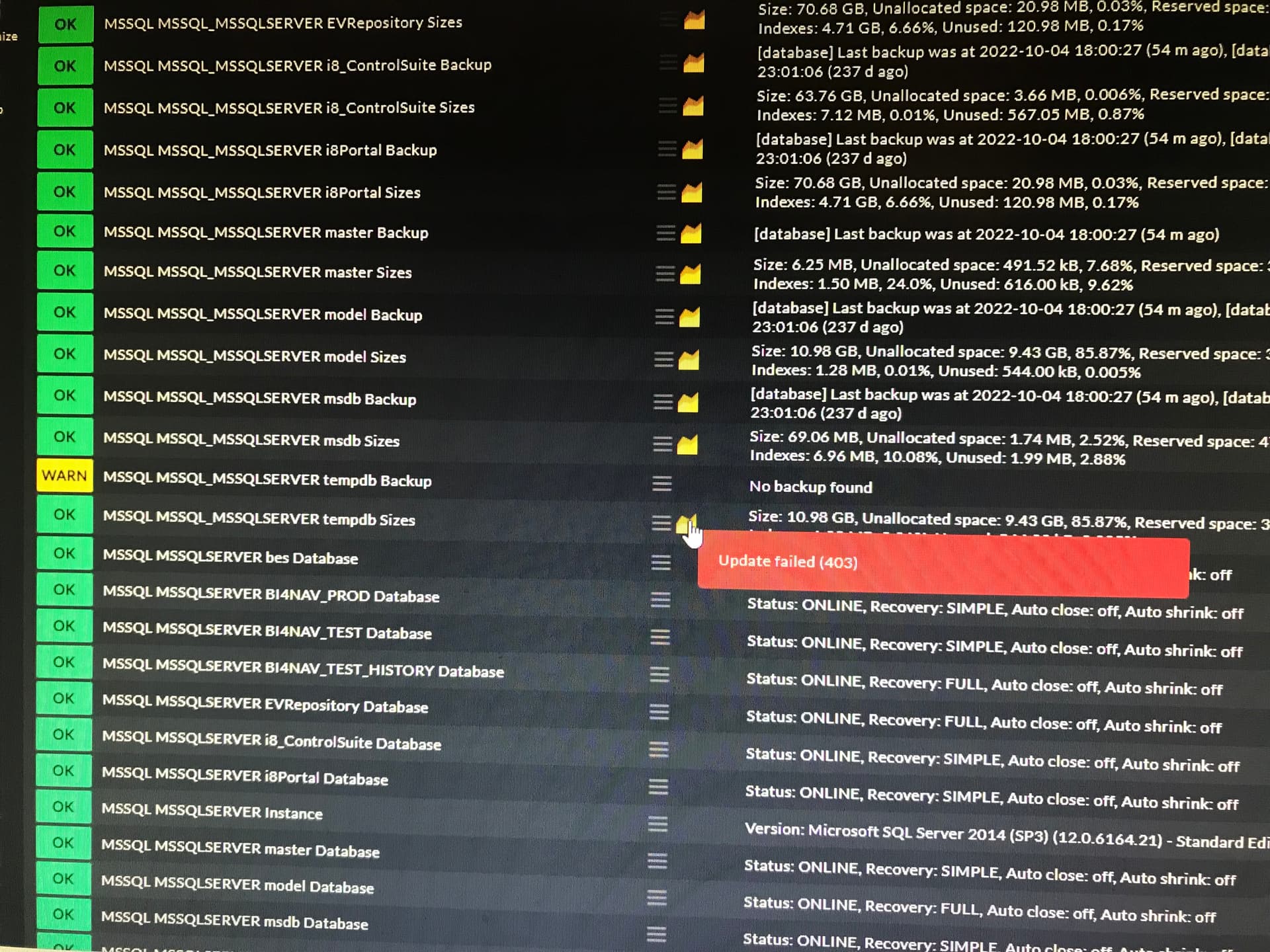
CMK version: 2.1.0p13 OS version: MS server 2012 R2 Error message: Failed to fetch stae 403
I try to use mssql.vbs on my DB server ( MSSQL 2014 ). I copied the mssql.vbs file to ProgramData\checkmk\agent\plugins folder. Created an DB account and made an mssql.ini file with the DB account name and PW.
When I go to “host” and "service configuration"it will find all services with there corresponding values. But at the moment i select “Accept All” it will give an error “Failed to fetch state 403”.
When I remove that mssql.vbs file from the ProgramData folder, I can do a service recovery and the accept function is working. ( of course without the DB services ).
As the 403 error comes from the local or site Apache i would first look there if i can find some more error message.
To check if you have a real problem on the CMK side i would do a “cmk -vvI hostname” on the command line to add all services found to be monitored. If also the following “cmk -vvR” gives no error message, the monitoring by itself works.
If it is a non English language system it is possible that we have again some strange encoding problem here
I was able to add all these serices to my host but now i want to delete 2 of them who are causing issues and warnings. Its testdb and msdb. I dont want them in my service list but I am not able to delete or deactivate them. The action menu for these services are not opening and the graph is giving me an error:
This topic was automatically closed 365 days after the last reply. New replies are no longer allowed. Contact an admin if you think this should be re-opened.