I have got same issue. This started with latest Beta but I thought I did some something wrong.
In latest beta my checkmk server didnt recognised omd services anymore except ‘omd status’
Just to get full picture:
With agent 2.4.0b4 all services are available. After installing 2.4.0b5 (and final 2.4.0) agent they are going away.
Tested all betas and final 2.4.0 site versions.
before the upgrade:
working: site 2.3.0_p27 + agent 2.3.0_p27
after the upgrade:
working: site 2.4.0 + agent 2.3.0_p31
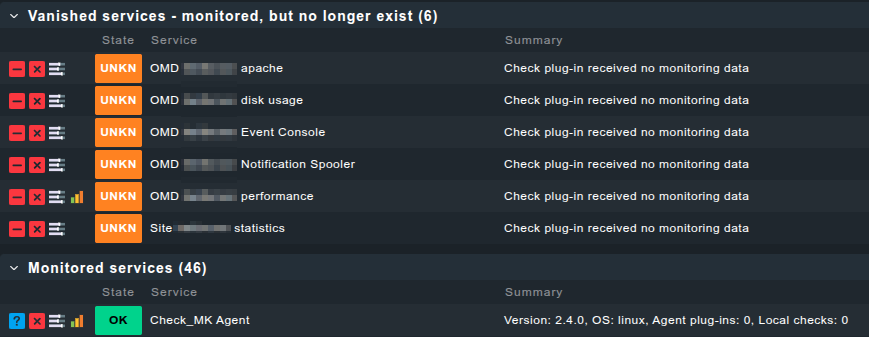
not working: site 2.4.0 + agent 2.4.0
Additional info, comparing the agents and replacing the sections/functions section_omd() and section_omd_core() with the code from agent 2.3.0_p31 makes things work again, at least partially like the services are discovered again and the graphs are displayed, not sure if they’re updated correctly as least for the third one:
So far, we can’t reproduce this issue. Even in an upgrade scenario.
This means that you are currently our only source for debugging this
The relevant change from 2.3 to 2.4 in the agent is this part (taken from your diff):
         for sitedir in /omd/sites/*; do
-            site_version="$(basename "$(realpath "${sitedir}/version")")"
             site=${sitedir#/omd/sites/}
-            for topic in "broker" "mknotifyd" "apache" "diskusage"; do
-                script="/omd/versions/${site_version}/bin/cmk-monitor-${topic}"
-                [ -x "${script}" ] && sudo --non-interactive --user="${site}" "${script}"
-            done
So, for example for the omd diskusage Service, the agent calls sudo --non-interactive --user=<site_name> /omd/versions/<site_version>/bin/cmk-monitor-diskusage
This logic was completely different in the 2.3 agent.
The reason for this change is the new ability to run the agent under a non-root user.
May I kindly ask you to do some tests?
Can I assume that the agent is running under root and not under some custom user? (The omd sections shouldn’t work than anyways)
Does ~/bin/cmk-monitor-diskusage exist on your 2.4 site?
Does the call sudo --non-interactive --user=<site_name> /omd/versions/<site_version>/bin/cmk-monitor-diskusage (of course with correct site version and name inserted) work when called as root? Normally, root should be allowed to call every sudo command. Maybe some sudoers setting on your machine prevents the call from performing correctly?
What about the agent output itself? Is the omd_diskusage section in there? The call of cmk-agent-ctl dump | grep "<<<omd_diskusage" -A10 should yield some output (more than just the section header)
Does this also occur on a new 2.4 installation with a newly installed 2.4 agent? Or only on update?
On which system does this occur? Is SELinux possibly involved?
Ah maybe I found the issue and I can reproduce it!
I’m running checkmk on proxmox in a lxc container. So far nothing special but I don’t have installed sudo because I don’t need it at the moment.
After installing sudo it works as before! Rechecked it with uninstalling sudo and boom - it stopped working.
So with installing sudo everything is fine.
Maybe there should be check before installing if sudo is installed?
The werk didn’t make it to p1 unfortunately. It will come with p2, hopefully next week then.
Thus, in the meantime, installing sudo is the simplest workaround.
Apologies.
I am also having an issue with those three graphs not displaying info. I am on a rhel9 machine, sudo is already there, but this only happens with one site. If I disable the site I can see the graphs, it I reenable it the graphs go away. If I sign into the site directly the graphs are not there either.


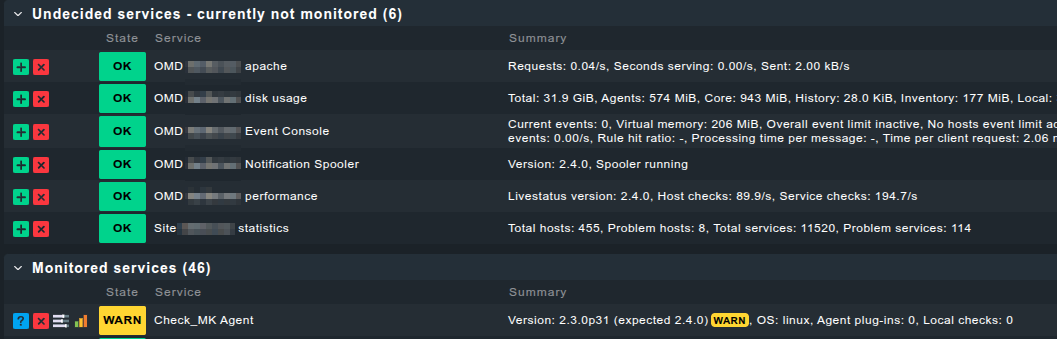
 site @ 2.3.0 && agent @ 2.3.0
 site @ 2.4.0 && agent @ 2.4.0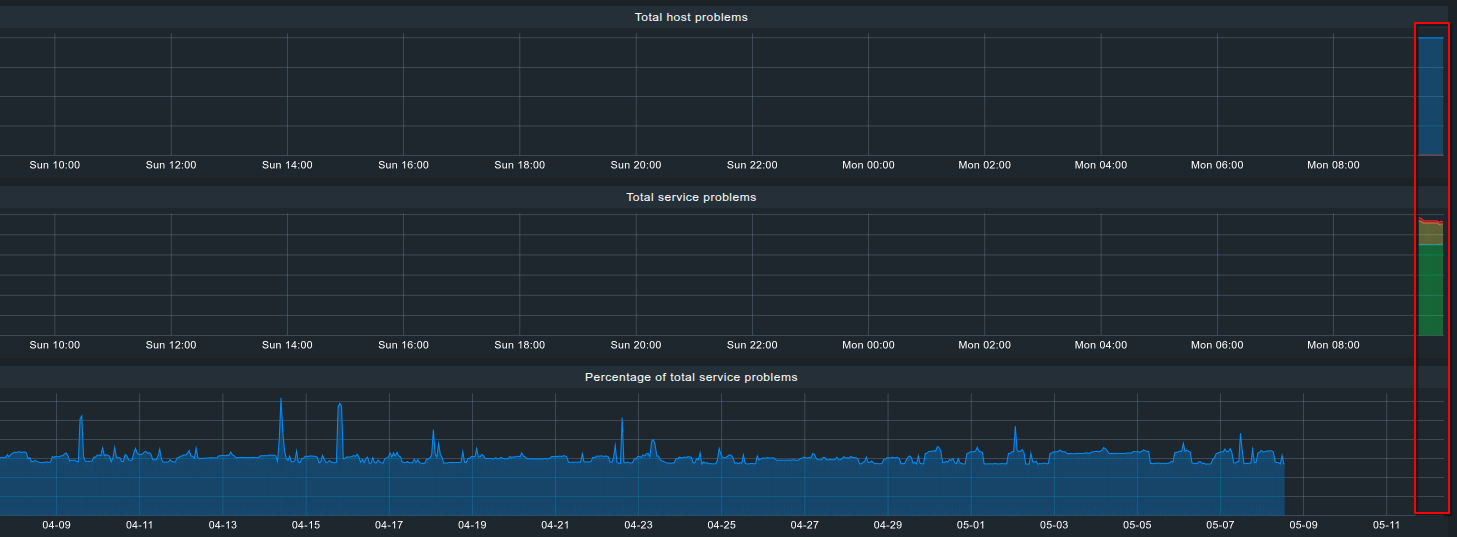

 readding it solved to the problem. Sorry for the noise.