Error message: systemd-user-runtime-dir[25891]: Failed to look up user “mon”: Bad message
A freshly installed CheckMK with a few hosts being monitored by both Agent and the PostgreSQL plugin has just gotten it’s fallback e-mail address added. Then we try to send a test notification for any host. The mail does not get sent. Using journalctl -f I can see the following messages for the mail attempt:
Mar 04 13:46:01 HOSTNAME cron[25889]: pam_unix(crond:session): session opened for user mon by (uid=0)
Mar 04 13:46:01 HOSTNAME cron[25890]: pam_unix(crond:session): session opened for user mon by (uid=0)
Mar 04 13:46:01 HOSTNAME systemd[1]: Created slice User Slice of UID 475.
Mar 04 13:46:01 HOSTNAME systemd[1]: Starting User Runtime Directory /run/user/475...
Mar 04 13:46:01 HOSTNAME systemd-user-runtime-dir[25891]: Failed to look up user "mon": Bad message
Mar 04 13:46:01 HOSTNAME systemd[1]: user-runtime-dir@475.service: Main process exited, code=exited, status=1/FAILURE
Mar 04 13:46:01 HOSTNAME systemd[1]: user-runtime-dir@475.service: Failed with result 'exit-code'.
Mar 04 13:46:01 HOSTNAME systemd[1]: Failed to start User Runtime Directory /run/user/475.
Mar 04 13:46:01 HOSTNAME systemd[1]: Dependency failed for User Manager for UID 475.
Mar 04 13:46:01 HOSTNAME systemd[1]: user@475.service: Job user@475.service/start failed with result 'dependency'.
Mar 04 13:46:01 HOSTNAME systemd[1]: Started Session c4622 of User mon.
Mar 04 13:46:01 HOSTNAME systemd[1]: Started Session c4623 of User mon.
Mar 04 13:46:01 HOSTNAME cron[25890]: pam_systemd(crond:session): Failed to stat() runtime directory '/run/user/475': No such file or directory
Mar 04 13:46:01 HOSTNAME cron[25890]: pam_systemd(crond:session): Not setting $XDG_RUNTIME_DIR, as the directory is not in order.
Mar 04 13:46:01 HOSTNAME CRON[25893]: (mon) CMD ([ ! -e /omd/sites/mon/etc/check_mk/conf.d/microcore.mk -a -d /omd/sites/mon/var/check_mk/notify/bulk ] && cmk --notify send-bulks)
Mar 04 13:46:01 HOSTNAME cron[25889]: pam_systemd(crond:session): Failed to stat() runtime directory '/run/user/475': No such file or directory
Mar 04 13:46:01 HOSTNAME cron[25889]: pam_systemd(crond:session): Not setting $XDG_RUNTIME_DIR, as the directory is not in order.
Mar 04 13:46:01 HOSTNAME CRON[25894]: (mon) CMD (. $OMD_ROOT/etc/omd/site.conf ; curl http://localhost:$CONFIG_APACHE_TCP_PORT/mon/check_mk/run_cron.py >/dev/null 2>&1)
Mar 04 13:46:01 HOSTNAME CRON[25890]: (mon) CMDEND ([ ! -e /omd/sites/mon/etc/check_mk/conf.d/microcore.mk -a -d /omd/sites/mon/var/check_mk/notify/bulk ] && cmk --notify send-bulks)
Mar 04 13:46:01 HOSTNAME CRON[25890]: pam_unix(crond:session): session closed for user mon
Mar 04 13:46:01 HOSTNAME systemd[1]: session-c4622.scope: Deactivated successfully.
Mar 04 13:46:01 HOSTNAME CRON[25889]: (mon) CMDEND (. $OMD_ROOT/etc/omd/site.conf ; curl http://localhost:$CONFIG_APACHE_TCP_PORT/mon/check_mk/run_cron.py >/dev/null 2>&1)
Mar 04 13:46:01 HOSTNAME CRON[25889]: pam_unix(crond:session): session closed for user mon
Mar 04 13:46:01 HOSTNAME systemd[1]: session-c4623.scope: Deactivated successfully.
Mar 04 13:46:01 HOSTNAME systemd[1]: Removed slice User Slice of UID 475.
The site is called mon. The user mon exists:
OMD[mon]:~$ grep ^mon /etc/passwd
mon:x:475:65535:OMD site mon:/omd/sites/mon:/bin/bash
OMD[mon]:~$
I can become the user, both using omd su mon and su - mon. The user can send mails out, tested via the mail command.
The first error message (“Failed to look up user “mon”: Bad message”) isn’t all that well found using search engines. The “bad message” part is well documented, systemd sometimes uses the message to tell the user the systemd unit file is malformed, but that doesn’t seem to be applicable here.
I take any ideas on how to further diagnose the problem.
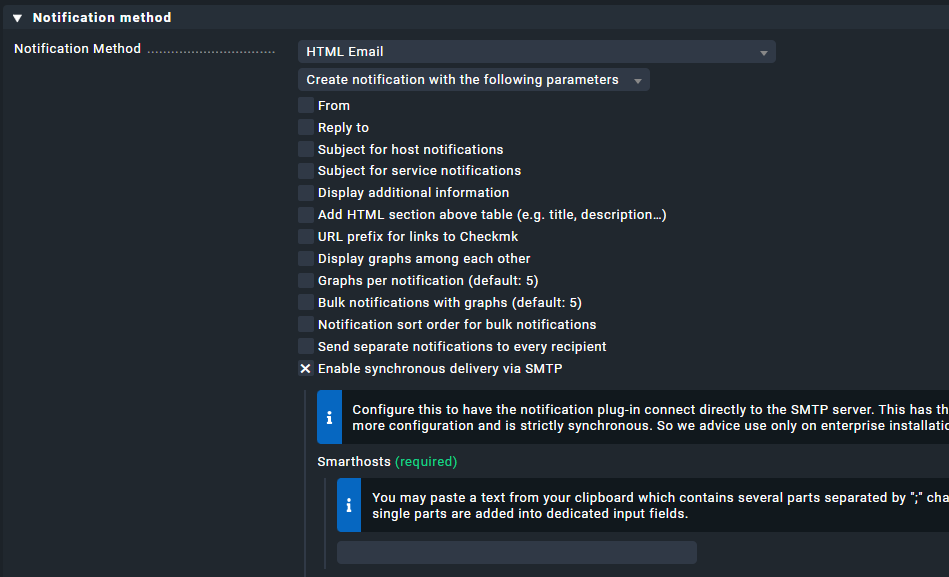
It seems I am missing that option. In our installation, the checkpoint you screenshotted (“Enable synchronous delivery via SMTP”) does not appear, the last entry under “Notification Method” is “Send separate notifications to every recipient”. Are there other requirements for that option to appear?
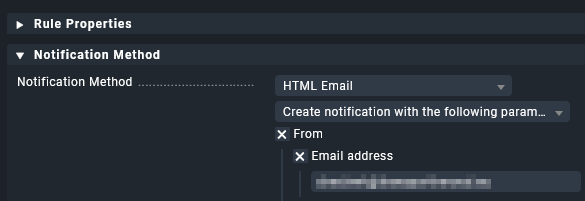
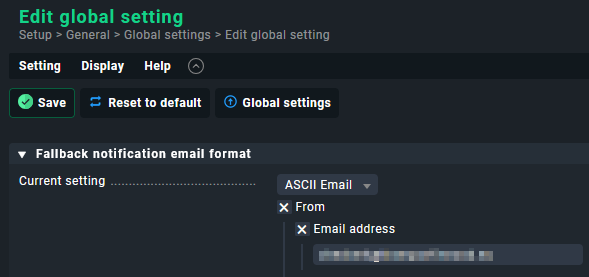
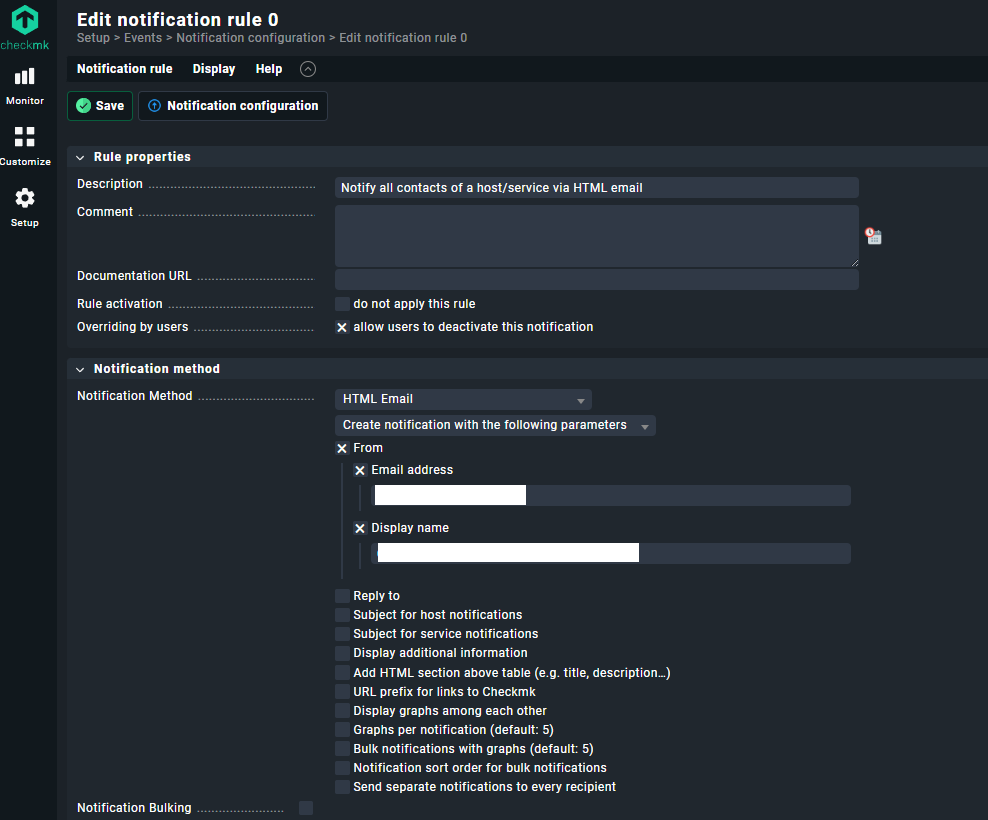
In my raw installation I need to define the from address in checkmk for every notification rule, and global settings (fallback mail) to be able to send mail.
Do you have that set as well?
I have set the notification email format to HTML and have configured a “From” address as noreply@ourdomain. It works when using it from the mail command on the shell with the mon user, the mail is sent (and received).
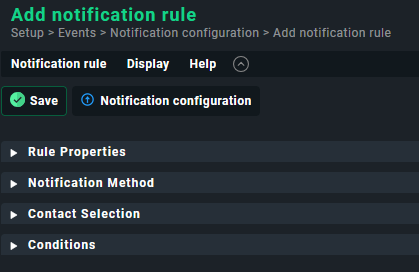
What I do not seem to have is a section “Notification Method” in any of the rules that I see. So I do not have an override in any of those rules. The sections I have in every rule are “Rule properties”, “Host check command” and “Conditions”.
Additional information from var/log/notify.log - this is the log for a test notification from the system. While there’s warnings, the way I would interpret this is that the email configuration is working:
2025-03-05 09:46:00,999 [20] [cmk.base.notify] ----------------------------------------------------------------------
2025-03-05 09:46:00,999 [20] [cmk.base.notify] Analysing notification (HOSTNAME) context with 45 variables
2025-03-05 09:46:00,999 [20] [cmk.base.notify] Global rule 'Notify all contacts of a host/service via HTML email'...
2025-03-05 09:46:00,999 [20] [cmk.base.notify]  -> matches!
2025-03-05 09:46:01,000 [20] [cmk.base.notify] Warning: Contacts of HOSTNAME cannot be determined. Using fallback contacts
2025-03-05 09:46:01,000 [20] [cmk.base.notify] Warning: cannot get information about contact mailto:our.email@ourdomain.tld: ignoring personal user notification restrictions
2025-03-05 09:46:01,000 [20] [cmk.base.notify]    - adding notification of mailto:our.email@ourdomain.tld via mail
2025-03-05 09:46:01,000 [20] [cmk.base.notify] Executing 1 notifications:
2025-03-05 09:46:01,000 [20] [cmk.base.notify]   * would notify mailto:our.email@ourdomain.tld via mail, parameters: from, graphs_per_notification, notifications_with_graphs, bulk: no
Looks mostly the same as mine, I just had the sections collapsed. Currently working on small screen, didn’t have ‘space’ to make full screenshot with sections expanded. (-;
But with these rules you can make your conditions / overrides, so the fallback setting is ideally not used.
Unless the fallback is part of your applied notification logic.
So far, the only address we’ve configured is the fallback address. We are at the start of the setup and wanted to check both monitoring and notifications using CheckMK, and the latter is the currently non-working workflow.
After some more tests, this is the state as it presents itself to me.
I’ve tested a CheckMK Server installation on a different machine using SLES 15 SP 6, and the same issue appears there.
The issue presents itself as a problem of systemd not being able to change the user to the monitoring user to execute the crontab entry. I can however not find sensible information of what leads to the “Failed to look up user: Bad message” error message.
I’ll try to look through the systemd source to find out what “Bad message” could mean in that context.
We’ve determined the issue. It lies somewhere between systemd and SLES.
When CheckMK during installation created both the user (monitoring) and the associated group (monitoring), the group got the id 65535. This is the highest number a 16 bit unsigned integer can have.
Using the systemd tool /usr/lib/systemd/systemd-user-runtime-dir I can see where the error message is coming from:
VM011SVL-000909:/usr/lib/systemd # ./systemd-user-runtime-dir start monitoring
Failed to look up user “monitoring”: Bad message
After changing the id of the associated group to a lower number, the user session can be started successfully.
Adding a user using useradd strangely shows that the user gets the id 65535, again the highest possible number. Maybe SLES started to spread the user and group ids a different way.
This topic was automatically closed 365 days after the last reply. New replies are no longer allowed. Contact an admin if you think this should be re-opened.